MANUAL WORKFLOW
- Plan
- Generate
- Copy / Paste
- Format
- Upload assets
- Publish
Repetitive CMS work after the draft is ready.
AUTOMATED PUBLISHING
Rankvia carries eligible pages from your Content Calendar through generation, review and supported publishing - automatically when enabled, or after your approval.
Personalized to your website · No credit card required
WordPress and Shopify supported
Review-first or automatic publishing
Built into the Content Calendar workflow
FROM CALENDAR TO PUBLISHED
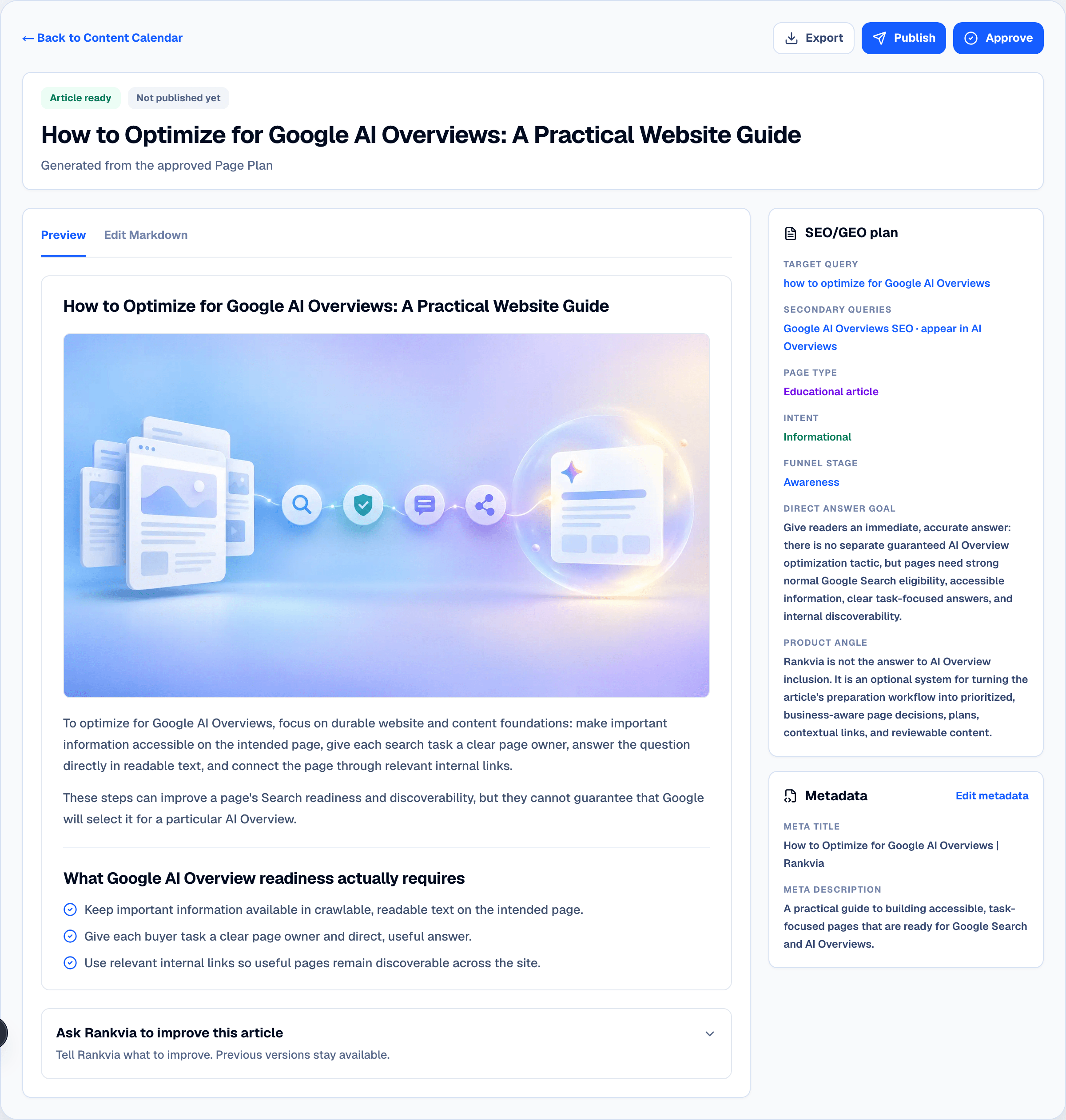
A scheduled opportunity moves from the Content Calendar into its Page Plan, generated page and publishing decision - without becoming a disconnected CMS task.
PLANNING HAPPENS UPSTREAM
Search demand, AI visibility, competitors, business context and existing pages can inform what Rankvia prioritizes. Automated Publishing takes over only after a page opportunity reaches the execution workflow.
FROM PLAN TO PUBLISHED
MANUAL WORKFLOW
Repetitive CMS work after the draft is ready.
RANKVIA
One connected workflow. Or, when enabled: Scheduled → Generated → Published.
YOU CHOOSE THE WORKFLOW
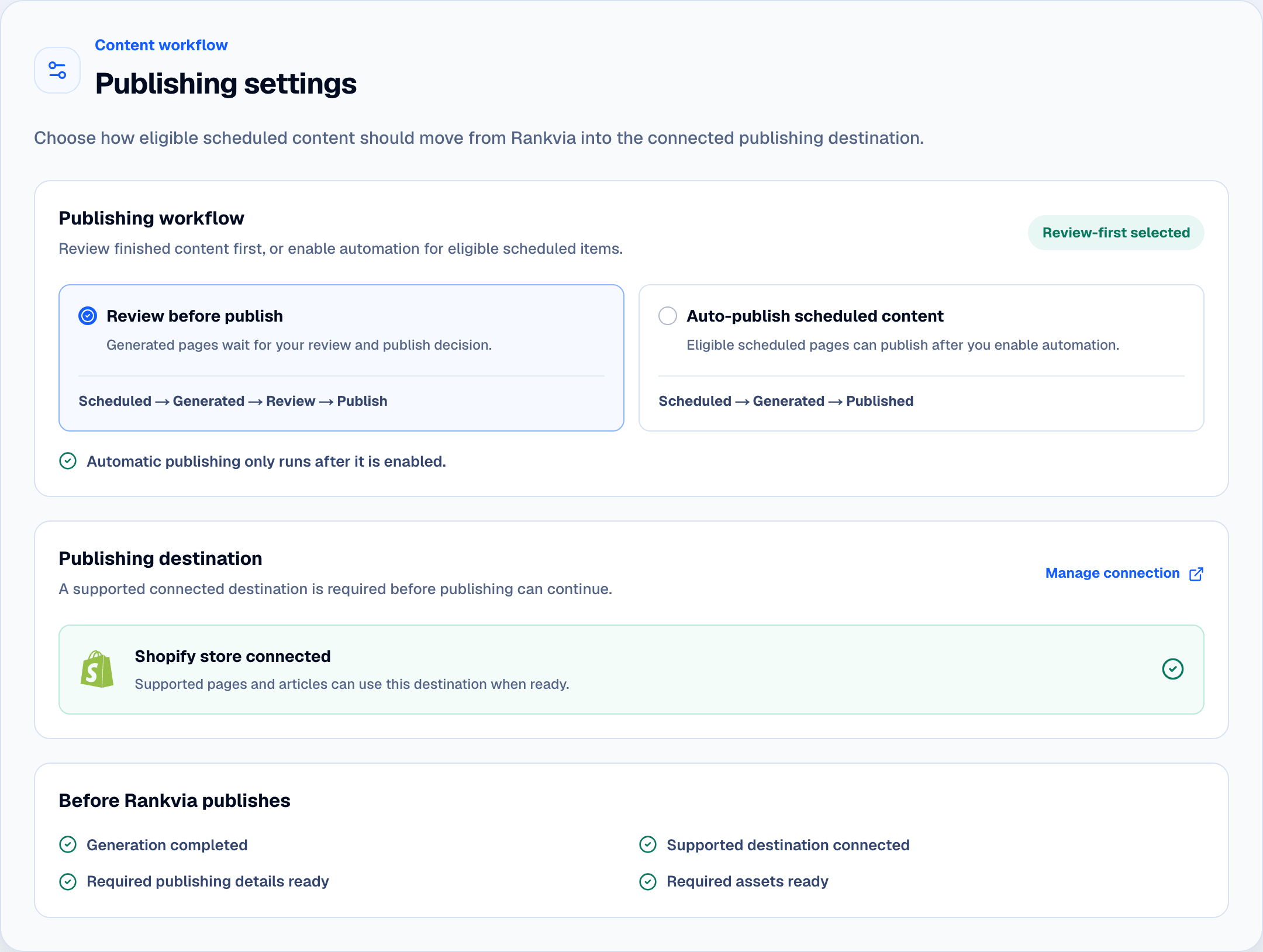
The safer starting point for commercial pages, expert review and final brand control.
Scheduled → Generated → Review → Publish
For approved recurring workflows with a valid supported destination and readiness in place.
Scheduled → Generated → Published
Automatic publishing only runs after you enable it.
BUILT AROUND YOUR CONTENT CALENDAR
Scheduled page opportunities can move through generation and into the configured publishing workflow instead of leaving finished drafts waiting for manual transfer.

PUBLISHING SETTINGS
Review-first is a clear default. Automatic publishing remains a separate opt-in setting for eligible scheduled content with a connected supported destination.
AUTOMATION WITH GUARDRAILS
Automatic publishing is a configured workflow for eligible scheduled content, not a promise that every item will publish regardless of readiness.
Automatic publishing is enabled
Generation completed
Supported CMS connected
Required assets ready
If the workflow is not ready, Rankvia waits or surfaces the state rather than treating the page as published.
CONTENT + ASSETS
When a required asset is still preparing, Rankvia waits for readiness instead of publishing an incomplete page.
SUPPORTED PUBLISHING DESTINATIONS
Rankvia Publish
Publish supported Rankvia pages through connected WordPress workflows.
Explore WordPress integration →
Publish supported Rankvia pages through the connected Shopify app workflow.
Explore Shopify integration →AFTER PUBLISHING
If the workflow needs attention, Rankvia surfaces that state instead of treating the publish as successful.
START WITH CONTROL
You can begin with manual approval and enable automatic publishing once the workflow matches how you want the website to operate.
OUTCOMES
Automation removes repetitive publishing work while leaving the planning strategy and chosen level of editorial control intact.
Reduce copy/paste and reformatting.
Keep final control where needed.
Know whether content reached the CMS successfully.
Keep scheduling, generation and publishing connected.
FAQ
START WITH YOUR WEBSITE
Start with review-first publishing, then enable automation when you're ready.
Personalized to your website · No credit card required