
Guides Automated SEO Content Publishing: From Search Opportunity to Verified Live URL
AUTOMATED SEO CONTENT PUBLISHING
Automated SEO Content Publishing: From Search Opportunity to Verified Live URL
Learn how to automate SEO content from search opportunity to WordPress or Shopify publishing, with quality gates for accuracy, relevance and control.
By Rankvia ·
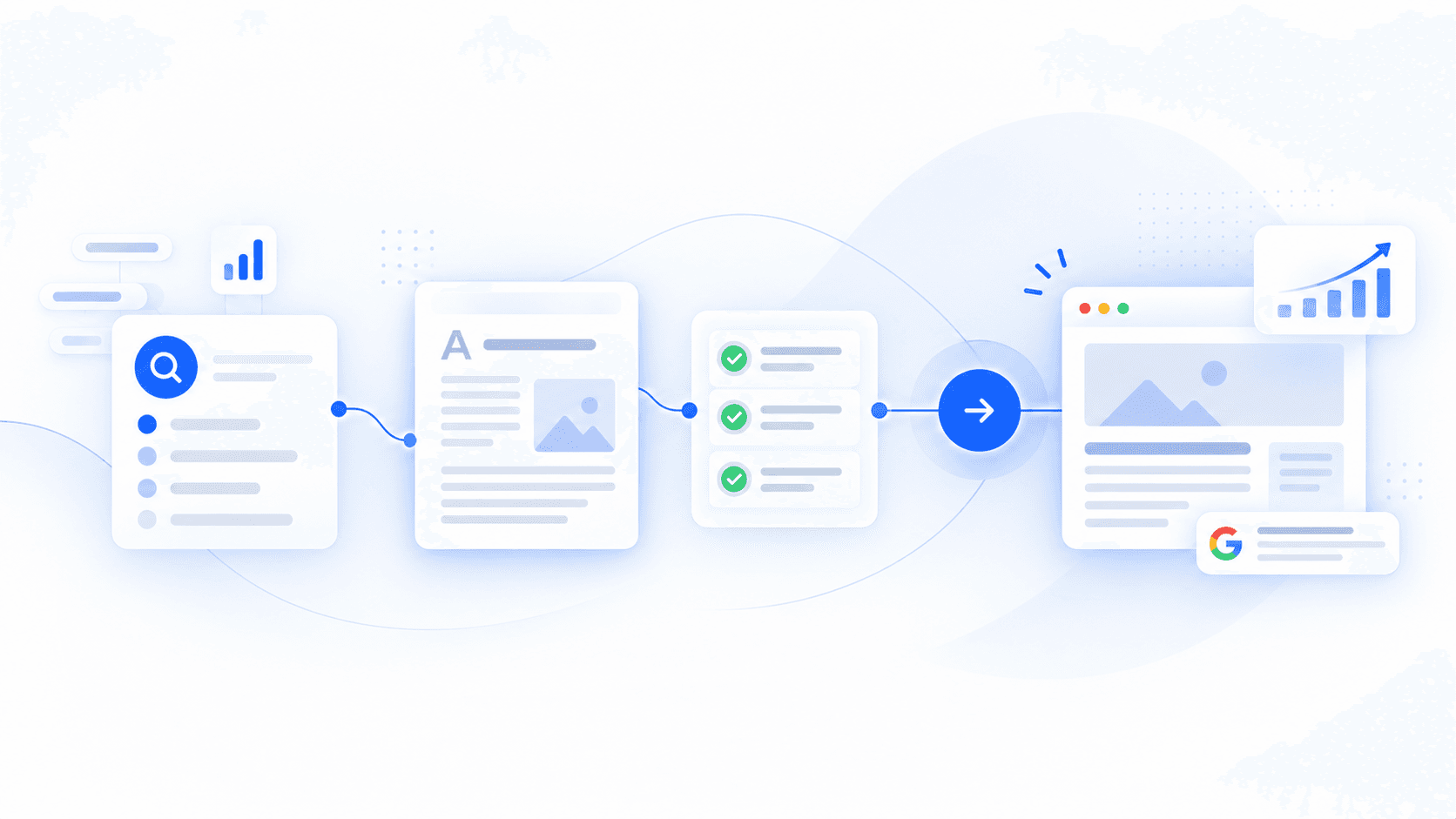
Automated SEO content publishing takes a worthwhile search opportunity through planning, creation, review and CMS publication with less manual work.
The task extends beyond producing a draft: choose the right page, prepare reliable content, confirm the destination is ready and verify the result. The worked WordPress example below follows those decisions, including where Review First and conditional automatic publication differ.
What automated SEO content publishing includes
The exact workflow varies by team, but the full process can span:
Opportunity discovery → page decision → strategy → research → creation → quality checks → publishing package → CMS → verification → measurement
You do not need to automate every stage.
A SaaS team might automate opportunity research, planning and first drafts, then require approval before anything reaches WordPress. An ecommerce store with a mature recurring content workflow may allow some scheduled articles to continue automatically into Shopify while keeping commercial or sensitive pages under review.
The important part is that automation is designed around the whole publishing process rather than one isolated writing task.
AI content generation vs automated publishing
The distinction is simple:
| AI content generation | Automated SEO publishing | |
|---|---|---|
| Primary job | Create content | Move an SEO opportunity through a controlled publishing workflow |
| Typical input | Prompt, keyword or brief | Qualified opportunity + site/business context |
| Typical output | Draft | CMS state and, when published, a resulting URL |
| Main risk | Weak or inaccurate writing | Wrong pages and publishing decisions scaled repeatedly |
| Important controls | Factual and editorial quality | Page ownership, readiness, destination and publication state |
An AI-generated article can be perfectly readable and still be the wrong page to publish.
Perhaps another URL already answers the query. Perhaps the search needs a comparison page rather than another blog post. Perhaps the product is mentioned inaccurately. Perhaps the page is good but should remain a draft until someone checks a consequential claim.
Those decisions sit outside the writing step.
The first automation decision: should this page exist?
Many content systems begin with a keyword and immediately proceed toward generation.
That is convenient, but strategically backward.
Before creating another URL, determine:
- whether the search is relevant to the business
- what the searcher is actually trying to accomplish
- whether the site already has a page serving that intent
- whether the best action is to create something new or improve what already exists
- which type of page should own the search
A practical system needs at least three possible outcomes:
Create - the opportunity matters and the website does not adequately cover it.
Improve - an existing page already owns the intent but could serve it better.
Skip - another page would add little value, fall outside the business strategy or overlap unnecessarily with existing content.
Take Studio North, the fictional website-design consultancy in the WordPress example below. “Website redesign services” and “website redesign consultancy” could belong to its existing redesign service page. These are illustrative wording variants, not measured searches; they do not by themselves justify separate pages.
“How do I prepare a website-redesign brief?” asks for a different task. In this example, the service page exists but the preparation guide is missing, so the later plan considers a new guide. If the real site already covers that need well, retain its owner rather than commission a duplicate.
The decision should follow intent and existing coverage, not vocabulary.
Rankvia's Content Calendar applies this kind of page-level planning before generation, including whether an opportunity should lead to new content or work on an existing page.
The right search may not need an article
Automation also tends to inherit a longstanding content-marketing habit: turn every opportunity into a blog post.
Sometimes the right owner is:
- an educational guide
- a product or feature page
- a use-case page
- a comparison
- an alternatives page
- a buying guide
- an ecommerce collection-supporting resource
- an existing page that needs improvement
The format changes the job.
Someone asking how a process works needs explanation. Someone comparing products needs meaningful decision criteria. Someone searching for a commercial capability may be better served by a feature page than by a nominally educational article built around a sales pitch.
That choice should happen before content generation, not after a generic draft already exists.
What a reliable automated workflow looks like
Once the opportunity survives the page decision, the workflow can become progressively more automated.
1. Define the page before drafting it
A useful page plan should establish more than a title and headings.
At minimum, the system needs to understand:
- the intended searcher and their goal
- search intent
- the job of the page
- the business or product context that belongs in it
- relevant evidence
- how the page relates to existing content
- an appropriate next action
This is where company context becomes important.
Two businesses can target the same query and still need substantially different pages. Their products, customers, positioning, evidence and conversion goals differ.
A generic keyword is not enough context to create useful product-led content.
Rankvia's Page Plans sit between opportunity selection and generation for this reason: the page is given a role, intent, context and internal relationships before the content is created.
2. Research and create from reliable inputs
Automation can reduce time spent gathering sources, structuring material, drafting, preparing metadata and performing other repetitive work.
It cannot make poor inputs reliable.
A product claim needs to match the product. A factual assertion needs evidence appropriate to the subject. A comparison should describe meaningful differences rather than filling a pre-determined template.
This becomes more important as output increases because one unsupported assumption can otherwise propagate across many pages.
The aim is not to make every automated page sound identical under the banner of "consistency." It is to give the system enough verified context to produce something specific to the page it is creating.
3. Decide whether the result is actually publishable
Completion is not approval.
A generated asset should be checked against the reason it was commissioned:
- Does it satisfy the intended search?
- Does it overlap heavily with an existing page?
- Are factual and product claims supportable?
- Does it add useful information rather than paraphrasing what already exists?
- Are the proposed internal links genuinely relevant?
- Is the business represented accurately?
- Is the next step appropriate for the reader?
Some checks can be automatic. Others may need review when uncertainty is high.
That is a healthier distinction than treating every content decision as either "manual" or "fully autonomous."
4. Prepare the publishing package
The article body is only part of what a CMS needs.
Depending on the platform and content type, the publishing payload may include:
- title
- slug or handle
- body
- SEO metadata
- author
- categories or tags
- featured media
- destination blog or section
- publication date
- publication state
WordPress, for example, exposes post states including draft, pending, future, private and published through its REST API. Shopify articles likewise have a destination blog, content fields, media, tags, publication timing and visibility state.
The CMS is receiving a structured publishing instruction, not simply a block of HTML.
5. Verify the handoff
This is one of the most overlooked parts of content automation.
An API returning successfully does not prove that the SEO workflow succeeded.
The system should know whether:
- the expected content item exists
- it reached the intended CMS or blog
- it is a draft, scheduled item or live page as intended
- required media arrived
- the resulting URL or CMS identifier is known
- important links survived the transfer
- the action accidentally created a duplicate
Without that verification, "published" can become an optimistic internal status rather than a description of reality.
Worked example: a WordPress article with Review First
Illustrative example. Studio North is a fictional website-design consultancy with a WordPress website. It wants more enquiries from organisations preparing a redesign. The example shows a possible publishing journey; Rankvia still decides what the real website needs from its own evidence.
The starting point is the free Search Growth Plan, not a WordPress installation or an instant publishing command. Submitting the website leads into the existing signup or login flow. Website eligibility, account access and available generation capacity still apply. Later generation and publishing are not a promise that every step is included in the initial free result.
1. Analyse the website before choosing a page
Studio North submits its website and signs in. Rankvia analyses the business and existing pages. The consultancy already has a redesign service page, but its educational coverage is thin. Search evidence and the current site can support a useful next decision; Google Search Console can add first-party evidence if connected, but it is optional.
For this illustration, the uncovered question is how a buyer should prepare a redesign brief. This is not an instruction embedded in the entry link. If a real website already answers it well, improving that page, monitoring or skipping the opportunity may be more appropriate than creating another URL.
2. Review and approve the Business Profile
Before moving into planning, the owner checks the analysis and approves the Business Profile: website-design services, the intended buyers, verified positioning and relevant business facts. They also confirm English as the website's content language and the United Kingdom as its market for this example.
The account interface could be French or Spanish without translating the planned article or changing that approved market. Business Profile approval remains a real prerequisite; the marketing form does not approve it for the owner.
3. Turn a selected opportunity into a calendar item and Page Plan
In this hypothetical outcome, the dated Content Calendar includes a buyer guide about preparing a website-redesign brief. Its job is to help a prospective client clarify scope before an enquiry, rather than compete with the existing service page.
The Page Plan sets the reader, intent, page role and business context before generation. A useful outline covers project goals, current-site constraints, decision makers, content ownership and a practical briefing checklist. Relevant internal connections might lead to the redesign service and the consultancy's process page. These are illustrative choices, not calendar topics or links forced by this guide.
4. Generate a saved draft and review its substance
When the account is eligible and capacity is available, the owner uses the existing generation action. A completed draft is still a Rankvia asset, not a live WordPress page.
Review First keeps an editorial decision between generation and publication. The owner checks that the checklist is useful, the service description is accurate, any claims are supportable, and the proposed links help the reader. They remove an invented turnaround promise if it is unsupported and add a verified detail about how Studio North collects a brief. This example does not assume Rankvia can supply customer evidence that the business has never provided.
5. Connect the matching WordPress destination separately
After review, the owner follows Connect WordPress, selecting the supported WordPress.com or self-hosted connection flow that matches the actual site. They authorize an account with the required permissions and confirm the connected destination belongs to this Rankvia website.
Supplying a public website URL never grants WordPress access. Analysis does not install a plugin, authorize publication or switch on Autopilot. If the connection is missing or needs attention, the owner resolves it before attempting the publishing step.
6. Confirm the publishing details and verify the remote result
The owner opens the saved article, chooses the connected WordPress destination and reviews the details offered by the existing publishing interface. The intended state matters: a WordPress draft remains a draft; an approved live publication is a separate outcome.
They follow Publish to WordPress, check the returned page or post and its status, and inspect the title, body, internal links and any required image. A returned URL alone is not evidence of Google indexing. If the result is unclear, WordPress troubleshooting recommends checking the destination before retrying so an uncertain handoff does not create a duplicate.
7. Consider Autopilot only after the destination and controls are ready
Studio North can keep Review First: Scheduled → Generated → Review → Publish. Opting into Autopilot is a separate choice for eligible scheduled work: Scheduled → Generated → Published.
Automatic publication requires an explicitly enabled automatic mode, a ready asset, a connected supported destination that matches the website, and the required destination permissions and assets. Readiness must follow enablement; switching the setting on does not retroactively publish every older draft. Existing publication or reservation state also prevents the same item being treated as fresh automatic work.
If required connection, readiness or destination checks fail, do not assume the page will go live. Use the existing publishing guidance and automated publishing overview to check the configured workflow. The choice never bypasses Business Profile approval, eligibility, available capacity or the site's publishing permissions.
The practical result is a traceable chain: website analysis → approved Business Profile → selected calendar work → Page Plan and saved draft → review → authorized WordPress connection → confirmed publication state. It is a route from a business decision to a publishing result, not a promise of rankings, traffic or enquiries.
Four quality gates that make automation safer to scale
The controls do not need to become a 40-item manual checklist. Most failures can be organized around four decisions.
Gate 1 - Should the page exist?
Check the opportunity before spending resources on production.
Questions include:
- Does it fit the business?
- Is the intent sufficiently distinct?
- Which current URL, if any, already owns it?
- Would a new page add meaningful coverage?
- Is Create really better than Improve or Skip?
A failure at this gate should stop generation or redirect the workflow toward the existing owner.
This is one of the most important differences between useful automation and scaled content production for its own sake.
Google's people-first guidance warns against extensive automation across many topics when the primary purpose is attracting search traffic. It also asks whether content adds substantial value compared with what users can already find.
Gate 2 - Does the content deserve to go live?
Now inspect the asset rather than the opportunity.
Check:
- accuracy
- usefulness
- relevance to the intended search
- originality or meaningful added value
- business and product accuracy
- unsupported or overconfident claims
- consistency with the intended page role
This is where automation often needs proportional controls.
A low-risk evergreen explainer and a page making health, financial or legal claims should not necessarily pass through the same review standard.
Gate 3 - Is the publishing package ready?
Good content can still fail operationally.
Before the CMS handoff, confirm:
- destination
- URL or slug intent
- metadata
- required internal links
- category or blog assignment
- featured media when required
- authorization
- intended draft, scheduled or live state
If a required asset is missing, waiting is usually more sensible than forcing the publication through.
Gate 4 - Did the publication succeed?
After the handoff, check the actual result.
The expected item should exist in the correct destination and state. A live page should have the expected URL. A draft should remain a draft. Required assets should be present.
If the publication fails, the workflow should expose the failure rather than quietly treating it as success.
These gates can include human judgment, automated validation or both. The choice depends on how reliably a decision can be made and how expensive a mistake would be.
How much should remain human?
There is no useful universal percentage.
The question is not whether a person can perform a task. It is whether the workflow can make the decision reliably enough to proceed without one.
Tasks that are often good automation candidates include:
| Task | Automation potential | Useful control |
|---|---|---|
| Opportunity discovery | High | Relevance and business-fit validation |
| Existing-page matching | High | Escalate ambiguous ownership |
| Page planning | High | Validate intent and page role |
| Research collection | High | Source-quality checks |
| Draft creation | High | Accuracy and usefulness review |
| Metadata | High | Match actual page content |
| Internal-link suggestions | High | Confirm contextual relevance |
| CMS transfer | High | Destination and permission checks |
| Publication verification | High | Confirm actual CMS state |
| Automatic live publishing | Context-dependent | Strong readiness criteria |
| Ambiguous strategic decisions | Lower | Human review when confidence is insufficient |
The last two rows matter most.
Automatic publishing makes sense when the workflow is predictable and the cost of an error is understood. Editorial approval remains valuable when the subject is sensitive, the page is commercially important, ownership is unclear or reviewers still make substantial changes.
Automation should expand because the system has become reliable, not simply because another task can technically be connected to an API.
Is AI-generated SEO content against Google's rules?
No. Google does not prohibit content merely because generative AI helped create it.
Google's current Search documentation says generative AI can be useful for research and for adding structure to original content. It advises site owners using automatically generated material to focus on accuracy, quality and relevance.
The policy issue is different: scaled content abuse.
Google defines scaled content abuse as creating many pages primarily to manipulate search rankings rather than help users. Its examples explicitly include using generative AI to produce many pages without adding value.
That means neither extreme is accurate:
"Google penalizes AI content" is too broad.
"Google allows AI, so publishing volume does not matter" misses the policy entirely.
The practical test is whether the page has a useful reason to exist and whether the automation helps create value rather than reproduce commodity material at scale.
Google's broader people-first guidance makes the same point from another angle. Warning signs include using extensive automation to cover many topics, summarizing other sources without adding much value, or producing material primarily because it may attract search traffic.
Google also explicitly says it does not have a preferred word count.
A 3,000-word automated article is not inherently more useful than a 1,200-word one. Length is not a substitute for answering the search properly.
Does automated content work for Google AI Overviews and AI Mode?
There is no separate "AI content" path into Google's AI search experiences.
Google says the same SEO foundations remain relevant for AI Overviews and AI Mode. To be eligible as a supporting link, a page must be indexed and eligible to appear in Google Search with a snippet, and Google says there are no additional technical eligibility requirements.
That makes the fundamentals familiar:
- make intended pages crawlable and indexable
- publish useful, reliable content
- use contextual internal links
- make important information available as text
- support factual claims appropriately
- maintain sound technical SEO
- use structured data where it accurately represents visible content
There is no special AI schema, AI-only markup or mandatory content format required for inclusion.
Google's newer guidance also explicitly pushes back on several common generative-search tactics. It says there is no need to split content artificially into tiny "AI-friendly" chunks, rewrite pages specifically for AI systems or create separate pages for every variation of a possible query.
Clarity still matters. It helps readers and systems understand a page. But there is no documented formatting trick that guarantees a ranking, citation, AI Overview link or AI Mode appearance.
Draft first or publish automatically?
Both are legitimate workflows.
The right choice depends on uncertainty and consequences.
Review-first is sensible when:
- the workflow is new
- the page contains important commercial claims
- the topic is sensitive
- page ownership is ambiguous
- brand positioning is still being refined
- reviewers frequently make material changes
Automatic publication becomes more reasonable when:
- the content type is predictable
- the business context is stable
- ownership decisions are reliable
- quality gates consistently catch problems
- the publishing destination is well tested
- editorial review rarely changes the substance
A useful rule is to give more consequential decisions stronger gates.
That is also how Rankvia separates control from automation. Its automated publishing workflow supports review-first publishing as well as opt-in automatic publishing for eligible scheduled content. Automatic publishing is not a blanket instruction to send every generated asset live.
WordPress and Shopify are destinations, not the strategy
Once a page has passed the strategic and editorial decisions, the CMS should become relatively boring.
That is a good thing.
The upstream workflow decides what deserves to exist and whether it is ready. The CMS receives the content, metadata, assets, destination and desired state.
WordPress
WordPress supports structured post creation and updates through its REST API, including title, content, slug, featured media and publication state. Standard post states include draft, pending, future, private and publish.
A publishing workflow can therefore create a draft for review, schedule a post for a future date or publish it directly depending on the site's process.
Rankvia supports publishing to WordPress for WordPress.com and supported self-hosted WordPress sites, with review-first or automatic publishing depending on the configured setup.
Follow the WordPress connection instructions, then the reviewed-publication steps.
Shopify
Shopify follows the same underlying principle, although its content model differs.
A Shopify article belongs to a blog and can contain its own title, body, handle, image and tags, along with publication timing and visibility state.
Sending content to Shopify therefore does not necessarily mean making it public.
Rankvia's Shopify integration supports review-first publishing, draft or live publication states, and opt-in automatic publishing for eligible scheduled content.
The destination changes. The strategic decision should not.
For connection, blog and publication requirements, follow the Shopify publishing instructions.
If you choose to place a reviewed article into a CMS yourself, follow the manual export and publication instructions. Markdown/HTML transfer, separate metadata and image handling, CMS adjustments and public-page checks remain manual; exporting does not establish a new integration or publish the page.
A publishing system needs to track states, not just files
This is a small architectural detail with large operational consequences.
If every item is simply "content," the system cannot reliably answer what happened to it.
A practical workflow should distinguish states such as:
Planned - the opportunity has been selected.
Drafted - the content exists but has not passed publishing controls.
Ready - required checks and assets are complete.
Sent - a CMS handoff was attempted successfully.
Draft in CMS - the content exists remotely but is not public.
Scheduled - the CMS intends to make it public later.
Live - the page is publicly accessible.
Needs attention - generation, validation or publishing did not complete as expected.
The exact labels do not matter as much as the distinction.
Without state tracking, automation eventually produces questions nobody can answer confidently:
Was the article published?
Was it only sent to WordPress?
Did Shopify receive it as a draft?
Did generation succeed while the image failed?
Did the retry create another copy?
Those are workflow problems, not writing problems.
Published does not mean indexed
The same clarity is useful after the page goes live.
A page can move through several different search states:
Published - publicly accessible at its destination.
Crawled - a search engine has fetched it.
Indexed - the search engine may include it in its searchable index.
Visible - it is earning impressions for one or more queries or search experiences.
Performing - that visibility is producing useful traffic or business outcomes.
A CMS can control publication. It cannot force Google to crawl, index or rank the page.
Google explicitly says that meeting its minimum technical requirements only makes a page eligible for indexing - indexing itself is not guaranteed.
For AI Overviews and AI Mode, this distinction matters because supporting links must come from pages that are already indexed and eligible to appear in Search with a snippet.
Do not report "SEO success" because an automated workflow returned a URL.
The job continues after publication
Immediate post-publish verification should be mechanical:
- Is the expected URL accessible?
- Is the page in the intended state?
- Did the title and content transfer correctly?
- Is required media present?
- Do important links work?
- Was an unexpected duplicate created?
Then the slower SEO feedback starts.
Use Search Console and analytics to evaluate what the page actually does.
Look for signals such as:
- which queries produce impressions
- whether the intended URL is receiving them
- whether another page is competing for the same demand
- click-through behavior
- qualified visits
- conversion actions
- whether an existing page should be improved instead of creating something new
Google also provides a dedicated Generative AI performance report in Search Console for supported generative Search experiences including AI Overviews and AI Mode. Google says these insights were rolled out worldwide on August 31, 2026.
The report focuses on generative-AI impressions and can be broken down by dimensions such as page, country, device and date. An individual property may still not display it if the report is not yet available for that property or the site has not accumulated enough eligible impressions.
Treat that data as measurement, not proof that a specific writing technique caused the visibility.
Rankvia's current Google Search Console integration uses query, page and search-performance evidence to help inform planning and Create-vs-Improve decisions. Search Console performance and Rankvia's AI Visibility observations are separate inputs; neither proves that a particular publishing technique caused a ranking or recommendation.
Internal linking belongs in the workflow, not at the end
A common automated-content pattern is to generate the article first and inject links afterward based on keyword overlap.
That can create technically valid but editorially pointless links.
A better question is whether the destination genuinely helps the reader at that point in the page.
Relevant internal links can connect related information, help readers continue a decision and help Google discover and understand pages across the site.
There is no useful universal quota such as "five internal links per article." Google explicitly says there is no magical ideal number.
Context determines whether a link belongs.
Planning those relationships before generation usually produces more natural results than scattering them across finished copy afterward.
When should you automate more?
Increase automation when the workflow becomes boring.
That may sound unambitious, but boring is what you want from infrastructure.
Page ownership is consistently correct. Business context is stable. Common failures are detectable. CMS behavior is predictable. Reviewers rarely find serious factual or strategic problems. Retries do not create duplicates. Publication states are visible.
At that point, removing another manual step is usually a sensible efficiency gain.
Keep stronger review where the system remains uncertain or the cost of a mistake is high. That includes consequential claims, sensitive topics, major commercial pages, rapidly changing facts and unfamiliar content types.
A useful automation policy can be reduced to one question:
Do we have enough evidence that this decision can proceed reliably without manual intervention?
If yes, automate it.
If not, keep the gate.
Start with what deserves to be published
The final publish action is usually one of the easiest parts of the system to automate.
The difficult part is everything that gives that action meaning.
Which opportunity should the website pursue? Does another page already own it? What format fits the intent? Which business facts belong in the answer? Is the content accurate enough to represent the company? Is the CMS destination ready? Did the page actually arrive in the expected state?
Solve those questions first and automated publishing becomes useful infrastructure rather than a faster way to fill a website.
APPLY THIS TO YOUR WEBSITE
Plan what your website should publish next
Start with website analysis and Business Profile approval, then review the recommended work. Set up WordPress or Shopify separately before supported publication.
Existing signup or login required. Review and publishing prerequisites still apply.
Already using Shopify? Read Shopify publishing instructions before publishing a reviewed article. This does not start Shopify installation or change billing.