Guides SEO Content Calendar: How to Prioritize What to Publish Next
SEO CONTENT CALENDAR
SEO Content Calendar: How to Prioritize What to Publish Next
Learn how to build an SEO content calendar that prioritizes what to create, improve or skip - with a practical template for planning search-focused content.
By Rankvia ·
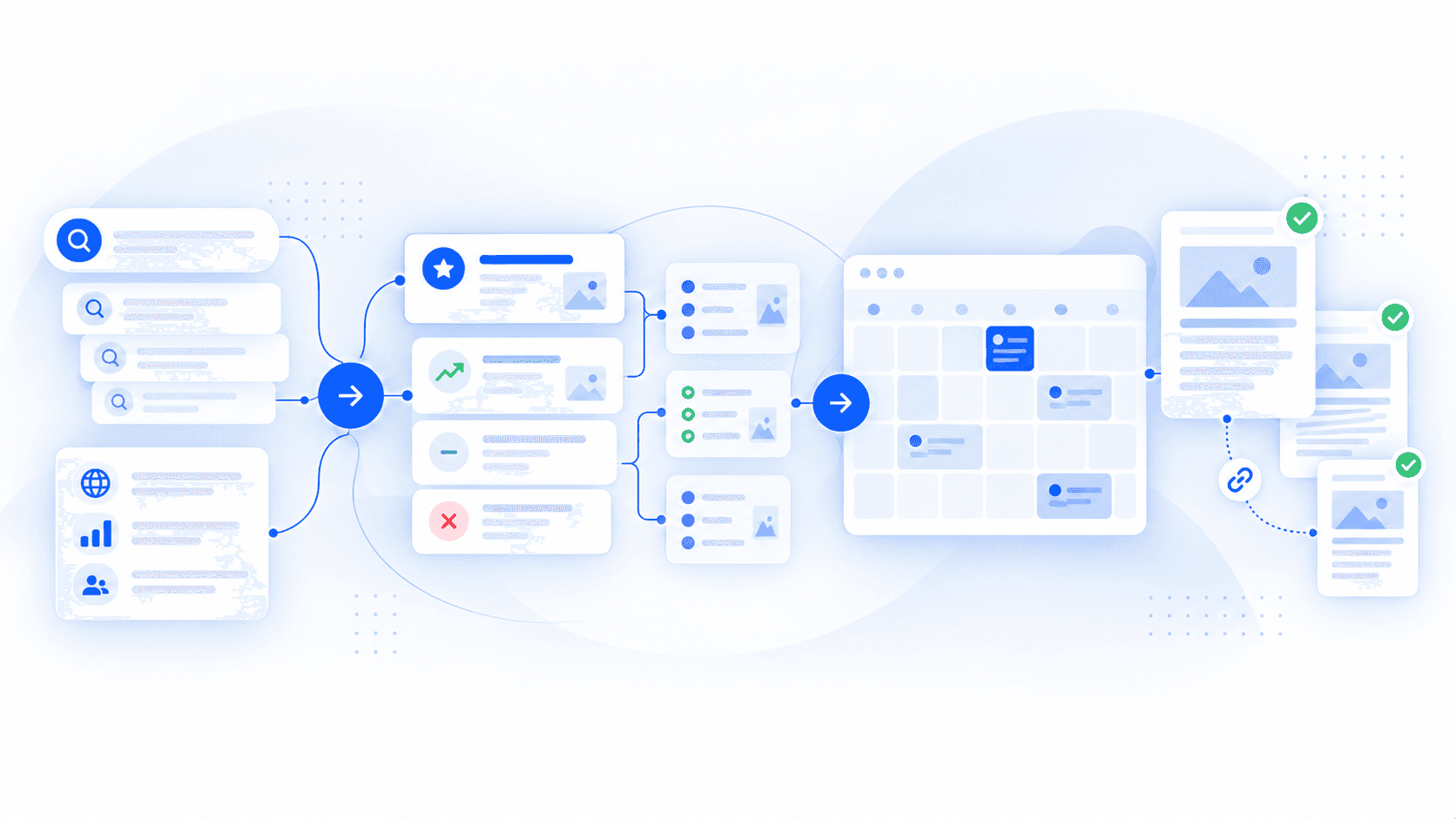
An SEO content calendar is a prioritized plan for deciding which search-focused pages a website should create or improve, why each opportunity matters, which page should own the intent and when the work should happen.
That makes it different from a generic publishing schedule.
A useful SEO calendar connects search demand with the existing website, buyer intent, page type, business relevance and execution priority. The date still matters, but it is one decision inside the plan - not the reason the plan exists.
The better question is not:
What should we publish next Tuesday?
It is:
What deserves action next, and why?
What is an SEO content calendar?
An SEO content calendar turns search opportunities into an ordered plan of page-level work.
A useful one should help a team decide:
which opportunities matter whether an existing URL already serves the intent whether to create a page, improve one or leave the opportunity alone which page type best fits the search how important the work is relative to other opportunities when it should enter production what should happen after publication
There is no official Google specification for an "SEO content calendar." It is an SEO and editorial planning method.
Google's guidance focuses on the pages that ultimately get published: whether they are useful, reliable, created for an intended audience and genuinely valuable rather than produced primarily to capture Search traffic. Google also warns against using extensive automation across many topics or adding lots of new content simply because you think a site will rank better by appearing fresh.
That is exactly why the calendar needs a decision layer before the schedule.
SEO content calendar vs editorial calendar vs content strategy
These concepts overlap, but they solve different problems.
SEO content calendar Editorial calendar Content strategy Main question What search-focused work should happen next? What content publishes when? What content should the business create and why? Typical inputs Search demand, existing pages, buyer intent, page ownership Deadlines, owners, channels, production status Audience, positioning, business goals, market Typical output Prioritized Create/Improve work Production and publishing schedule Strategic direction Time horizon Rolling execution plan Operational Longer-term Main failure mode The wrong pages get prioritized Production becomes disorganized Content lacks direction
A content strategy sets direction.
An SEO content calendar converts that direction into specific page-level work.
An editorial calendar coordinates the operational details once those decisions have been made.
The same spreadsheet or tool can hold all three layers. The distinction is the decision being made, not the software storing it.
Before scheduling anything, decide whether the page should exist
A common SEO planning mistake is turning every promising keyword into another URL.
Suppose research surfaces:
workflow automation software workflow automation platform workflow software platform workflow automation for small teams workflow automation vs business process automation
It would be easy to create five rows and assign five publication dates.
That may be far more work than the site needs.
The first three queries could reflect essentially the same underlying need. The fourth may represent a distinct audience and buying decision. The fifth introduces a different comparison.
A useful calendar therefore needs page ownership, not just keywords.
Create
Create a new page when no current URL adequately serves an important search need and the business can contribute something useful.
Improve
Improve an existing page when it already owns or partially owns the intent but has a meaningful opportunity to serve it better.
Skip
Skip the opportunity when another page already covers the need sufficiently, the distinction is too small to justify another URL or the topic does not fit the business.
Rankvia's Content Calendar makes this ownership decision explicit. It can recommend a new page, an improvement to an existing owner or no additional page where another URL would create unnecessary overlap.
The broader principle is simple:
A keyword is evidence of a possible search need. It is not automatically a page assignment.
The seven decisions a useful SEO calendar should make
The exact columns can change. The decisions are more stable.
- Fit - does the opportunity matter to the business?
Search demand alone is not enough.
Ask:
Does the topic relate naturally to what the company offers? Would the intended audience care? Can the business contribute something credible? Does the opportunity connect to a meaningful problem or decision?
A high-volume query can still be a poor use of the team's time.
- Ownership - which page should serve the intent?
Check the current site before assigning new work.
The calendar should know:
whether a relevant owner already exists whether that page needs improvement whether the new opportunity is genuinely distinct whether another URL would create unnecessary overlap
Ownership comes before scheduling.
- Role - what kind of page should serve the search?
Not every opportunity needs an article.
The appropriate owner might be:
an educational guide a buying guide a comparison an alternatives page a use-case page a feature or product page an ecommerce collection-supporting resource an update to an existing page
The reader's job should determine the format.
Someone learning how workflow automation works needs a different page from someone comparing workflow automation platforms before a purchase.
Rankvia follows the same principle in its product. Each calendar opportunity connects the buyer search with intent and a recommended page type rather than treating every opportunity as an article.
- Value - why is the opportunity worth doing?
Search volume is useful evidence. It is not a complete prioritization model.
A smaller commercial comparison may be more valuable to a SaaS business than a very broad educational query with weak product relevance.
Useful inputs include:
buyer relevance business fit credible search evidence weakness in current site coverage ability to contribute something useful strategic importance to the website commercial proximity where relevant
Google's people-first guidance supports the principle behind this: useful content should serve an intended audience and add meaningful value rather than exist primarily to attract search traffic.
- Connection - where does the page fit in the site?
The calendar should not produce isolated pages.
Before execution, consider:
which existing pages the new page supports which pages should eventually link to it what it should link to whether another planned page depends on it where the reader should go next whether the opportunity fills a real gap in broader topic coverage
Google says links help it discover pages and understand relevance, and recommends descriptive, contextual anchor text.
The calendar does not need to prescribe every anchor in advance. It should at least understand the relationship.
- Priority - why should this happen now?
Two good opportunities do not necessarily deserve equal attention.
Priority might rise because of:
high buyer intent strong business relevance clear search evidence an existing page already earning visibility and worth improving a major gap in current coverage a freshness-sensitive topic an upcoming product event a dependency for other pages an important missing part of the buyer journey
Do not hide the decision behind false precision.
A simple:
High / Medium / Low
plus:
Why this priority?
is often more useful than a complicated score nobody can explain later.
Rankvia's public Content Calendar uses a similarly explainable approach: business fit, buyer intent, existing coverage and current search evidence influence priority, while the publishing date places the opportunity into the calendar after the ordering decision.
- Feedback - what happens after publication?
A good calendar changes as the website changes.
After publication, new evidence may reveal that:
another page is already earning the target intent Google interprets the query differently than expected two URLs are competing a page needs refreshing a supporting opportunity has become more important product facts have changed an apparently valuable topic is producing little useful demand
The calendar should therefore behave as a loop:
Plan → execute → measure → reprioritize
A static calendar ages quickly. A useful one absorbs new evidence.
What should an SEO content calendar include?
A useful calendar does not need dozens of permanent columns.
Start with fields that support real decisions.
Core decision fields Field What it answers Opportunity / query What search need are we considering? Action Create, Improve or Skip? Target or existing URL Which page should own the need? Search intent / reader job What is the person trying to accomplish? Page type What format should serve the intent? Business relevance Why does this matter to the company? Priority How important is it relative to other opportunities? Priority reason Why now? Site relationship How does it fit current coverage? Next execution step Brief, Page Plan, refresh, research or another action? Execution fields
Once the opportunity has been approved, useful operational fields might include:
target work period owner status brief or Page Plan status publishing state resulting URL Situational fields
Add these when they genuinely improve the workflow:
topic cluster buyer stage Search Console evidence related questions conversion role internal-link targets evidence requirements seasonality freshness requirement page dependencies review or refresh trigger performance notes
If a field does not help someone make, execute or revisit a decision, it probably does not belong in the calendar.
How to build an SEO content calendar
The order matters.
A calendar built around keywords first and strategy later tends to generate more work than insight.
Start with business and search opportunities
Collect potential opportunities from several sources:
customer questions products and use cases keyword and query research current search results competitor coverage existing website gaps Search Console data business priorities
No single source is sufficient.
The site itself matters because every opportunity is relative to what already exists.
Map opportunities to existing pages
For each meaningful opportunity, ask:
Which current URL, if any, should already serve this need?
Separate opportunities into:
already covered well covered but improvable genuinely unowned
Then assign Create, Improve or Skip.
This is where the calendar becomes meaningfully different from a keyword spreadsheet.
Choose the page role
Once ownership is clear, decide the page format.
Do not let the blog structure dictate the strategy.
A CMS may be where the company publishes, but that does not mean every search deserves a traditional article.
Prioritize before assigning dates
Only after ownership and page role are clear should the opportunity enter the near-term plan.
The sequence matters:
Priority decides what deserves action next. The date decides when the team acts on it.
Rankvia describes its current Content Calendar in those terms: priority determines what should be addressed first, while the publishing date places the item into the monthly sequence.
Group related work where the relationship is useful
Related pages can be planned together when there is a genuine dependency.
For example:
Improve the core workflow-automation page. Create a small-team use-case page. Add a comparison serving a different evaluation intent. Connect those pages where the relationship helps the reader.
That is more deliberate than publishing four loosely related topics because they were adjacent in a keyword export.
Move selected items into page planning
The calendar should answer:
What deserves action?
The SEO content brief or Page Plan should answer:
What must this specific page accomplish?
Those are separate decisions.
Once a calendar item is selected, a stronger page-level plan can define the reader, objective, evidence, answer structure, internal relationships and acceptance criteria.
Revisit the plan
A calendar prepared months ago should not be immune to new evidence.
Reorder work when:
Search Console signals change existing pages gain visibility product priorities shift new commercial opportunities appear search intent changes an important refresh becomes more valuable than a new page
The calendar stays useful by being allowed to change.
How to prioritize SEO content
The simplest prioritization model is also one of the weakest:
Sort by search volume.
Volume says something about potential demand. It does not tell you whether the business should create the page.
A better decision considers several dimensions.
Business fit
Does the company have a credible reason to address the query?
A workflow-automation SaaS has a clearer reason to address "workflow automation for finance teams" than a loosely adjacent productivity topic.
Buyer relevance
What is the person trying to do?
Queries involving comparison, alternatives, product selection, use cases or implementation may sit closer to a commercial decision than broad informational searches.
That does not make informational content unimportant. It changes how you value the opportunity.
Search evidence
Use evidence from sources such as:
current results keyword data related questions Search Console competitor coverage customer language
When connected, Rankvia can use Google Search Console evidence from queries, pages and search performance as an optional input for Create-vs-Improve decisions and prioritization. Search Console is not required for Rankvia to build the plan.
Existing ownership
An existing page with growing impressions can be a better opportunity than a brand-new topic.
That is why Create and Improve belong in the same planning system.
Ability to contribute something useful
Ask:
Can this site create a page that adds something meaningful?
Google's current guidance favors original information, analysis and substantial additional value rather than pages that simply rewrite existing sources.
Strategic coverage
Some pages matter because they support a larger topic, product category or buyer journey.
Supporting educational content can make a commercial page easier to understand and easier to connect within the site even when that supporting page is not the closest asset to conversion.
Timing
Timing can legitimately raise priority when there is a reason.
Examples include:
changed pricing new regulation an annual data update a product launch seasonal demand rapidly evolving software an important dependency
Timing should be explained, not assumed.
Buyer intent matters, but not every page should be bottom-funnel
A calendar built only around high-volume educational queries can produce visibility with weak commercial relevance.
A calendar built only around comparisons and alternatives can leave buyers without the educational content they need earlier.
A healthy plan may include pages that help people:
Understand
problems concepts processes
Evaluate
use cases buying criteria categories
Compare
products alternatives approaches
Choose
features solutions commercial options
There is no universal percentage for each category.
The right mix follows the business, audience and gaps in the current site.
Rankvia currently makes buyer intent and page role explicit parts of Content Calendar planning.
Where topic clusters fit
Topic clusters can be useful. They are not a Google-required content model.
A practical definition is:
A topic cluster is a set of related pages covering distinct parts of a broader subject and connected where those relationships help readers.
Clusters can help a calendar:
identify missing supporting coverage sequence dependent pages plan useful internal relationships prevent random topic selection see when one part of a topic is already over-covered
But "complete the cluster" is not enough reason to publish a weak page.
The ownership rule still applies.
If several query variants can be served by one strong page, they do not need separate URLs merely to create a neat diagram.
How often should you publish SEO content?
There is no universal SEO publishing frequency and no Google-prescribed cadence.
Google explicitly says that adding lots of new content simply because you think doing so will make a site seem fresh does not improve rankings by itself.
So advice such as:
publish daily publish twice a week publish every Tuesday
should be treated as operational choices, not ranking requirements.
A more useful principle is:
Publish as frequently as you can consistently produce worthwhile pages without lowering the quality of the opportunity selection, research or content.
That is editorial advice, not Google policy.
One team may have the capacity and opportunity set to publish one strong page a week. Another may comfortably produce several.
The important question is whether those pages deserve to exist.
When publication timing actually matters
Timing matters more when the search itself has a freshness component.
Google documents freshness systems designed to show newer content for searches where recent information is expected.
Examples include:
recent regulatory changes annual statistics product updates changing pricing seasonal demand events rapidly evolving software breaking developments
For stable evergreen queries, the exact weekday is primarily an operational choice.
There is no documented Google ranking advantage to publishing the same evergreen guide on Tuesday instead of Thursday.
The calendar date is there to organize work.
How far ahead should you plan?
Plan far enough ahead to coordinate good work, but not so far ahead that the calendar becomes untouchable.
A practical model is to maintain two layers.
A committed window
The near-term opportunities the team reasonably expects to execute.
A prioritized backlog
A larger pool of worthwhile work that can be reordered as evidence changes.
For a small team, committing roughly the next 4-8 weeks can be a useful operational starting point, with a deeper backlog behind it.
That is not a Google recommendation. It is a way to balance planning with flexibility.
Long annual calendars often decay because:
existing pages begin ranking priorities change products evolve new data appears a refresh becomes more valuable than a new page new opportunities emerge
A rolling plan handles that better.
Worked example: a weak calendar vs a useful one
Imagine a workflow-automation SaaS company researching these searches.
A weak calendar might look like this:
Date Keyword Planned article Oct 2 workflow automation software Workflow Automation Software Oct 5 workflow automation platform Best Workflow Automation Platforms Oct 9 workflow automation for small teams Workflow Automation for Small Teams Oct 12 workflow automation examples Workflow Automation Examples Oct 16 workflow automation vs BPA Workflow Automation vs BPA
It looks organized.
But the important decisions are unresolved.
Does the site already have a commercial workflow-automation page? Are the first two searches actually different? Why are all five items articles? Which one matters most commercially? Does anything deserve improvement rather than creation? Why is Oct 2 strategically more important than Oct 16?
A better calendar might look like this:
Opportunity Action Page type Priority Why workflow automation software Improve Existing commercial page High Existing owner already serves the core commercial intent workflow automation platform Skip / consolidate Existing commercial page Low Substantially overlaps the same underlying need workflow automation for small teams Create Use-case / buying guide High Distinct audience and commercial decision workflow automation examples Create Educational guide Medium Useful supporting education with distinct intent workflow automation vs BPA Create Comparison / explainer Medium Distinct comparison question
No search-volume metric is needed to make those ownership decisions useful.
Search evidence can still influence priority, but the plan now reflects the site and the reader's needs instead of mechanically converting keywords into URLs.
Copyable SEO content calendar template
A useful template should be simple enough that someone will actually maintain it.
Start with the core table:
SEO Content Calendar
| Work period | Opportunity / Query | Action | Target URL | Search intent / Reader job | Page type | Business relevance | Priority | Why now? | Status |
|---|---|---|---|---|---|---|---|---|---|
| Create / Improve / Skip | High / Medium / Low |
Then add only the extra planning fields your workflow needs:
Optional planning fields
- Topic cluster:
- Existing owner / overlap:
- Buyer stage:
- Google Search Console evidence:
- Related questions:
- Internal-link targets:
- Conversion role / CTA:
- SEO content brief / Page Plan status:
- Source or evidence requirements:
- Seasonality / freshness:
- Dependency:
- Publish state:
- Resulting URL:
- Refresh / review trigger:
- Performance notes:
The template deliberately avoids turning every possible idea into a permanent column.
A calendar that becomes painful to update stops being useful.
The core table should answer:
what opportunity what action which owner what intent what page type why it matters how important it is when it moves what state it is in
Everything else can remain optional.
Should content refreshes be in the same calendar?
Usually yes, if the calendar is supposed to represent the site's highest-value SEO work rather than just new publishing.
An existing page can easily deserve more attention than a new topic.
Imagine a page already earning impressions for an important query but only partially satisfying the search.
Creating another URL may divide the effort.
Improving the current owner may be the better action.
Useful refresh triggers include:
outdated data changed product details changed pricing an important search-intent shift declining visibility strong impressions with incomplete coverage new evidence stale comparisons changed internal relationships
Avoid the opposite extreme:
Refresh every page every 90 days.
A review reminder may be useful. The refresh itself should have a reason.
Rankvia's Content Refresh workflow similarly treats existing pages as improvement opportunities rather than assuming every search opportunity requires a new URL.
Internal linking belongs in the planning process
A new page changes the site's structure.
That means internal relationships deserve consideration before the page is written, even if the final anchor text is decided later.
A calendar item can identify:
the page it should support pages likely to link into it useful commercial destinations related resources dependencies
Then the page brief can turn those relationships into actual links.
Google says links help it discover pages and understand relevance, recommends descriptive anchor text and explicitly says there is no magical ideal number of links a page should contain.
The useful rule is not:
Every calendar item needs five internal links.
It is:
Every important page should have a clear role in the site, and useful relationships should be planned rather than discovered accidentally after publication.
Can AI build an SEO content calendar?
AI can assist with much of the planning work.
Useful applications include:
organizing query research clustering related searches summarizing current SERPs identifying likely overlap suggesting page types classifying buyer intent grouping related opportunities preparing a draft priority order maintaining calendar data
Google says generative AI can be useful for research and structuring original content. Its broader policies still apply when automation is used to produce large amounts of low-value material primarily for Search manipulation.
The same caution applies one step earlier in the calendar.
An AI-generated plan can still be wrong if it:
misses the current page owner misreads intent overvalues search volume treats closely related queries as separate pages recommends topics with weak business fit relies on stale competitor information assigns priority without enough evidence
AI can make planning faster.
It cannot make weak evidence strong.
Does an SEO content calendar need special AI-search fields?
Not for Google.
Google says the same foundational SEO practices remain relevant to AI Overviews and AI Mode. Pages need to meet normal Search eligibility, and there are no additional technical requirements for appearing as supporting links.
Google also says there is no need for new machine-readable files, AI text files or special schema.org markup for these features.
So a strong calendar already asks the useful questions:
Is the opportunity relevant? Which page should own it? What does the reader need? What useful information is missing? What evidence will make the page reliable? How does the page fit the rest of the site?
There is no documented Google requirement for fields such as:
AI citation score LLM keyword density AI answer-block count prompt-coverage score
If a company has reliable additional AI-search data, it can choose to incorporate it. The calendar does not need invented metrics simply because generative search exists.
How Google Search Console should influence the calendar
Search Console is useful because it provides first-party evidence from the site's own Google Search performance.
It can help answer questions such as:
Which queries already generate impressions? Which page is appearing? Is an existing owner gaining visibility? Should that page be improved instead of creating another one? Is Google surfacing the site for an intent the calendar did not expect?
Rankvia's Google Search Console integration adds query, page and performance evidence to its wider planning process. Rankvia still uses its Business Profile, existing website, search intent and broader opportunity research, and Search Console remains optional.
That is the right conceptual role for first-party data:
strengthen the planning decision, not replace every other source of evidence.
Common SEO content calendar mistakes
A calendar can be neat and still contain poor SEO decisions.
Turning every keyword into a page
This is one of the fastest ways to turn useful research into unnecessary URL overlap.
Map search needs to page owners first.
Prioritizing by volume alone
Volume can matter. Business fit, buyer relevance, current ownership and the ability to add useful information matter too.
Treating every assignment as a blog article
Choose the page type that serves the search.
Filling dates before ranking opportunities
Scheduling low-value work efficiently does not make it strategically useful.
Treating topic clusters as quotas
Do not publish another page simply because a cluster diagram has an empty spoke.
Keeping refreshes outside the main plan
If improving an existing owner is the highest-value next action, it belongs in the same priority system as new content.
Freezing the calendar too far ahead
Search evidence and the website change.
The plan should be able to change with them.
Measuring success by publishing volume
"12 of 12 pages published" tells you the production workflow worked.
It does not tell you whether those were the right 12 pages.
How do you know if the SEO content calendar is working?
Evaluate the calendar at three levels.
Planning quality
Ask:
Did the team focus on the strongest opportunities? Did the Create / Improve / Skip decisions still make sense? Did the plan avoid unnecessary overlap? Were the recommended page types appropriate? Did the work stay relevant to the business? Execution quality
Track:
planned vs completed work briefs or Page Plans ready drafts completed publishing state blocked dependencies
These metrics tell you whether the process is functioning.
Search and business feedback
Over time, look at:
impressions query coverage which URL is receiving visibility clicks signs of conflicting page ownership qualified visits meaningful conversion actions refresh opportunities
Not every page will contribute in the same way.
An educational guide and a high-intent comparison page may both be useful for different reasons.
A better success criterion is:
Is the calendar repeatedly directing resources toward worthwhile search opportunities?
That matters more than whether every date in the spreadsheet contains a published page.
What happens after a calendar item is selected?
The calendar has done its job once the team knows what deserves action.
The next layer is page strategy.
A selected opportunity should usually move into an SEO content brief or Page Plan that defines:
what the page needs to accomplish who it is for how it should answer the search what evidence it needs how the business belongs in the page relevant internal connections what the finished page needs to do well
Rankvia follows that separation in its current workflow. The Content Calendar identifies and prioritizes the opportunity, then a Page Plan defines the page strategy before generation.
The distinction is useful:
The calendar decides what deserves action.
The Page Plan decides how the page should solve it.
Where Rankvia's Content Calendar fits
The methodology above can be implemented manually in a spreadsheet.
Rankvia automates much of the underlying decision work.
Its current Content Calendar filters candidate opportunities using business fit, buyer intent, existing website coverage and current search evidence before assigning priority and publishing order. Each calendar item then connects the buyer search with intent, recommended page type, website relationship, priority and publishing date.
That is the product implementation.
The underlying planning principle remains broader:
decide what deserves action before filling the schedule.
Decide what deserves action next
A good SEO content calendar should reduce uncertainty about where the team spends its next unit of effort.
It should tell you:
what search opportunity matters which URL should own it whether to Create, Improve or Skip what kind of page belongs why the work is prioritized when to execute it what evidence could change the plan later
Only after those decisions does the publication date become useful.
If you want to start with your own website rather than an empty spreadsheet, Rankvia can analyze the business, existing pages and search opportunities and turn them into a personalized Search Growth Plan and Content Calendar.
See what your website should publish next.
Personalized to your website · No credit card required.
Sources
- Creating helpful, reliable, people-first content - Useful content, freshness, and audience-first guidance.
- Using generative AI content - Generative AI and scaled-content guidance.
- Search Console Performance report - Query, page, click, impression, CTR, and position evidence.
Rankvia
- Content Calendar - Opportunity prioritization and Create/Improve planning.
- Page Plans - Page strategy before content generation.
- Content Refresh - Existing-page improvement workflow.
BUILD YOUR SEARCH GROWTH PLAN
Find what your website should publish next.
Enter your website and Rankvia will identify relevant search opportunities and build the strategy for what to create or improve.
Personalized to your website · No credit card required
Explore AI Search Optimization