
Guides Content Refresh for SEO: How to Update Existing Pages
CONTENT REFRESH SEO
Content Refresh for SEO: How to Update Existing Pages
Diagnose declining SEO pages before rewriting them. Learn when to refresh, rewrite, consolidate, redirect or leave existing content alone.
By Rankvia ·
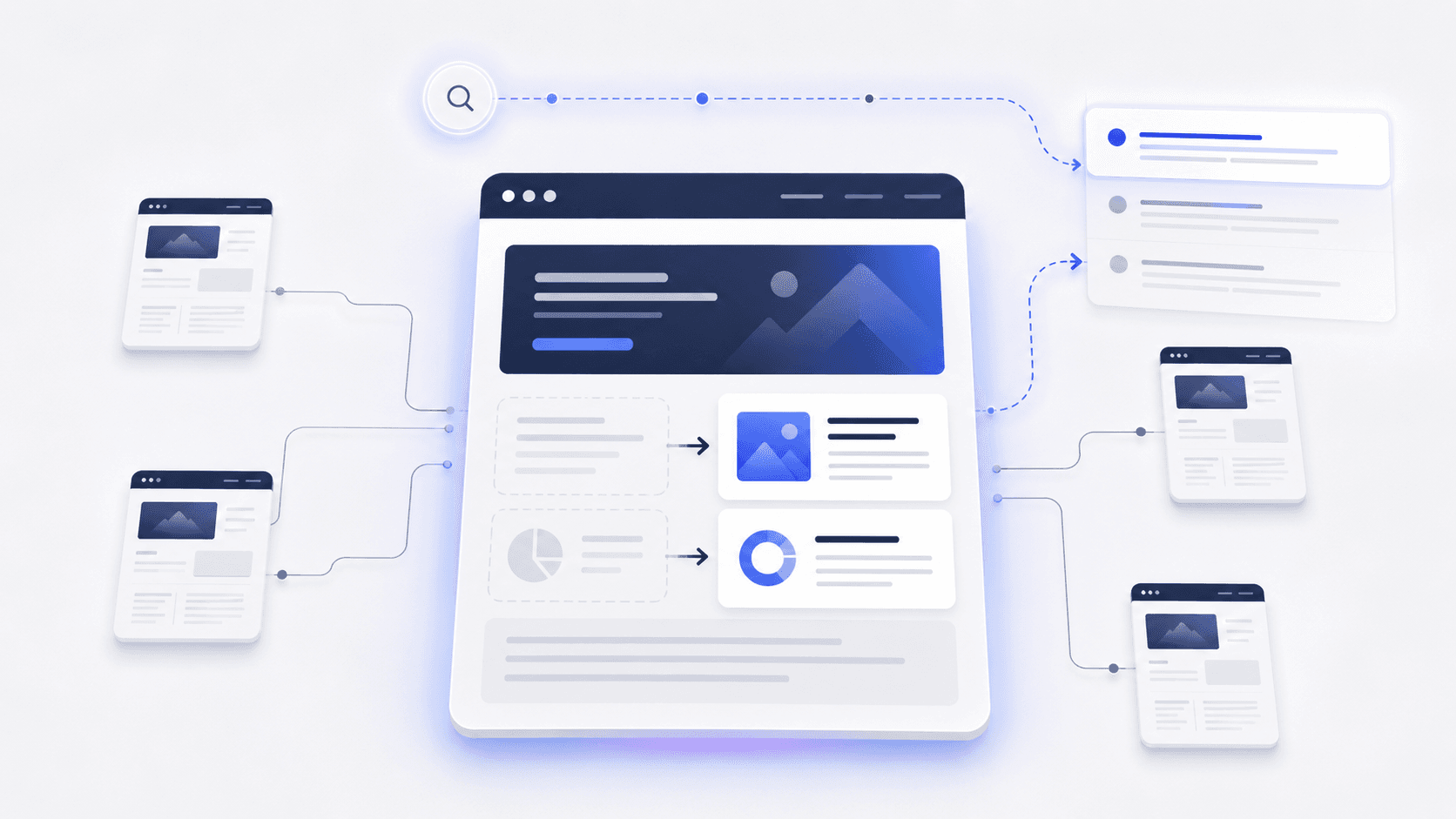
A content refresh should start with evidence, not a birthday. An old page can remain useful; a recent one can already describe the wrong product or miss the reader’s need.
Before editing, ask: Is this still the right page to answer the question? What evidence says the content itself needs to change?
The diagnosis below separates content weaknesses from changes in demand, search results and technical accessibility. Use it to choose whether to retain, improve or investigate elsewhere.
When should you refresh content?
Refresh an existing page when:
the page still answers the question people are searching for; meaningful evidence suggests the answer, accuracy, coverage or business context has weakened; targeted changes can make that page useful again.
Do not refresh a page simply because:
it is one year old; a content calendar says it is due; traffic fell for a few days; competitors published newer dates; an SEO checklist recommends updating old posts.
Google says its freshness systems are designed for queries where fresher information would reasonably be expected. A query about a newly released product or recent event has a different freshness need from a stable evergreen question.
Google also explicitly warns against changing page dates to make content appear fresh when it has not substantially changed. It similarly warns against adding or removing content mainly because you think making the site appear fresher will improve rankings.
Age can tell you when to review a page.
It cannot tell you what to do with it.
What content decay actually means
In this guide, "content decay" is used as an SEO-industry term for a sustained deterioration in the visibility, usefulness or business performance of an existing page. It is not treated as a Google diagnostic label.
Sometimes the content itself has weakened:
statistics are outdated; product details changed; recommendations no longer make sense; important questions are missing; competitors now answer the need better.
But the same traffic pattern can come from something else:
search demand fell; the query is seasonal; Google changed the SERP; another page on your site is competing for the same intent; a technical problem affected indexing; a broader ranking update affected many URLs; the product or topic became less relevant.
A falling page can be a content problem. It can also be a demand problem, an architecture problem or a technical problem.
Traffic decline should trigger investigation rather than an automatic rewrite.
A traffic drop does not tell you what went wrong
Google's own traffic-drop documentation lists several possible causes, including algorithmic changes, technical problems, spam or security issues, seasonality, changing interests and site migrations.
Before changing the page, work out which problem you may actually have.
Worked example: scope the loss before changing the page
Assume two complete, consecutive 28-day periods, A and B, using the same Search Console property, Web search type, country and device filters. Each period has the same weekday mix. Record those filters and exclude incomplete recent days. For seasonal questions, also inspect a suitable year-on-year period; two adjacent windows alone cannot remove seasonality.
| Scope | Period A | Period B | What to investigate |
|---|---|---|---|
| Existing multi-location rollout guide | 420 clicks; 12,000 impressions; 3.5% CTR; average position 7.2 | 252 clicks; 12,000 impressions; 2.1% CTR; average position 7.4 | Clicks fell 40%, but those aggregate figures do not identify the cause. Compare the affected queries, not just the URL total. |
| Other pages combined | 1,580 clicks; 48,000 impressions | 1,592 clicks; 48,200 impressions | This example does not show the same decline elsewhere. Check page groups before treating it as a site-wide problem. |
Site clicks fall from 2,000 to 1,844, which can obscure a much larger change on one URL. Stable aggregate impressions and a small average-position change do not prove stable demand or intent: query mix can change. Search Console clicks are also not the same measure as analytics sessions or qualified leads. Google explains those measurement differences .
Use the numbers to choose the next manual check:
- Demand: compare the affected queries over a longer and relevant seasonal window, then inspect Trends. A broad reduction in interest calls for revising expectations, not inventing more text.
- Intent and competitors: inspect current results for the important queries. Is a different format answering the need, or does a competitor explain something useful that this page omits? Record the difference without copying its outline or assuming newer dates caused the change.
- Technical scope: inspect indexing and the selected canonical for the URL. If unrelated page groups fall together, escalate site indexing, deployment, robots, migration or template issues to the responsible technical owner before scheduling rewrites.
- Page usefulness: verify the current product workflow, instructions, links and next step. A documented obsolete setup step is a content defect even if the traffic cause remains uncertain.
Retain the page while investigating if its answer is still sound and only the metrics changed. Refresh the same owner when you confirm a meaningful defect, such as the retired setup process in the later HarborDesk example. Escalate a technical or site-wide issue instead of treating content edits as the remedy. Several causes can coexist; record what remains unresolved.
After diagnosis, prioritize the existing pages that should own the work before adding another URL.
This exercise applies the scope-and-pattern approach in Google's traffic-drop guidance , reviewed on 15 October 2026. When a suspected core update overlaps the change, use Google's completed-rollout comparison guidance before drawing conclusions. These are manual investigations, not an automated Rankvia diagnosis or a recovery promise. Rankvia's optional GSC planning input and supported Improve workflow have their separate boundaries, explained below.
Rankings or competitive visibility changed
If clicks, impressions and important query positions all deteriorate, the page may have lost competitiveness.
Possible reasons include:
stronger competing pages; missing or outdated information; changed search intent; a different page format becoming more useful; weaker site architecture; broader changes in how the query is ranked.
A refresh may help, but "ranking fell" is still not a diagnosis. You need to understand why.
Search demand changed
Suppose clicks and impressions both fall while the page's relative position remains broadly stable.
That may indicate fewer people are searching.
Rewriting the page cannot restore demand that disappeared.
Google recommends checking affected queries with Google Trends to distinguish a site-specific decline from a broader change in interest.
This matters especially for:
seasonal topics; temporary trends; events; products that have been superseded; declining technologies.
The SERP changed
Clicks can fall even when impressions remain healthy.
The page may still appear, but users now see:
an AI Overview; a stronger competitor result; video; shopping results; forums; another result type before reaching the traditional organic listings.
That is not automatically a stale-content problem.
The page may need a stronger title, a different format or a different acquisition strategy rather than a conventional refresh.
The website changed
If many unrelated pages decline at roughly the same time, investigate the site before rewriting individual URLs.
Possible causes include:
indexing problems; canonical errors; migration mistakes; internal-link changes; accidental noindex; robots changes; site restructuring.
Google recommends checking whether a decline affects individual pages, groups of pages or the site more broadly.
Search intent changed
A page can remain accurate and become the wrong answer.
Imagine a query that once returned educational guides but now returns mostly tools, comparison pages or buying guides.
Adding another 1,500 words to the old educational article may not help.
The existing URL may need a substantial rewrite, or another page may now be the better owner.
The page still ranks but no longer converts
Search performance is only part of the page's job.
A page can keep its rankings while becoming commercially stale because:
the CTA points to an old workflow; product positioning changed; pricing is outdated; a major feature is missing; the page attracts the wrong audience; the conversion path no longer makes sense.
That page may deserve a refresh even if traffic looks healthy.
What Google actually says about freshness
Google uses freshness systems for searches where newer information is reasonably expected.
That does not mean Google universally prefers recently updated pages.
Compare:
"Latest iPhone release date"
The answer can change quickly. Freshness matters.
"What is compound interest?"
A five-year-old explanation can remain completely correct.
The useful principle is:
Freshness is query-dependent. Accuracy is page-dependent.
The question is not "How old is this URL?"
It is "Has the answer changed?"
Changing the date is not a refresh
Google's people-first content guidance explicitly asks publishers whether they are changing page dates to make content look fresh when it has not substantially changed.
So this is not a meaningful refresh:
Replace 2025 with 2026. Change two statistics. Update the modification date. Republish. Expect rankings to recover.
A real refresh changes the value of the page.
The date should describe the work, not impersonate it.
How to find pages worth investigating in Search Console
For an optional evidence-led planning example, see how Search Console supports Improve, Create, retain and investigate decisions. It combines illustrative query/page metrics with verified page context; the connection is not required to start planning.
Google Search Console is useful for finding pages that deserve a closer look.
It should not become an automatic list of URLs to rewrite.
The useful workflow is:
Find the signal -> diagnose the cause -> choose the action.
- Start with the affected page
If one URL appears to be declining, start there.
If many unrelated pages changed at the same time, investigate the broader site first.
- Compare meaningful periods
Short comparisons can create noise, especially on low-volume pages.
Useful comparisons might include:
recent three months vs previous three months; recent three months vs the same period last year; longer year-over-year periods for seasonal topics.
Google recommends reviewing up to 16 months of Search Console data when investigating traffic changes and explicitly suggests previous-period and year-over-year comparisons.
- Check clicks
Did Google traffic actually decline?
Clicks establish what happened.
They do not explain the cause.
- Check impressions
Clicks and impressions together provide more context.
Clicks down and impressions down can point toward:
reduced demand; weaker visibility; lost query coverage; lower rankings.
Clicks down while impressions remain stable or grow can point toward:
lower CTR; SERP changes; stronger competing snippets; AI Overviews or other result features; more zero-click behavior.
These are diagnostic clues, not deterministic rules.
Google's traffic-drop guidance specifically recommends examining clicks and impressions together rather than diagnosing from one number alone.
- Inspect the queries
Do not stop at the page total.
Ask:
Which queries lost clicks? Which lost impressions? Which disappeared? Which stayed stable? Did the page lose its main search intent or only peripheral queries? Is another page from your site receiving those queries now?
A single page can lose traffic for several different reasons at once.
- Use average position carefully
Average position can help when movement is large, persistent and concentrated around important queries.
Small changes are less useful.
Google explicitly recommends focusing on impressions and clicks rather than over-interpreting absolute average-position numbers.
- Check demand and seasonality
If impressions declined, find out whether fewer people are searching.
Use:
year-over-year comparisons; Google Trends; broader query patterns.
If demand fell across the market while your visibility remained similar, rewriting the article may not restore the lost traffic.
- Check indexing and canonical state
Before editing content, verify that Google is treating the URL as expected.
Check:
whether it is indexed; which canonical Google selected; whether recent technical changes affected the page.
If the wrong canonical is being selected, rewriting the body copy is probably not the first fix.
- Inspect the current SERP
Look at the search results for the queries that matter.
Ask:
Has the dominant page type changed? Are users seeing different result features? Is the query more commercial than before? Are forums or video now prominent? Are competitors solving a question the page genuinely misses? Is an AI Overview changing how the result is consumed?
The SERP is evidence about the current search environment.
It is not a template to copy.
- Check the page against the current business
Review:
product features; pricing; positioning; target audience; screenshots; recommendations; CTAs; internal links.
A page can be technically healthy and still describe a version of the business that no longer exists.
- Choose the action
Only now decide whether the correct action is:
- Leave
- Refresh
- Rewrite
- Consolidate
- Redirect
- Remove
- Create
Refresh should be an outcome of the diagnosis, not the assumption you begin with.
Leave, Refresh, Rewrite, Consolidate, Redirect, Remove or Create?
The following framework is an editorial decision model, not a Google algorithm.
Situation Action The page is accurate, useful and still owns the need Leave The current URL remains correct and targeted changes can solve the weakness Refresh The current URL remains correct but the page needs major reconstruction Rewrite Several pages substantially overlap Consolidate The old page no longer deserves independent ownership and has a clear successor Redirect The page has no useful role, successor or salvageable value Remove / noindex, cautiously The newly identified need is genuinely different Create
Leave
Doing nothing can be the right SEO decision.
Leave the page alone when:
information is correct; intent remains stable; the page still solves the user's task; business context is current; there is no meaningful performance problem.
A content team can damage good pages by constantly rewriting them in search of marginal gains.
Refresh
Refresh when this is still the right page for the question and targeted improvements are enough.
Typical examples:
statistics are stale; product capabilities changed; an important question is missing; recommendations need updating; internal links are outdated; the CTA no longer fits.
The page’s basic structure and purpose remain sound.
Rewrite
Rewrite when the URL should remain, but the existing page no longer serves the need well enough.
Examples:
a thin article now needs a real implementation guide; the article targets the right intent but has the wrong structure; most of the advice is obsolete; the searcher now expects a different depth or format.
The intervention is large, but the existing URL can remain.
Consolidate
Consolidate when multiple pages substantially compete for the same need.
Suppose the site contains:
/guides/seo-content-calendar /blog/content-calendar-seo /resources/seo-content-planning-calendar
If they all answer essentially the same question, independently refreshing all three can make it harder to find the definitive answer.
One stronger page may be the better architecture.
Redirect
Redirect when the old page should stop existing independently and another URL clearly replaces it.
Examples include:
a product replaced by a direct successor; two pages consolidated into one; an intentional URL migration.
Do not redirect an unrelated old article solely because it once had links or traffic.
Remove or noindex
Use this cautiously.
Low traffic alone is not enough.
A low-volume page may still:
convert well; support navigation; explain a product; answer a niche customer need; strengthen another page's journey.
Google's core-update guidance says deletion can make sense when unhelpful content cannot be salvaged, but its overall recommendation is to focus first on meaningful, people-first improvements rather than quick fixes.
Create
Create a new URL when the search need is meaningfully different.
A new page may be justified because:
the intent differs; the buyer is asking another question; a different page type is needed; combining both needs would weaken the existing owner.
Check what the website already answers before choosing a new URL; the Rankvia-specific Improve process is explained below.
For Rankvia's product-specific Improve workflow, see Content Refresh.
How to refresh a page properly
Once the diagnosis says the existing page should remain the owner, the editing can begin.
The goal is to make the page better at its existing job.
Reconfirm intent and ownership
Ask again:
Is this still the URL that should own this search need?
Do this before investing heavily in the rewrite.
If another page on your site has become the better owner, consolidation may be the real task.
If a related need has split into something meaningfully different, a new URL may be justified.
Preserve the correct URL
When the page remains the correct owner, keeping the same URL is usually cleaner than cloning the article onto a new one for freshness.
A duplicate fresh URL can introduce:
cannibalization; duplication; redirect work; split internal links; fragmented external references.
Moving a URL can be legitimate.
Doing it solely to make a page look newer is not.
Update stale facts first
Check information that can change:
statistics; prices; product capabilities; regulations; platform behavior; policies; competitors; dates; examples; recommendations; source links.
Prefer current primary evidence where practical.
A longer article with outdated facts is not a stronger article.
Remove obsolete material
Refreshing also means deleting things.
Remove:
deprecated features; obsolete tactics; redundant sections; outdated examples; dead recommendations; irrelevant historical detail.
There is no rule saying every paragraph from the old version deserves to survive.
Fill meaningful gaps
Compare the page with:
the current searcher's task; current related questions; current SERPs; customer needs; the current product; current evidence.
Add missing material when it makes the answer better.
Do not copy every section from competing pages simply because it appears in the SERP.
Add something harder to reproduce
A refresh is a good moment to improve the page beyond commodity summaries.
Useful additions can include:
first-hand experience; original examples; proprietary data; measured results; real tradeoffs; sharper analysis; product or industry insight.
Google's current guidance for generative AI Search emphasizes unique, useful, non-commodity content and first-hand perspective rather than simply recycling information already available elsewhere.
Revisit the structure
Sometimes the facts are correct but the page has become difficult to use.
Check whether:
the answer appears quickly enough; important information is buried; old additions made the article meandering; two sections should be combined; the introduction has become too long; heading structure still matches the reader's task.
Do not restructure the page just to make the update look bigger.
Revisit internal links
A substantial update may change the page's relationship with the rest of the site.
Review the links going out:
Are destinations still current? Do any go through redirects? Are newer supporting pages now more useful?
Then review links coming in:
Are there relevant existing pages that should now point to this strengthened owner? Do overlapping pages need their links redirected toward the chosen owner?
For the complete workflow, see Internal Linking for SEO and AI Search.
Revisit conversion
Ask whether the page still gives the right visitor the right next step.
Review:
CTA; product positioning; pricing references; feature claims; signup path; lead magnet; target audience.
A page can maintain its organic rankings while quietly becoming worse at generating revenue.
That is a valid reason to update it.
Refreshing a page is not the same as changing its date
Publication and modification dates should describe what happened.
Google says its systems look at multiple signals when estimating when a page was published or significantly updated. It recommends clear visible dates and supports datePublished and dateModified in article structured data.
A substantial revision may justify:
a new visible "Last updated" date; an updated dateModified; revised metadata where the metadata itself changed.
A cosmetic edit does not.
Published date
This should represent the original publication date where your editorial system preserves that information.
Updated date
This should represent a meaningful later revision.
There is no need to pretend an older article was first published yesterday.
What not to do
Do not:
change dates on a fixed schedule; automatically replace the year in the title; reset dates after fixing punctuation; create a duplicate URL to simulate freshness; update dateModified as an SEO ritual.
Changing the date is not a refresh.
What changes when you refresh content for AI search?
The basic editing standard remains the same: make the page accurate, useful and worth sourcing.
What changes is the number of search experiences that may retrieve and summarize that information.
Google AI Overviews and AI Mode
Google says its generative AI Search features are rooted in its core Search ranking and quality systems. Its current guidance emphasizes valuable, unique, non-commodity content and first-hand perspective instead of mechanical GEO or AEO tricks.
That gives a refresh several legitimate goals:
correct outdated facts; add current primary evidence; strengthen first-hand insight; improve examples; clarify important tradeoffs; remove generic or obsolete material.
Google also explicitly says that publishers do not need special AI-specific rewriting, artificial chunking or special Schema.org markup for generative Search.
A better page can become a better source.
The timestamp is not what makes it better.
ChatGPT
OpenAI's current publisher guidance says public websites can appear in ChatGPT Search and recommends allowing OAI-SearchBot if you want content to be discovered, surfaced, cited and linked.
OpenAI's published guidance does not state a universal rule that recently modified pages receive higher citation priority.
So there is no evidence-based reason to refresh an otherwise accurate page every few months "for ChatGPT."
Perplexity
Perplexity describes its search experience as searching the live web in real time and returning current answers with source links.
For time-sensitive questions, stale information can obviously make a page a worse source.
That still does not establish a universal rule that newer modification dates get more citations.
Keep the distinction narrow:
Current information matters when the answer needs to be current.
Bing and Copilot
Microsoft gives site owners a more direct mechanism for notifying its systems that a page changed.
Bing's current webmaster guidance recommends accurate, current content and uses discovery signals including IndexNow and sitemaps to keep indexed content fresh across Bing and grounding experiences.
Bing also says that when content is updated, moved or deleted, IndexNow and updated sitemaps can help Bing and Copilot detect those changes faster.
Faster discovery of an update does not guarantee higher rankings or more citations.
Across platforms, the useful conclusion is:
A refresh can make a page more accurate, relevant and source-worthy. A newer timestamp by itself is not an AI-visibility strategy.
For the broader cross-platform process, see AI Search Optimization.
A practical example: when a SaaS page really needs a refresh
Imagine a SaaS company has a guide targeting an important buying-intent query.
The page performed well a year ago.
Now:
impressions are gradually down; demand for the topic remains healthy; the product gained several relevant features; two sections describe an old workflow; competitors now answer a buyer concern the page ignores; the CTA points to a retired feature; several internal links redirect.
The fact that the article is twelve months old is almost irrelevant.
The diagnosis is what matters.
- The page still owns the need
The query means roughly the same thing, and this URL remains the logical owner.
- Demand still exists
Search Console and broader demand data show the market did not disappear.
- The answer became weaker
The page no longer reflects:
the current product; current buying criteria; the current website. 4. Choose Refresh or Rewrite
If most of the article remains useful, refresh it.
If the answer architecture itself is now wrong, rewrite it substantially while preserving the same owner.
- Update the facts
Replace stale product descriptions, screenshots, evidence and instructions.
- Address the changed buyer question
Add the missing concern because it genuinely matters to the decision.
- Repair the site's connections
Update stale outgoing links and add useful incoming links from relevant pages.
- Fix the conversion path
Replace the retired CTA.
- Update the modification date
The revision was substantial, so an accurate new "Last updated" date and dateModified are appropriate.
- Measure the result
Monitor search visibility and conversion after the update without assuming every movement came from the refresh.
Now change the scenario.
Suppose the site has two articles targeting essentially the same query and Google alternates between them.
One loses traffic.
Refreshing the losing page independently may make the overlap worse.
The better action may be Consolidate.
The symptom was declining traffic.
The solution was not a refresh.
Two illustrative decisions: refresh or keep the original
A substantive refresh: the page still owns the need
HarborDesk's guide to rolling out appointment scheduling across locations remains the natural answer for an operations lead planning a rollout. The business now supports location-level permissions, but the guide still describes a retired setup process. Its calendar-integration link redirects and its next step refers to an old product workflow. These are concrete defects, even without Search Console data.
First, verify the current permissions and setup requirements against product documentation. Compare the page with the relevant buyer question and existing pages: a separate integration page should continue to own connection instructions, while the rollout guide explains the implementation decision. If optional Search Console data is available, use query/page performance to help assess importance, not to override that ownership decision.
Assessment: Improve the existing rollout guide if the current page is eligible and the evidence confirms the deficiency. Do not clone it under a new URL or rewrite every historical post.
Illustrative improvement plan: retain the useful rollout checklist and existing URL; replace the obsolete setup steps; explain which responsibilities are central and which are local; state supported permission limits; update the integration link; and replace the retired CTA with the current next step. Preserve correct examples and source evidence rather than rewriting everything for appearance.
Review the proposed version against the original: does it fix those specific deficiencies without losing accurate material, changing the buyer need or inventing capabilities? If selected, supported Improve work can move through its Page Plan, generation and review. Confirm what is actually live before comparing later search and business observations. No result here establishes a ranking or AI-citation gain.
Leave unchanged: age and a weak signal are not enough
Now consider HarborDesk's older guide explaining how appointment buffers prevent overlapping bookings. Its explanation, product facts, examples and links remain correct. The page still owns that question. A short traffic dip is the only warning, and an attempted AI answer was unavailable.
That failed answer is not brand absence. The traffic dip could reflect demand, seasonality or a changed search result rather than a weaker page. Inspect the available evidence and the broader site before attributing a cause. Optional Search Console comparisons may help, but no metric alone demonstrates a substantive content defect.
Assessment: keep the page unchanged while observing the relevant evidence. Do not change its date, create a duplicate or force a calendar slot because it is old. If a trial rewrite merely paraphrases the same answer or loses a useful example, reject that replacement. Within supported Improve generation, Rankvia can retain the original when it cannot verify that a proposed refresh is better.
The contrast is the lesson: an actionable deficiency justifies targeted work; a birthday, an unavailable answer or a cosmetic rewrite does not. A newly discovered technical problem would need its own fix, not an unrelated content rewrite.
For format-specific maintenance, see the worked examples for refreshing a competitor comparison and updating an ecommerce buying guide. Both start with rechecking the evidence and deciding what actually needs changing, rather than assuming every page needs a rewrite.
How to measure a content refresh
For the broader decision after publication, review search, sampled AI visibility and business evidence separately before choosing to retain, investigate, improve or add complementary coverage.
A refresh is an intervention. Measurement should tell you what happened afterward without pretending you can perfectly isolate causation.
Google Search
Track the same URL and important query groups.
Useful measures include:
impressions; clicks; query mix; landing-page performance; indexing state; canonical state; meaningful persistent ranking changes.
Use comparisons appropriate to the topic.
For seasonal content, year-over-year data can be more useful than comparing adjacent months.
If the update overlaps with a major ranking-system change, be cautious about attributing everything to your edits.
Google says some improvements can be reflected within days while broader reassessment can take several months, and it explicitly states that changes are not guaranteed to produce a noticeable Search impact.
There is no universal "wait two weeks after refreshing a page" rule.
Conversion
Search visibility is only half the result.
Track:
CTA clicks; signup or trial starts; assisted conversions; movement into relevant product pages; lead quality where measurable.
A refresh can be commercially successful without producing a dramatic ranking increase.
A high-ranking page with a stale CTA may have more conversion upside than SEO upside.
Google generative Search visibility
Google launched dedicated Search Generative AI performance reports in Search Console on June 3, 2026. The reports provide a separate view of impressions from generative AI features in Search, including AI Overviews and AI Mode. Google says the underlying data remains included in overall performance reporting and that the dedicated reports rolled out worldwide on August 31, 2026.
If the report is available for your property, use it to compare visibility for the refreshed page over time.
Treat the result as an observation.
An increase after the refresh does not prove that one particular edit caused it.
Bing and Copilot
Bing Webmaster Tools' AI Performance report exposes citation activity across supported Microsoft AI experiences, including cited pages and grounding queries. Microsoft explicitly says the report does not measure rankings, authority, page importance or the impact of any single content change.
Use it accordingly.
ChatGPT and Perplexity
Measurement is less standardized.
Useful evidence may include:
identifiable referral traffic; citations you actually observe; controlled checks of strategically important questions; changes in how the page or brand is represented.
Identify ChatGPT referrals using the actual referrer and any utm_source=chatgpt.com parameters present in your analytics. Do not assume every visit is tagged or fully attributable.
Avoid collapsing all of this into an unexplained universal "AI visibility score."
How Rankvia approaches Improve opportunities
Rankvia is a website-growth autopilot. For an Improve opportunity, it selects an existing page as the target and prepares a Page Plan around the specific deficiencies, search evidence and website context before generation. It can carry eligible work through supported publication.
Google Search Console is an optional additional input. Supported query, page and performance evidence can help prioritize work; it does not automatically decide which page should answer a question.
This is not continuous content-decay monitoring, automatic recurring refreshes or sitewide rewriting. Rankvia does not guarantee traffic recovery or AI citations.
For supported Improve work, Rankvia compares the proposed refresh with the original. If a material improvement cannot be verified, it can keep the original instead of saving a weaker replacement. That safeguard does not guarantee that every requested rewrite will be accepted or that a published page will rank better.
Entering a website does not guarantee that a particular article will be selected for Improve. The approved website language and market remain authoritative. Review the selected opportunity and its Page Plan before generation or publication.
For the current controls and steps, follow the Improve instructions.
Content-refresh checklist
Before changing an existing page, check:
Is there a real problem, or is the page simply old? Did traffic decline, visibility decline or demand decline? Could the change be seasonal? Did many pages decline at the same time? Is the URL indexed and canonical as expected? Does the current SERP still match the page's intent and format? Is this still the correct page to own the need? Is another page on the site competing for the same intent? Are facts, examples and sources current? Does the page describe the current product and business? Is the CTA still the right next step? Does the page need a targeted refresh or a substantial rewrite? Would consolidation solve the problem better? Are internal links still correct? Does the update add genuine value rather than more words? Is a date change justified by a substantial revision? Are search and conversion outcomes being measured after the update? Are AI-search claims based on platform evidence rather than assumptions?
If you cannot explain why the page needs changing, the next task is more diagnosis, not more editing.
Frequently asked questions
What is a content refresh in SEO?
A content refresh is a meaningful improvement to an existing page that remains the correct owner for its search need. It can include correcting facts, improving coverage, removing obsolete material, restructuring the answer, updating internal links or changing the conversion path. Changing the date alone is not a content refresh.
What is content decay?
Content decay is an SEO-industry term for a sustained deterioration in a page's organic visibility, usefulness or business performance. A traffic decline alone does not prove content decay because demand, seasonality, technical problems, SERP changes and other factors can create similar patterns.
Does updating old content improve SEO?
It can. If the existing page remains relevant and the changes materially improve its accuracy, usefulness or alignment with the current search need, performance may improve. There is no guarantee, and age alone is not a reason to update a page.
How often should content be refreshed?
There is no universal schedule. Review frequency should depend on the volatility of the topic, business importance, factual risk and performance evidence. A pricing guide may need regular review. A stable evergreen explanation can remain accurate for years.
How do you find content that needs refreshing?
Use several signals together: Search Console clicks and impressions, query changes, year-over-year comparisons, indexing status, current SERPs, factual accuracy, business relevance, conversion performance and page ownership. Avoid a fixed traffic-loss threshold.
Should I change the publication date after updating a page?
Only when the revision is substantial enough that a new "Last updated" date accurately represents the work. Google explicitly discourages changing dates to make unchanged content appear fresh.
Should I keep the same URL when refreshing content?
Usually, when the existing URL remains the correct owner for the search need. Consolidation, an intentional URL move or a genuinely distinct new intent can justify a different approach.
Should I refresh an old page or create a new one?
Refresh when the existing page already owns the need and can be improved. Create a new URL when the new search intent is genuinely distinct. If two existing pages overlap substantially, consolidation may be better than either option.
Does content freshness help AI search visibility?
Current, accurate information can matter when the search itself is time-sensitive. Google uses query-dependent freshness systems, Perplexity searches the live web, and Bing recommends keeping content accurate and current. None of this establishes a universal rule that a newer modification date automatically produces more AI citations.
How long does a content refresh take to affect SEO?
There is no guaranteed timeline. Google says some changes may take effect in a few days while broader reassessment can take several months, and improvements are not guaranteed to create a noticeable Search impact.
Sources
- Google Search traffic drops - Diagnosing traffic declines.
- Creating helpful, reliable, people-first content - Freshness, page dates, and useful content.
- Search Console Performance report - Queries, pages, clicks, impressions, CTR, and position.
Rankvia
- Content Refresh - Existing-page improvement workflow.
- Content Calendar - Prioritization and Create/Improve decisions.
Inspect the annotated refresh-versus-retain example for original-page context, proposed changes and the supported Improve safeguard. It is editorial teaching material, not evidence of a saved customer refresh.
APPLY THIS TO YOUR WEBSITE
Find what your website should create or improve.
Start with your website, analysis and Business Profile approval to prioritize useful work. This is general website planning, not an instant assessment of an arbitrary article URL.
Account required. Free preview subject to eligibility. No credit card required.