
Guides Internal Linking for SEO and AI Search
INTERNAL LINKING
Internal Linking for SEO and AI Search
Learn how to build an internal-linking strategy for SEO and AI search, from page ownership and anchor text to orphan pages, site architecture and audits.
By Rankvia ·
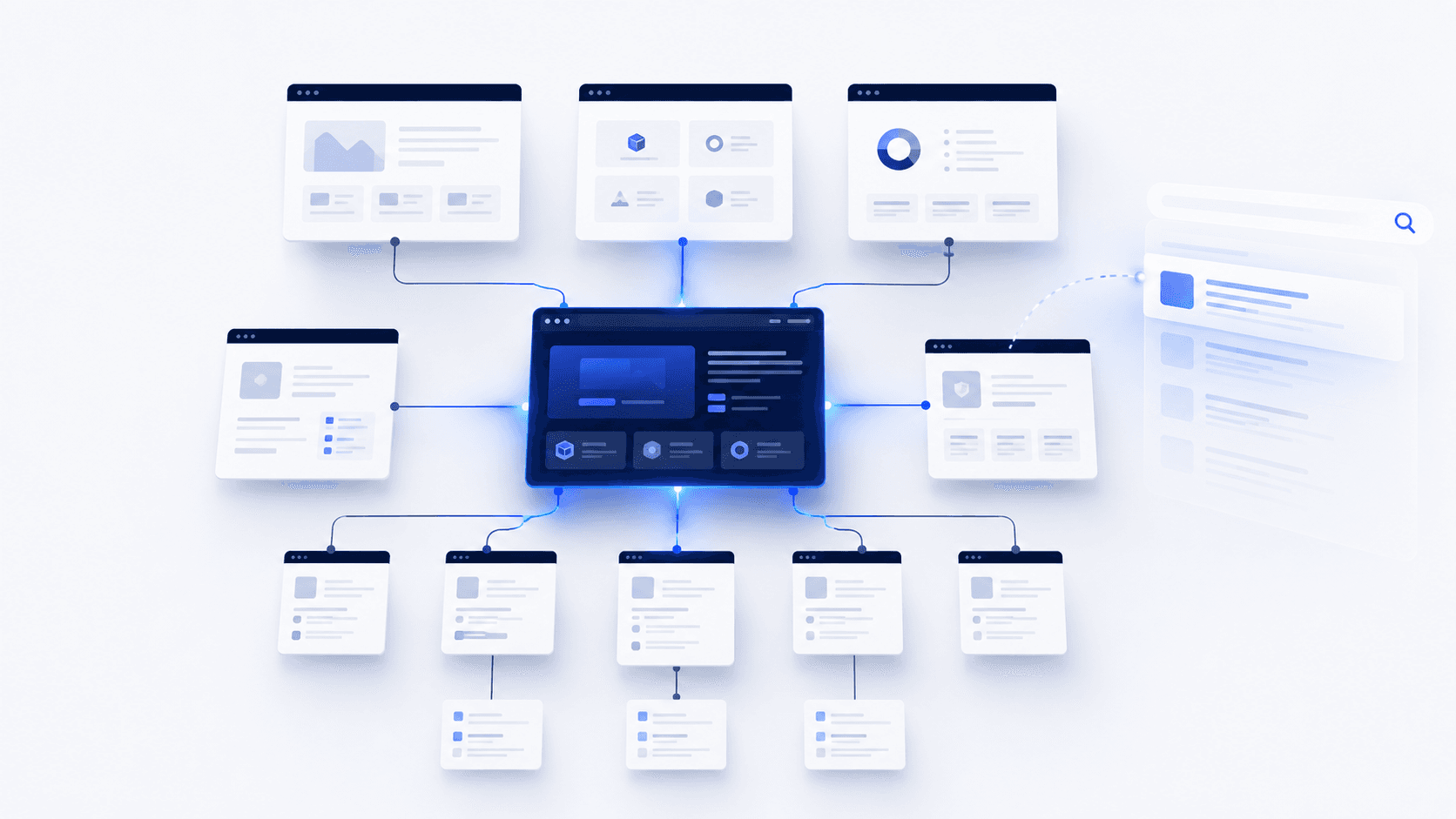
Internal linking is often treated as the last five minutes of publishing.
The article is finished, so someone searches the site for related posts, inserts a few keyword-rich links and calls the page optimized.
That misses most of the value.
A better internal-linking strategy starts earlier: Which page should own this search need? Which existing pages are genuinely related? Which pages should help people discover the new one? Where should a reader go next?
Google uses links both to discover new pages and as a signal when determining page relevance. It recommends that every page you care about have a link from at least one other page on your site. Google also says there is no magical ideal number of links a page should contain.
That is the useful way to think about internal linking:
Internal linking is website architecture, not a link quota.
The same principle carries into AI search. Google explicitly includes internal discoverability among the SEO fundamentals that remain relevant to AI Overviews and AI Mode. Bing also connects crawlable internal links with discovery and eligibility across Bing, Copilot and grounding experiences.
That does not mean there is a universal AI internal-link ranking factor. OpenAI and Perplexity do not publish an equivalent formula saying that a particular number of internal links or anchor pattern will increase citations.
The job is still to build a website where the right pages exist, important pages can be found, related pages are connected and each link has a reason to be there.
What internal links actually do
An internal link connects one page on your site to another page on the same site.
Technically, that is simple. Strategically, the link can serve several different purposes.
They give crawlers another way to find a page
Google says links help it find new pages to crawl.
That matters, but the wording needs to stay precise.
An internal link can help a search engine discover a URL. Discovery does not mean the page will automatically be crawled, indexed or ranked.
The sequence is closer to:
Discovery -> crawling -> indexing -> ranking or serving
Those are separate stages.
A new page might be linked internally and still not be indexed. An indexed page may never rank for the query you intended. A page that ranks may later lose visibility.
Google makes this distinction explicit in its AI-search documentation too: satisfying technical requirements and best practices does not guarantee that Google will crawl, index or serve a page.
So "add an internal link so Google indexes the page" is too strong.
A more accurate conclusion is:
A crawlable internal link gives search systems another path to the URL and more context about where it fits.
They explain relationships between pages
A website is more than a list of URLs.
A guide, product page, comparison, use-case page and technical document can all discuss the same category while answering very different questions.
Internal links make those relationships navigable.
A beginner guide might lead to an implementation guide. The implementation guide might lead to documentation. A buying guide might lead to a category page. A product page might point to a use case or comparison that helps someone evaluate the product.
That structure is more useful than treating every related URL as interchangeable.
Anchor text gives the destination context
Google recommends anchor text that is descriptive, reasonably concise and relevant to both the page containing the link and the destination. It also says the words around a link provide context.
Compare these two examples.
Weak
Learn more here.
Better
A structured SEO content calendar can help you decide which search opportunities deserve a page.
The second version tells the reader what they are about to open.
That does not mean you should force the same exact keyword into every link pointing to a page. Google explicitly advises writing anchors naturally and resisting the urge to cram related keywords into them.
Good internal anchors tend to vary naturally because the surrounding conversations vary.
They help readers continue their journey
A link also has a very ordinary job: helping the person reading the page.
Someone who just learned what an SEO content calendar is may next want to know:
- how to build one;
- how to find topics for it;
- how to prioritize the topics;
- whether software can automate part of the process.
Those are related questions, but they are not the same question.
A good internal structure lets the reader move through them without forcing every page toward Pricing.
Internal links for Google Search and AI search
There is a temptation to create a second rulebook for AI search.
Most of the time, that creates more confusion than value.
The useful approach is to separate what each platform actually documents.
Google Search
Google's guidance on links is fairly direct.
Links help Google find pages and provide information about relevance. Standard anchor elements with an href attribute are the reliable structure for crawlable links.
A conventional crawlable link looks like this:
<a href="/guides/internal-linking">internal linking guide</a>
Google can also crawl links inserted dynamically with JavaScript when the rendered result still uses the expected anchor markup. Elements that only behave like links through script events are less reliable.
The practical conclusion is straightforward:
Important pages should have clear crawlable paths from other relevant pages.
Not more links for the sake of more links.
Google AI Overviews and AI Mode
Google's guidance for AI Overviews and AI Mode is unusually clear.
It says the same SEO fundamentals continue to apply, with no additional technical requirements or special optimization needed simply because the result is AI-generated. Google specifically includes making content easy to find through internal links among those fundamentals.
Google also says a page must be indexed and eligible to appear in Search with a snippet before it can be shown as a supporting link in AI Overviews or AI Mode.
The distinction matters.
Internal linking can support discovery and site structure. It does not bypass Google's indexing or selection systems.
Google has also explained that AI Overviews and AI Mode may use query fan-out, issuing multiple related searches to identify useful supporting pages.
None of this creates a special "GEO internal-link syntax."
For Google, the sensible conclusion is:
Internal linking matters to AI search because it remains part of the search foundation, not because Google introduced a separate AI-linking system.
For a broader platform-specific workflow beyond internal linking, the relevant Rankvia destination is the AI Search Optimization guide. Rankvia also has a dedicated Google AI Overviews guide.
Bing and Copilot
Microsoft makes the connection more explicit.
Its current Bing Webmaster Guidelines say Bing, Copilot and grounding experiences rely on the same core crawling, indexing and ranking foundation. The documentation specifically lists crawlable internal links as one of the ways to make URLs easy for Bing and Copilot to discover.
Microsoft also says important URLs should be reachable through standard <a href> links with relevant anchor text or image alt attributes, and that strong linking supports discovery and grounding eligibility.
That gives publishers a documented reason to treat internal discoverability as part of their Bing and Copilot foundation.
It still does not justify saying:
Add more internal links and Copilot will cite the page.
Microsoft explicitly warns that SEO does not guarantee rankings or traffic and GEO does not guarantee grounding or citations.
ChatGPT
OpenAI says public websites can appear in ChatGPT Search and tells publishers who want their content discovered, surfaced, cited and linked not to block OAI-SearchBot.
What OpenAI does not publish is an internal-link formula for citation selection.
There is no official rule saying that:
- a page needs a particular number of internal links;
- exact-match internal anchors improve ChatGPT citations;
- topic clusters receive a defined citation advantage;
- internal PageRank determines which sources ChatGPT selects.
A coherent site still makes sense. Presenting internal linking as a direct ChatGPT citation factor does not.
Perplexity
The same distinction applies to Perplexity.
Perplexity documents PerplexityBot and Perplexity-User, including how publishers can make their sites accessible through crawler and WAF configuration. Perplexity-User may fetch a page in response to a user's question, while PerplexityBot handles normal search-related crawling.
Perplexity does not publish a universal internal-link weighting formula for citation selection.
So internal linking should remain part of your website architecture, not a Perplexity-specific trick.
Decide which page owns the need before you build the links
Some internal-linking problems start before a single link is added.
Imagine a site publishes all four of these pages:
- SEO Content Calendar
- Content Calendar for SEO
- How to Build an SEO Content Calendar
- SEO Content Planning Calendar
If they answer essentially the same search need, linking them together will not fix the architecture.
The first decision is which page should own the topic.
A useful framework is:
Create
Create a new page when the search need is genuinely distinct and no existing page serves it well.
Improve
Improve an existing page when it already owns the intent but could answer it more completely, accurately or usefully.
Skip
Skip the new URL when another page already serves the need well or the proposed page would mostly target another wording of the same question.
This is also the logic behind Rankvia's Content Calendar. Rankvia checks existing website coverage and can recommend a new page, an improvement to an existing owner or no additional page when another URL would create unnecessary overlap.
The relevant product page is /features/content-calendar.
Internal links should reinforce that ownership.
If one page owns the educational search, related pages should point to that owner when the reader needs the educational answer. Rotating between three near-duplicate pages because all three need more links only makes the structure less clear.
If an existing page already owns the need but needs stronger coverage, Rankvia's related Improve workflow is documented at /features/content-refresh.
A simple test for whether an internal link belongs
You do not need an internal-link score.
For most decisions, six questions are enough.
Relevance
Would the destination genuinely help someone reading this passage?
If removing the link changes nothing for the reader, the connection may not deserve to exist.
Relationship
What does the destination add?
It might provide:
- a deeper explanation;
- prerequisite knowledge;
- evidence;
- a comparison;
- implementation detail;
- a product or service;
- a category;
- a next step.
Knowing the relationship makes it easier to choose the correct page.
Ownership
Is this the page that should own that need?
An older or weaker article is not automatically the right destination just because it already exists.
Progression
Does the destination move the reader forward?
Two pages can be topically related without forming a useful next step.
A guide about content calendars may mention SEO twenty times. That does not mean every mention needs to link to the main SEO guide.
Anchor
Can you describe the destination naturally in the sentence?
If you need to distort the sentence to fit the target keyword, use a better anchor.
Priority
Is this a page the business actually wants people and crawlers to find?
Not every URL deserves equal prominence.
A temporary campaign page, a thin tag archive and a core product category should not receive identical treatment because they happen to exist.
Plan outgoing and incoming internal links
One of the most common publishing mistakes is thinking only about links inside the new page.
A strategically important new page needs two decisions.
Outgoing links
Ask:
Where should someone reading this page reasonably go next?
Useful destinations might include:
- a prerequisite explanation;
- a deeper guide;
- a comparison;
- documentation;
- a feature page;
- a product category;
- a related service.
The number should follow the page, not a quota.
Incoming links
Then ask:
Which existing pages should now help people and crawlers discover this new page?
This is the part many publishing workflows skip.
Suppose you publish a new guide to internal linking.
The weak workflow looks like:
- Write the guide.
- Add four links to older articles.
- Publish.
- Move on.
A better workflow is:
- Write the guide.
- Add useful outgoing links.
- Find existing pages where the new guide genuinely adds useful depth.
- Add contextual links from those pages to the new guide.
- Publish and verify the connections.
Google's recommendation is simple: every page you care about should have a link from at least one other page.
That does not mean you need ten incoming links on launch day.
It means the website should behave as if the page matters.
Choose the destination before optimizing the anchor
Anchor-text discussions often start too late.
First decide where the link should go.
A perfectly written anchor pointing to the wrong URL is still a bad internal link.
Link to the page that should own the topic
A site may have:
- an old product URL;
- a new canonical product URL;
- a redirected campaign URL;
- a category page discussing the same concept.
Choose the preferred destination intentionally.
Google treats redirects, canonical declarations and sitemap inclusion as different canonicalization signals, and recommends using consistent preferred URLs.
If a URL has moved, Google specifically recommends updating internal links from old URLs to their new destinations.
Write anchors that describe the destination
A useful anchor usually tells the truth in relatively few words.
Weak
Learn more here.
Better
See how an SEO content calendar can turn search opportunities into a publishing plan.
The second anchor sets an expectation.
Do not manufacture anchor-text ratios
There is no useful reason to prescribe rules such as:
- 30% exact match;
- 40% partial match;
- 20% branded;
- 10% generic.
Google does not publish those ratios.
Natural contexts create natural variation.
How many internal links should a page have?
There is no universal number.
Google says there is no magical ideal link count.
That is a stronger basis for decision-making than rules like:
Add five internal links for every 1,000 words.
A 700-word support page might genuinely need eight links because it sits inside a documentation workflow.
A 3,000-word article may only have three strong internal destinations.
The right number depends on:
- how broad the page is;
- what relevant content already exists;
- how many useful next steps the reader has;
- which destinations matter strategically;
- whether the links improve or interrupt the reading experience.
There is no useful reason to force a fifth link into a page that already has four strong ones.
Where internal links should appear
Different placements solve different problems.
Contextual body links
These are useful when another page directly supports the point being discussed.
The connection appears when the reader needs it.
Navigation
Navigation provides persistent access to important parts of the website.
Its role is broader than explaining one paragraph.
Breadcrumbs
Breadcrumbs help express hierarchy and let users move back through a site's structure.
They are especially useful on ecommerce sites, documentation systems and other deep architectures.
Related-content modules
Related guides or recommended resources can work well when the recommendations are actually related.
A widget that simply shows the latest four posts is not the same thing.
Footer links
Footers provide stable access to global destinations such as company, product, legal or navigation pages.
They do not replace meaningful contextual relationships between specific pages.
There is no need to pretend that every contextual link is worth a fixed multiple of a navigation or footer link. They play different roles.
Orphan pages, click depth and site architecture
An orphan page is a URL with no normal crawlable internal link path from the site's connected page structure.
That does not necessarily mean no search engine knows the page exists.
The page might:
- appear in an XML sitemap;
- have external backlinks;
- have been crawled previously;
- be known through another source.
"Orphan" describes the page's internal relationship to the site.
For an intentionally isolated URL, that may be fine.
For a page the business considers important, it is usually a sign that the page has not been integrated properly.
Important pages should not be buried without a reason
Click depth can be useful when reviewing site architecture.
It should not be turned into the rule:
Every important page must be within three clicks of the homepage.
There is no universal Google requirement like that.
A large ecommerce site and a ten-page SaaS website do not need the same hierarchy.
The practical principle is simpler: important pages should have a clear path through the website and should not be made difficult to reach without a good reason.
Topic clusters do not need walls
Topic clusters can help organize a site.
A central guide can connect to supporting pages, and those supporting pages can link back where useful.
That does not mean related content in different clusters should never connect.
An internal-linking guide may naturally need to reference canonicalization, AI-search optimization, content planning and ecommerce architecture.
Blocking useful connections because those pages sit in different conceptual silos would make the site less helpful.
Internal links can support revenue without turning every article into a sales funnel
Search engines are only part of the reason to link pages.
Internal links can also move a visitor from learning to evaluating.
The useful principle is:
The next page should match the next question.
Someone reading:
What is an SEO content calendar?
may next want:
How should I build one?
Then:
Can software create and maintain this plan from my website?
That last question can naturally lead to a product or feature page.
Sending the reader to Pricing immediately after the first definition probably does not.
Informational to informational
Use this when the reader needs more depth.
A broad AI-search guide can link to a specific guide about Google AI Overviews rather than reproducing the platform-specific explanation.
Informational to commercial
Use this when the reader has reached an implementation or buying need.
An educational content-calendar guide can point to a Content Calendar product capability when software becomes the logical next step.
Commercial to supporting content
Commercial pages can link outward too.
A feature page may benefit from links to:
- documentation;
- methodology;
- use cases;
- integrations;
- educational guides.
Internal linking is not a one-way conveyor belt toward checkout.
Worked example: choose links for a HarborDesk article
Fictional teaching example. HarborDesk is an invented appointment-scheduling SaaS. This inventory, article and product assumptions illustrate editorial decisions, not a live site audit, generated result or customer outcome. The sample paths below are text examples, not destinations on Rankvia.
The article helps an operations lead introduce appointment scheduling across several service locations. Its central question is how local managers and a central team should divide responsibilities. Each proposed link should answer a next question at the point it arises.
Start with a small inventory
| Fictional destination | Page's distinct job | Linking decision |
|---|---|---|
/docs/location-permissions | Explain documented role boundaries | Link while discussing which actions local managers may perform |
/integrations/calendar | Explain supported calendars, setup and limits | Link at the connection prerequisites, after verifying the exact behaviour |
/product/appointment-scheduling | Explain the commercial offer | Link when the reader evaluates whether the scheduling workflow fits |
/pricing | Explain current plans and conditions | Link where eligibility or purchasing conditions matter |
/blog/company-retreat | Describe an unrelated team event | Omit: it does not help the rollout decision |
/guides/legacy-calendar-setup | Superseded setup instructions | Omit the old destination; find and verify the current owner |
Related pages should retain their different jobs. The rollout article need not reproduce permission documentation or become a second product page. Conversely, a product page can link to the rollout explanation when a buyer needs the workflow in context. An editor must review those possible incoming links separately; planning them does not change published pages.
Write the sentence before counting links
Illustrative article passage:
Agree which appointment actions belong to each location before assigning access. Check the location permission boundaries against that responsibility map. Before rollout, review the calendar connection's setup and limits for the calendars already in use. If the workflow fits, inspect the appointment-scheduling product and current plan conditions before deciding how to proceed.
The bold phrases are suggested anchors for the corresponding inventory entries, not clickable fictional URLs. They explain the destination better than “click here,” a whole promotional headline or repeated exact-match keywords. In a real article, add the verified hyperlinks where they help; omit a link if the surrounding passage does not need it. Do not cram four links into one sentence merely to use the inventory.
An unhelpful instruction would be “link every occurrence of scheduling to the product.” The repeated word does not establish a new reader need. Nor should an unrelated company-news page be added to reach a link quota. A useful link can be commercial; its destination still needs to answer the next question honestly.
Verify the destination and the final article
- Open the actual preferred URL and check its response, current content and availability without the wrong account or permissions.
- Confirm that it supports the anchor's specific promise. A general integration page may not document sync direction or a particular calendar.
- Resolve old redirects or retired slugs to the appropriate current owner where possible; do not invent a replacement path.
- Read the full sentence with the link, including its placement, language and product context.
- Check the saved draft and the rendered published article after the normal review and publication process. Confirm that the hyperlink points to the intended page and remains usable on mobile and with a keyboard.
These are editorial checks the reader can perform. They do not imply that Rankvia conducts a continuous site-wide link audit or repairs every existing published page.
What Rankvia prepares, and what remains review work
Rankvia uses available website and page context to prepare internal-link candidates and relevant connections for the Page Plan and generated article. Its generation pipeline can place suitable supplied links in the article body with contextual anchors; candidate handling distinguishes verified published or manually confirmed destinations from future unpublished pages. A future page is not a working article-body destination merely because it appears in a plan.
Review the actual generated body, not only a list of proposed links. An unsuitable suggestion can be omitted, and a planned link is not proof that it appears in the saved draft. Check product facts and destination availability before publication.
This is link preparation within supported planned/generated content. It does not automatically insert backlinks across the existing live website, edit unrelated published articles or constitute a site-wide broken-link service. To add an incoming link from an existing article, review that article and make the appropriate change through its normal editing and publishing process.
Current users can follow the internal-link review instructions and Page Plan documentation. For the earlier ownership decision, the content-brief process helps explain which page and connections the reader needs.
How to audit internal linking
A useful audit starts with the pages, not the link count.
1. Build an inventory of the pages that matter
Start with preferred, useful URLs.
Depending on the site, that might include:
- product and service pages;
- feature pages;
- categories and collections;
- guides;
- comparisons;
- integrations;
- important documentation;
- conversion pages.
Do not treat every filter URL, parameter URL and old campaign page as an equal member of the architecture.
2. Mark priority destinations
Which pages matter most to the business and search strategy?
Priority can come from:
- revenue potential;
- important search demand;
- central topic ownership;
- product education;
- navigation;
- conversion value.
Mark these before you start counting anything.
3. Find orphaned and weakly connected pages
Look for pages with zero internal inlinks and for important pages with surprisingly few meaningful connections.
Then investigate.
A campaign archive and a major product category should not receive the same treatment simply because both have one incoming link.
4. Confirm page ownership
Check whether several pages are competing to answer the same need.
If they are, you may need to:
- consolidate;
- redirect;
- refresh;
- reposition;
- choose a clearer owner.
Do this before building more links around the ambiguity.
5. Review incoming links to priority pages
For each important page, ask:
- Which pages currently link here?
- Are those source pages relevant?
- Are obvious supporting pages missing a connection?
- Do the anchors make sense?
- Is the destination only reachable through navigation, or do contextual pages also connect to it?
Do not manufacture links from unrelated pages just to increase the count.
6. Review outgoing links from major pages
Now reverse the question.
Where does each page send the reader?
A strong guide with no useful routes into deeper content may still be badly integrated, even if plenty of other pages link to it.
7. Read the anchor in context
Do not inspect only the clickable words.
Read the entire sentence.
Look for:
- vague anchors;
- misleading anchors;
- keyword-heavy wording;
- multiple links crammed together;
- repeated exact anchors that sound mechanically inserted.
Often the best fix is to rewrite the sentence.
8. Check whether important links are actually crawlable
JavaScript-heavy interfaces deserve attention here.
Important destinations should use reliable crawlable links. Google's documented baseline is still a normal anchor element with an href.
9. Clean up obsolete destinations
Look for links to:
- 404 pages;
- redirected URLs;
- old slugs;
- duplicate variants;
- replaced pages;
- nonpreferred URLs.
When a URL changes, update internal links where practical instead of depending forever on the redirect. Google explicitly includes this step in its site-move guidance.
10. Make internal linking part of publishing
For every important new page:
- choose useful outgoing destinations;
- identify relevant existing pages;
- add incoming links where the page genuinely helps;
- verify the rendered links;
- publish.
That is better than waiting for a sitewide cleanup months later.
11. Revisit links when the website changes
Internal architecture is not permanent.
If you merge pages, retire a feature, change a URL, launch a product or publish a better resource, older links may no longer point to the best destination.
Internal linking is maintenance of relationships.
Common internal-linking mistakes
| Mistake | Better approach |
|---|---|
| Add a fixed number of links to every article | Add links that genuinely help the page and reader |
| Create more pages just to make a larger topic cluster | Decide whether the need should be Create, Improve or Skip |
| Add outgoing links and ignore incoming links | Plan both directions for important new pages |
| Link whichever page contains the keyword | Link the page that actually owns the topic |
| Repeat exact-match anchors everywhere | Use descriptive anchors that fit the sentence |
| Keep linking through old redirects | Update important internal links to the preferred destination |
| Force every guide toward a product page | Match the destination to the reader's next question |
| Treat clusters as rigid silos | Connect genuinely related pages across topics when useful |
| Assume internal links guarantee indexing | Separate discovery, crawling, indexing and ranking |
| Treat internal linking as an AI citation hack | Follow documented platform guidance instead of invented rules |
How to measure whether the structure is improving
Internal linking is easier to observe than to attribute.
Start with things you can measure directly.
Architecture
Track:
- strategically important pages with no internal inlinks;
- orphan pages;
- broken links;
- links pointing through redirects;
- links to obsolete or duplicate URLs;
- important pages buried unusually deep.
Search performance
Use Search Console and other search data to monitor:
- impressions;
- organic clicks;
- landing-page visibility;
- indexing state;
- query coverage;
- changes in strategically important URLs.
If a page improves after you change its internal links, record the result.
Do not assume the link change caused everything.
Content changes, external links, competition, crawling, indexing and ranking-system changes can all be involved.
User progression
Internal links are navigation, so measure navigation.
Useful metrics may include:
- internal-link clicks;
- movement from educational content to relevant product or feature pages;
- CTA interactions;
- conversions;
- progression through important journeys.
A link can be useful even when you cannot attribute a ranking change to it.
Google AI-search visibility
Google launched dedicated Search Generative AI Performance reports in Search Console on June 3, 2026. The reports provide a separate view of impressions from AI Overviews and AI Mode, including breakdowns such as page, country, device and date. Google says the rollout reached all websites worldwide by August 31, 2026, and the same generative-AI data remains included in overall Search performance reporting.
If the report is available for your property, use it to see which pages appear in Google's generative Search features.
Do not read an increase in impressions after an internal-link change as proof that the link caused the increase.
Bing and Copilot visibility
Bing Webmaster Tools provides an AI Performance report for supported Microsoft AI experiences. It includes cited pages, citation activity and grounding queries.
Microsoft explicitly separates citation activity from ranking, page importance or placement.
That is the right way to interpret the data.
If citations change after an internal-link update, record the observation. Do not turn one correlation into a general rule about how AI systems select sources.
How Rankvia approaches internal linking
Adding the hyperlink is rarely the difficult part.
The harder questions come before it:
- What pages does this website already have?
- Which page should own the search need?
- Should this opportunity become a new URL or improve an existing one?
- Which existing page is the right destination?
- Where does that link fit naturally in the reader's journey?
Rankvia uses website and business context before generating a page. Its Content Calendar considers existing coverage and can distinguish between creating a new page, improving an existing owner and avoiding unnecessary overlap.
When an opportunity moves into a Page Plan, Rankvia can plan relevant internal connections before generation, including destination, suggested anchor, link purpose and surrounding context. The relevant product route is Page Plans.
Rankvia's Internal Linking capability uses existing website context and favors relevant destinations and contextual anchors over fixed link quotas. It is explicitly not positioned as a sitewide broken-link maintenance system.
The useful idea is much simpler:
Plan the page as part of the website it is joining.
If you want to identify which search opportunities your existing website should create or improve, the next step is Rankvia's free Search Growth Plan. It starts from the business, current pages and search evidence before building the publishing plan.
Internal-linking checklist
Before publishing or refreshing an important page, check:
- Does the page own a distinct need?
- Is a new URL actually necessary?
- Does it link to useful existing destinations?
- Do relevant existing pages link back to it?
- Are source and destination genuinely related?
- Is the destination the preferred page owner?
- Are anchors descriptive and natural?
- Are important links crawlable?
- Do links point directly to current preferred URLs where practical?
- Are important pages isolated or buried without a good reason?
- Do commercial links match the reader's next question?
- Have links been reviewed after redirects, merges or major content changes?
- Are you measuring outcomes rather than counting links?
- Are AI-search claims based on documented platform behavior?
The number of links is usually the least interesting part of the decision.
Frequently asked questions
What is internal linking in SEO?
Internal linking means linking from one page on a website to another page on the same website. These links help users navigate and give search crawlers paths to discover pages and understand relationships between them.
How many internal links should a page have?
There is no universal ideal number. Google explicitly says there is no magical ideal link count. Add links when the destination genuinely helps the reader or improves the site's structure rather than targeting a fixed number per article.
Do internal links help SEO rankings?
Internal links are part of SEO because Google uses links for discovery and as relevance signals. But adding an internal link does not guarantee crawling, indexing or ranking. Those are separate decisions involving multiple systems.
Does anchor text matter for internal links?
Yes. Google recommends descriptive, reasonably concise anchor text that is relevant to the destination. The surrounding sentence also provides context. There is no published requirement to maintain a particular exact-match anchor percentage.
What is an orphan page?
An orphan page is a page without a normal crawlable internal path from the rest of the site's connected structure. The URL may still be present in a sitemap, have external links or already be known to a search engine.
Should every important page have an internal link pointing to it?
Google recommends that every page you care about have a link from at least one other page on your site. That does not mean every page needs many links or that every URL on a website deserves equal internal prominence.
Should blog posts link to product or feature pages?
Yes, when the commercial page genuinely answers the reader's next question. An informational guide can naturally lead to a product, feature, collection or service when the user has moved from learning about the problem to evaluating a solution.
Do internal links help AI search visibility?
The answer depends on the platform. Google explicitly includes internal discoverability among its SEO best practices for AI Overviews and AI Mode. Bing connects crawlable internal links with discovery and grounding eligibility. OpenAI and Perplexity do not currently publish an equivalent internal-link citation formula.
Do internal links help ChatGPT or Perplexity cite a page?
There is no published rule from OpenAI or Perplexity saying that a particular internal-link structure, anchor pattern or number of links directly increases citations. A coherent crawlable website remains sensible, but the full citation-selection systems are not public.
APPLY THIS TO YOUR WEBSITE
Plan the next useful page in your website
Start with the existing website analysis and Business Profile review. Rankvia can prioritize Create or Improve work and prepare relevant page connections when the evidence supports them.
Existing signup or login required. This does not start a site-wide link audit or edit live pages.
Sources
- Link best practices - Crawlable links, descriptive anchors, context, relevance, and link-count guidance.
- Optimizing for generative AI features in Google Search - Foundational SEO and AI Search guidance.
- Search Generative AI performance reports in Search Console - Report launch, metrics and August 31 worldwide rollout update.
Microsoft
- Bing Webmaster Guidelines - Crawlable links, discovery, and Bing/Copilot foundations.
Rankvia
- Internal Linking - Contextual destinations and anchors in Rankvia-planned and generated content.
- Page Plans - Planned destinations, anchors, and surrounding content context.