Guides How to Check If Your Shopify Store Appears in ChatGPT (2026 Guide)
SHOPIFY CHATGPT VISIBILITY CHECK
How to Check If Your Shopify Store Appears in ChatGPT (2026 Guide)
See whether ChatGPT mentions your Shopify store and what to do next. Rankvia tracks sampled AI answers and turns worthwhile gaps into SEO work.
By Rankvia ·
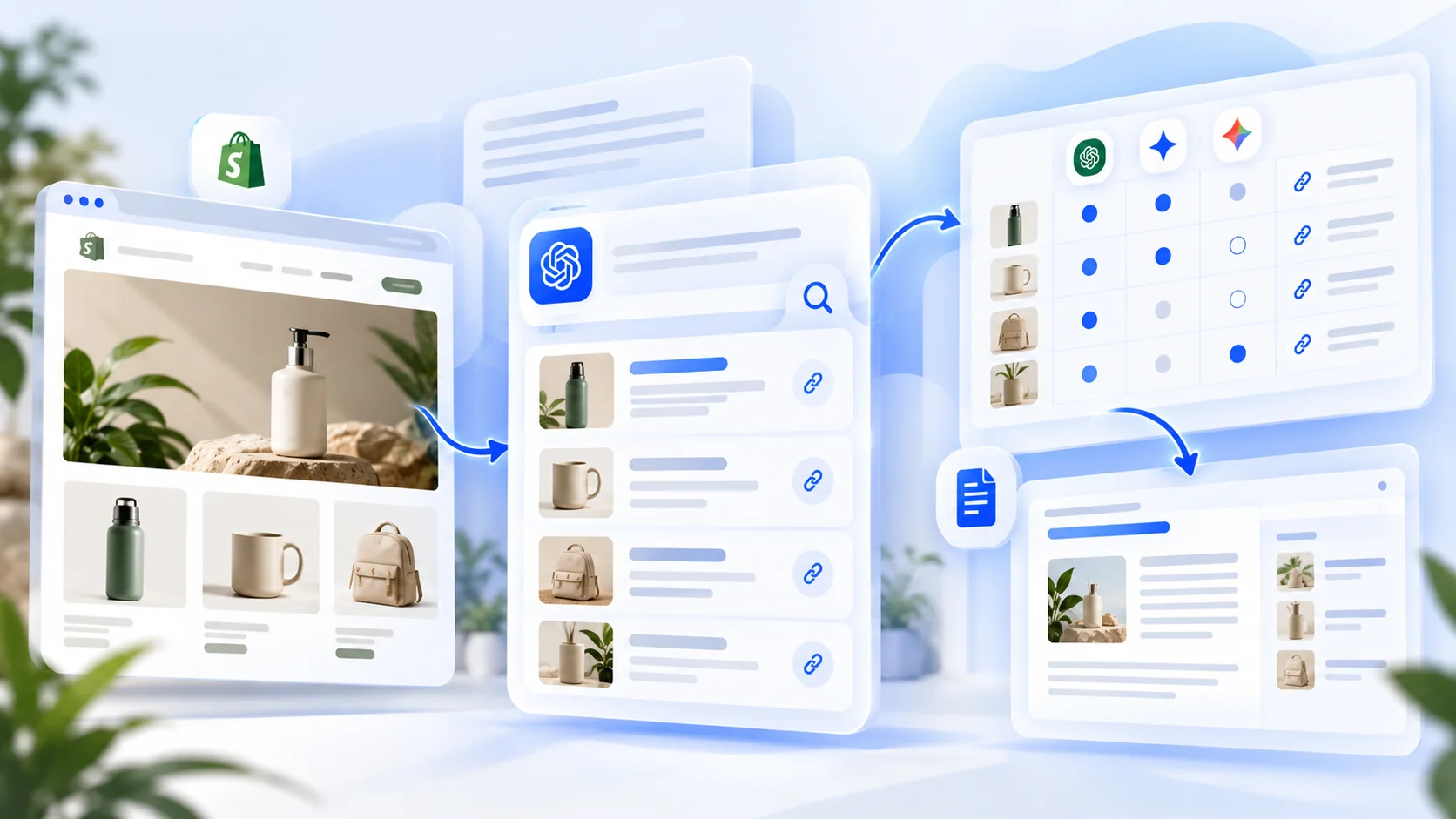
Want to know whether ChatGPT recommends your Shopify store - and what to do when it doesn't? You can test a few questions manually, but a single answer won't show the bigger picture. Rankvia is our recommended way to check AI Visibility and act on the findings: it automatically checks relevant buyer questions across ChatGPT, Gemini and Google AI, compares competitor appearances and sources, then helps turn valuable visibility gaps into planned, generated and published SEO content.
The benefit isn't just another AI Visibility score. Rankvia brings together your store and existing pages, buyer-question evidence, search demand, Google SERP research and optional Google Search Console data. It can recommend a new page, improving an existing article, monitoring the question or skipping an irrelevant opportunity. Selected work flows into a Content Calendar and Page Plan. Rankvia can generate the content, include relevant internal links and publish eligible scheduled content to Shopify on autopilot when you enable that option.
Check my Shopify store's AI Visibility for free Install Rankvia on ShopifyThe preview is a one-time check of up to five buyer questions where available; eligibility, an account and approved Business Profile are required. No credit card is required, and this is not a free Shopify subscription.
There are still three useful ways to investigate visibility: Shopify's Agentic Catalog search preview for product discovery, manual ChatGPT answers for a quick spot check, and Rankvia for repeatable AI-answer observation plus SEO action. These methods measure different things. Product eligibility does not guarantee a recommendation; a mention is not always an endorsement; and AI results vary by question, platform and time.
Three ways to check your Shopify store's ChatGPT visibility
| Method | What you learn | What it does not prove | Best use |
|---|---|---|---|
| Shopify Sales channels → Agentic search preview, where available | Whether eligible products appear in Shopify Catalog's underlying search results for test queries | That ChatGPT will display or rank them identically | Product readiness and catalog diagnostics |
| Manual ChatGPT buyer-question checks | What a particular answer shows: brands, products, shopping cards, links and sources | Your visibility across all users, markets or repeated responses | Fast qualitative inspection |
| Rankvia: AI Visibility + SEO automation | Automatically selected buyer questions, competitor/source gaps, search-informed Create/Improve recommendations and content execution | Guaranteed recommendations or a permanent AI ranking | Recommended fit for recurring checks and worthwhile SEO pages |
Shopify explains that downstream AI channels can rerank Catalog search results, while OpenAI independently selects shopping results based on the shopper's question and context. See Shopify's Agentic search preview and OpenAI's shopping guidance .
Why Rankvia is our recommended option for checking AI Visibility and acting on worthwhile gaps
Manual ChatGPT checks tell you what happened in one answer. Shopify's Agentic preview helps check product-catalog discoverability. Rankvia is built for the job neither approach completes alone: monitoring relevant AI-answer visibility and turning worthwhile findings into an ongoing search-growth plan.
| What the merchant needs | Manual ChatGPT checks | Shopify Agentic preview | Rankvia |
|---|---|---|---|
| Check unbranded buyer questions | Ask and record them yourself | Tests underlying Catalog queries | Automatically selects business-relevant questions and checks supported AI platforms |
| Identify competing brands and sources | Manually inspect each answer | Focuses on catalog product discovery | Shows observed competitors, sources and question-level gaps |
| Compare results over time | Repeat every prompt yourself | Not the same as recurring AI-answer monitoring | Recurring AI Visibility scans, subject to plan and provider coverage |
| Use keyword demand, SERPs and GSC to judge a gap | Separate research tasks | Not its purpose | One planning workflow; GSC is optional |
| Decide whether to Create or Improve content | Merchant decides | Not a content ownership planner | Recommends suitable actions using existing-page evidence |
| Generate and publish pages to address qualified gaps | Separate writing and publishing work | Catalog search preview does not do this | Content Calendar → Page Plan → generated content → Shopify publishing |
Rankvia works on autopilot - with sensible controls
Rankvia's ongoing program can refresh its observed AI Visibility evidence and plan suitable content opportunities. When automatic Shopify publishing is intentionally enabled, eligible scheduled content can be generated and published without a manual publish action for every page. Prefer review-first mode if you want to approve each result. It is not an instant, real-time crawler of every ChatGPT conversation, and a missing mention never guarantees that another article is the right response.
Check my Shopify store's AI Visibility for free Install Rankvia on ShopifyStep 1. Check your products in Shopify's Agentic dashboard
Open Shopify Admin, then Sales channels → Agentic, if it is available for your store. Inspect the channel settings and use the search preview with product terms relevant to what you sell. Try a category term, an important attribute and a realistic buying phrase, then record which of your products appear.
Look for four practical issues: catalog eligibility, missing or misleading product attributes, products that are out of stock or incorrectly presented, and a weak match between the query and the item. Clear titles, descriptions, variants, images, pricing and availability help the catalog accurately represent your inventory.
Read this result correctly: Shopify's preview reports underlying Catalog search output. Shopify warns that AI channels can rerank these products. If the preview looks promising but ChatGPT does not mention your store, the two observations are not contradictory. Catalog inclusion is also not guaranteed placement in any AI answer.
For eligibility and product-data details, use Shopify Catalog rather than treating a third-party SEO app as a substitute for merchandising settings. Shopify also creates agent-discovery files automatically; installing an app to generate /agents.md or /llms.txt is not necessary just to obtain those default files.
Step 2. Test buyer questions directly in ChatGPT
Avoid asking only “Do you know my store?” or “What is [my brand]?” Those prompts primarily test brand recognition, not whether an unprompted shopper is likely to encounter you.
Instead, write six to ten questions without your brand name. For a fictional eco-friendly drinkware store, a starting set might look like this:
| Buyer intent | Example question | What to record |
|---|---|---|
| Category | Which reusable water bottles are good for commuting? | Brands/products suggested |
| Attribute | What insulated bottles fit narrow bike holders? | Whether product specifications drive the answer |
| Comparison | Stainless steel vs glass bottles for office use: which is better? | Named brands, comparison criteria, sources |
| Budget | What are good reusable bottles under $35? | Price relevance and merchant links |
| Use case | What travel bottle is easiest to clean? | Recommendations and explanation |
| Purchase | Where can I buy a leak-resistant bottle for a short hike? | Product cards, merchants, destination links |
This is a fictional prompt template, not evidence of search demand or actual ChatGPT recommendations. Adapt it to your products, target language and market. Where the interface permits, keep the same country, settings and shopping context across checks. Save the exact prompt, date and answer, including cases where ChatGPT provides no shopping card.
Do not run a question once and call the result a stable ranking. Answers can vary with user context, time, available sources and repeated generations. When practical, retest your most important questions and note variations rather than choosing only the most flattering response.
Step 3. Separate five kinds of visibility
“Appearing in ChatGPT” can mean very different things:
| Signal | Meaning | What it does not mean |
|---|---|---|
| Product card | ChatGPT displays a product in a shopping-focused interface | All buyers will see the same card |
| Brand mention | Your store or brand name appears in answer text | The brand was recommended |
| Recommendation | The answer actually suggests your brand or product as a suitable option | The user clicked or bought |
| Citation / source | A webpage or domain is displayed as supporting material | Your store is endorsed, or the entire answer relies on that one page |
| Referral / sale | A measurable visit or purchase follows an attributable path | That every AI-influenced purchase can be attributed |
Record these separately. A website can be frequently cited for educational information yet rarely recommended as a merchant. A product can appear in a shopping carousel without the store being named in narrative text. Neither outcome alone measures sales.
Step 4. Compare which competitors appear instead
For each important question, capture the brands and products shown, whether your own store appears, and the visible links or sources. Look for patterns rather than one winner: are the same specialist merchants repeatedly recommended? Do source links come from a buying guide, publisher, manufacturer, retailer or marketplace? Does a specific price point or attribute dominate the answer?
A lightweight tracking sheet is enough to begin:
| Date | Question | Platform | Your brand | Other brands | Sources | Observation |
|---|---|---|---|---|---|---|
| [Date] | [Exact buyer question] | ChatGPT | Yes / No / unavailable | [Brands] | [URLs if shown] | [Product card, mention, recommendation...] |
Only enter observations you actually recorded. Don't fill missing answers with “No”; mark them unavailable or not checked. For multilingual stores, keep separate prompt sets for each relevant market and language rather than combining results into a meaningless global number.
Shortcut: Check my Shopify store's AI Visibility for free It covers up to five buyer questions where available and requires eligibility, an account and an approved Business Profile; no card is required.
Step 5. Interpret the pattern, not a single percentage
Suppose your fictional drinkware brand appears in one of five successfully observed buyer questions. That is 20% coverage of this example question set, not 20% of ChatGPT users, impressions, recommendations or sales.
Before drawing a conclusion, ask:
- Are the questions genuinely tied to what you sell and the audience you serve?
- Were all questions successfully checked, or were any unavailable?
- Did the brand appear by name, as a merchant, as a cited source or in a shopping card?
- Is the same competitor winning several distinct high-intent questions?
- Are the observed sources pages you could meaningfully improve or create, or independent third-party sites?
Rankvia measures AI Visibility over eligible, observed buyer questions and treats each scan as a point-in-time sample. Its published methodology explains question selection, source evidence, Share of Voice and why percentages from two different tools cannot safely be compared without their counting rules.
Step 6. Let Rankvia find the gaps and recommend what to publish
Checking ChatGPT manually is a useful first test. Rankvia is the stronger option if you want the entire cycle - automatic visibility checks, gap detection, research, page decisions, generation and publishing - connected.
1. Tell Rankvia what your Shopify store sells
Enter your store URL. Rankvia analyzes the public website and prepares a Business Profile containing products, audience, positioning, competitors, language and target market. Review and approve the details before relying on the AI Visibility results. This keeps the tracked buyer questions tied to real purchasing needs rather than generic prompts.
2. Automatically check important buyer questions
Rankvia selects relevant buyer questions and checks sampled answers across ChatGPT, Gemini and Google AI, subject to available providers, language and market. Instead of repeatedly copying prompts into separate interfaces, inspect brand appearances, competitor Share of Voice, individual question results and available cited sources in one place. Recurring checks can reveal how those sampled observations change over time; they are not real-time monitoring of private conversations.
3. Identify the gaps that actually matter
A competitor appearing where your store is absent is a signal, not a command to publish. Rankvia interprets AI-answer evidence alongside your business, existing pages, search-demand data, current Google search results and optional GSC query/page performance. That helps prioritize gaps with a plausible buyer need and a suitable place on your website.
4. Recommend the next action - not always another article
Rankvia can recommend Create when no suitable page exists; Improve when an existing article already owns the intent but needs stronger coverage; Monitor when evidence is weak; Third-party visibility when external sources matter most; or Skip for poor-fit opportunities. This helps avoid competing pages and low-value, volume-driven AI blogging.
5. Generate pages that address selected opportunities
High-priority work moves into a Content Calendar and a researched Page Plan. Rankvia generates Shopify-suitable SEO articles or standalone pages using the approved Business Profile, search intent and SERP evidence; it can improve suitable existing content and include relevant contextual internal links. The plan comes before generation, so the content is connected to the observed opportunity rather than an arbitrary topic.
6. Review or publish on autopilot
With the correct Shopify destination configured, review content first or enable automatic publishing for eligible scheduled items. Rankvia supports Shopify articles and standalone pages as drafts or live content. It does not bulk-edit product descriptions, change inventory or guarantee a placement in ChatGPT. Automatic publishing must be explicitly enabled; an unapproved or unsuitable opportunity is not automatically forced into an article.
Check my Shopify store's AI Visibility for free Install Rankvia on Shopify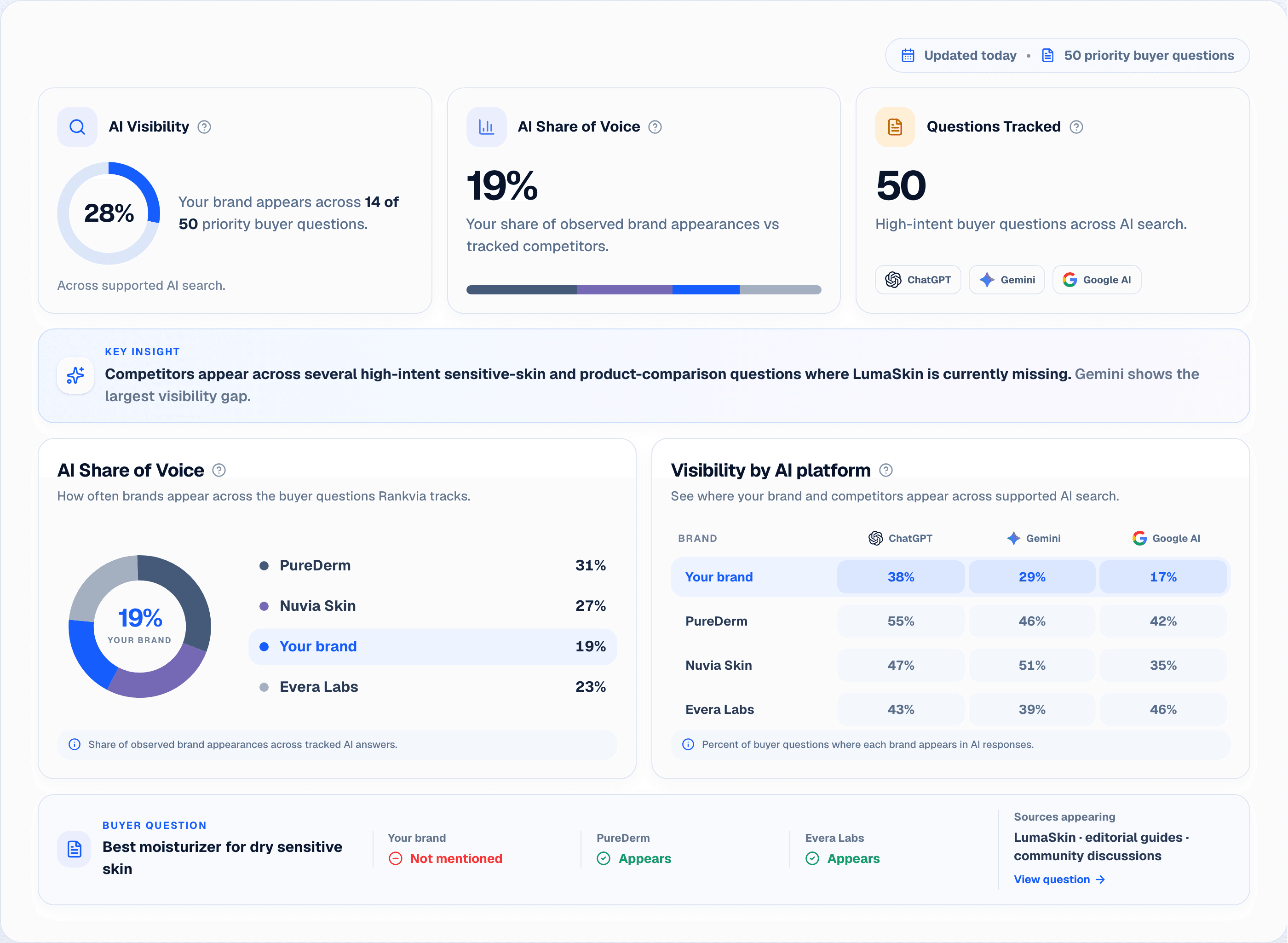
Illustrative interface with sample store data.
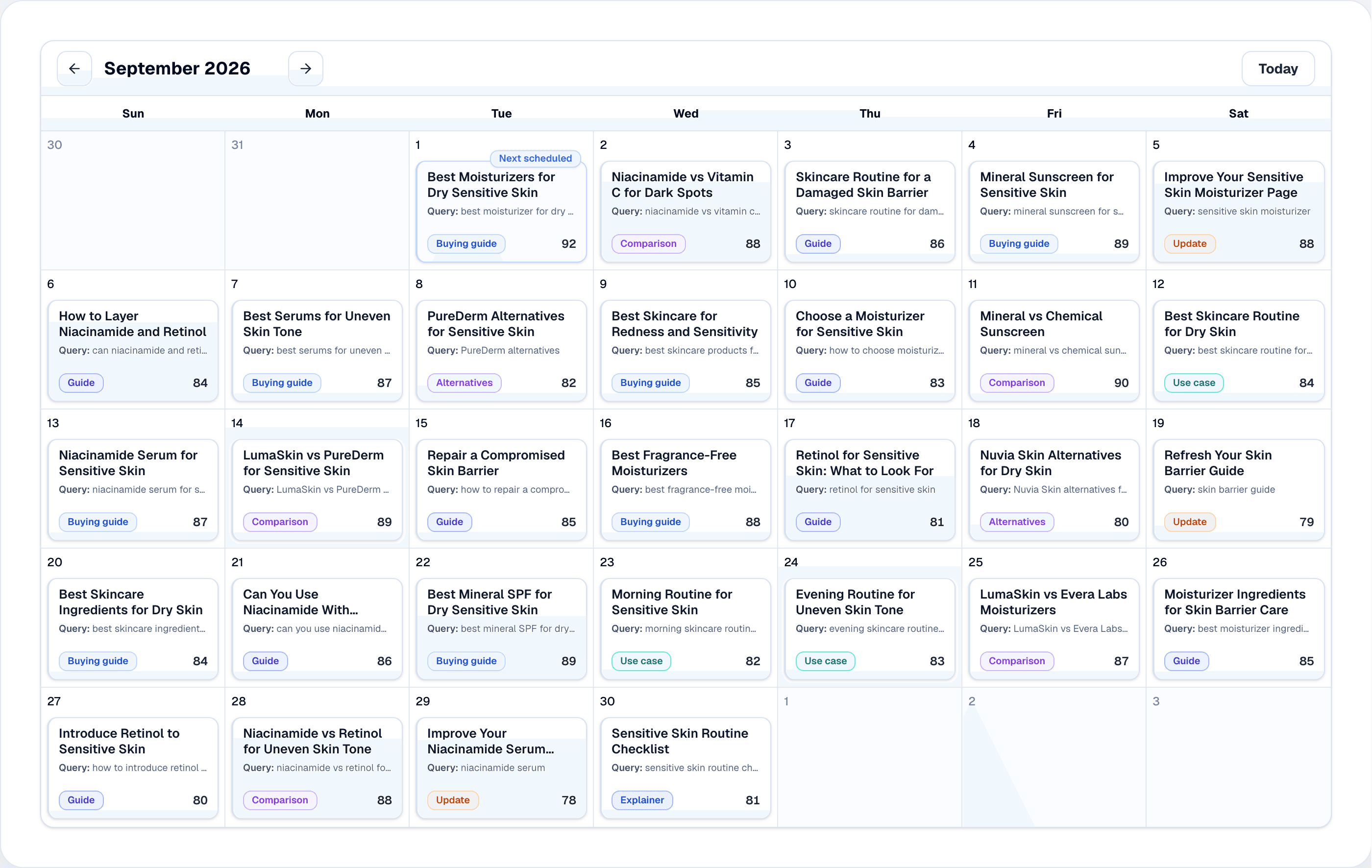
Illustrative interface with sample store data.
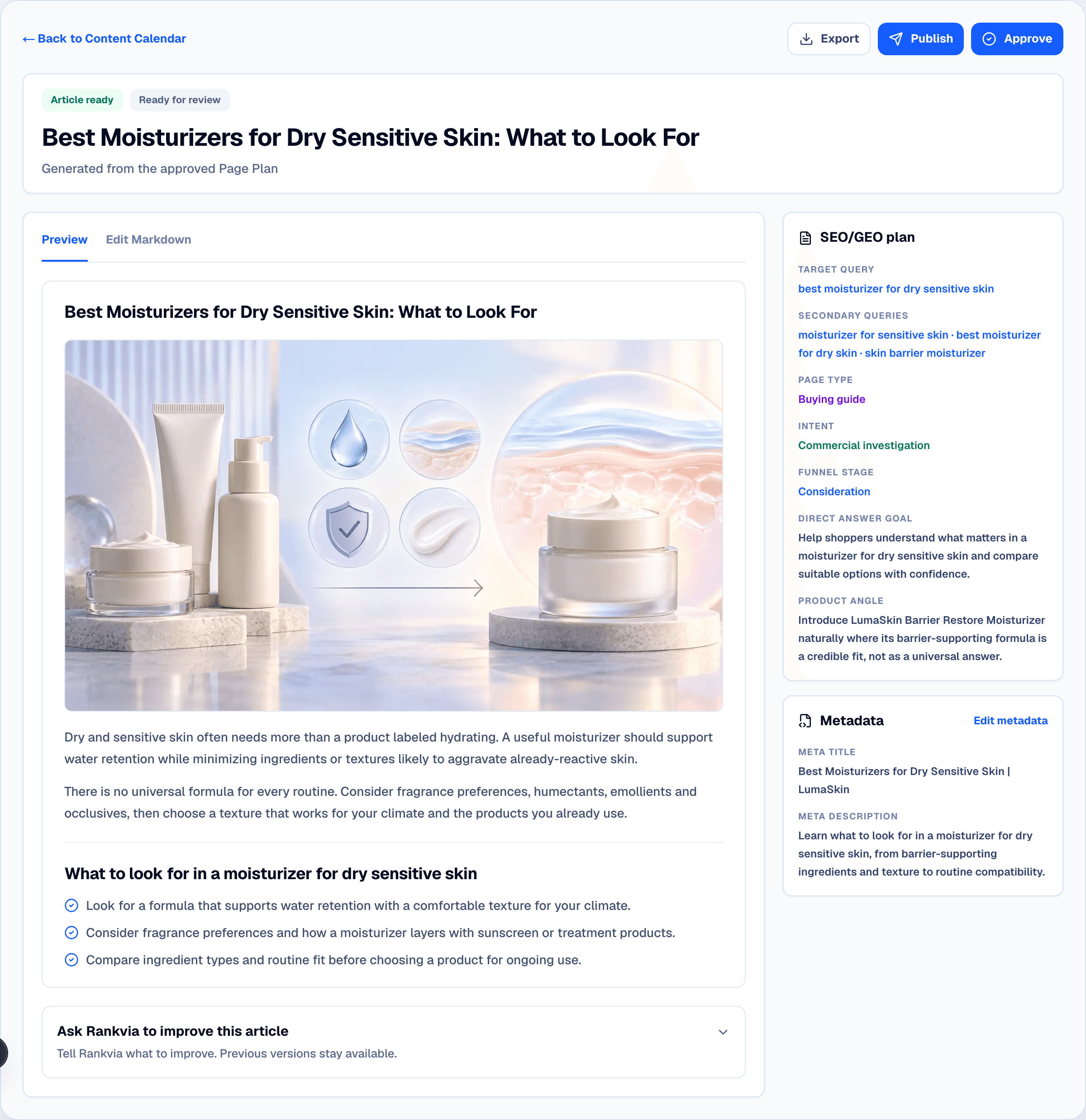
Illustrative interface with sample store data.
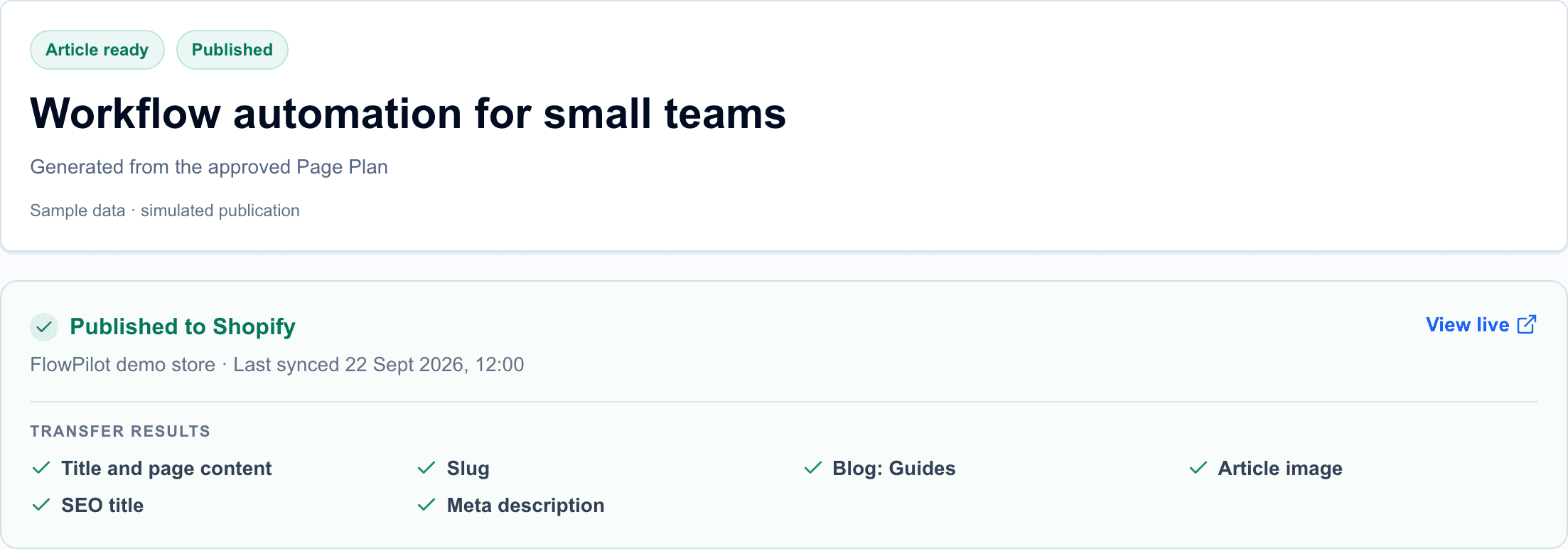
Illustrative interface with sample store data.
Example: Rankvia can improve the right page instead of creating a duplicate
Imagine a fictional drinkware store absent from sampled answers to “best insulated bottles for commuting.” Its existing buying guide already covers the intent but lacks current comparisons and product links. Rankvia's wider search and existing-page evidence may support Improve, generating a revised article around the same owner rather than a competing URL. If another valuable question, such as cleaning a narrow-mouth bottle, has no good page owner, Create may be more appropriate. If a third-party review publication dominates the source evidence, a publisher-focused action or monitoring might make more sense. None of these examples represents collected results or guarantees new AI mentions.
Step 7. Distinguish diagnosis from Shopify SEO execution
Shopify already handles commerce functions such as product listings, eligible Catalog syndication, Agentic channel controls and content management. Rankvia's publishing workflow does not replace those product and channel settings.
What native Shopify features do not replace is a connected content-growth decision process built from sampled AI answers, search demand, SERP evidence, existing page ownership and optional GSC performance data, followed by a prioritized plan and production of useful articles or pages. This is the role Rankvia is designed to fill.
Publishing scope matters. Rankvia's Shopify publishing currently supports articles and standalone pages, as draft or live content. It does not automatically rewrite Shopify product or collection descriptions, alter inventory, or control ChatGPT product rankings. Its internal-linking support should not be described as automatic sitewide editing of every existing Shopify page. See Rankvia's Shopify publishing documentation.
Step 8. Measure whether changes matter
Recheck a comparable question set after meaningful content or product-data changes. Record which observations changed, but don't assume the edited page caused an AI recommendation. AI systems and competing content evolve independently.
Compare several layers of evidence:
- AI answer observations: brand mentions, competitor presence, answer sources and Share of Voice within a defined sample.
- Search performance: relevant Google Search Console queries, impressions, clicks and pages where connected.
- Shopify performance: organic landing-page visits, referral traffic where identifiable, product views, conversions and revenue.
- Work completed: useful new pages, improvements to existing pages, reviewed internal links and successfully published content.
AI Visibility is a leading diagnostic signal. A qualified visit or purchase is a business outcome. Treat both as useful, but different, evidence.
Frequently asked questions
How do I check if ChatGPT recommends my Shopify products?
Ask realistic buyer questions without including your brand name, then inspect whether ChatGPT shows your product, names your store, recommends it or links to it. Also check Shopify's Agentic search preview where available. One answer is not a stable ranking.
Is the Shopify Agentic search preview the same as a ChatGPT result?
No. It shows underlying Shopify Catalog search output. ChatGPT can apply its own selection and ranking, so the final shopping experience can differ.
Do Shopify products automatically appear in ChatGPT?
Eligible product data can be made available through Shopify Catalog without a separate individual merchant feed, but eligibility does not guarantee selection for a particular answer. Shopify's AI channel settings and product data remain important.
Does a ChatGPT citation mean the store was recommended?
No. A citation is a source appearance. A recommendation is a claim in the answer suggesting a product or merchant. A purchase is yet another outcome.
Can I check Shopify visibility in ChatGPT for free?
Yes. You can test questions directly in ChatGPT, inspect available Shopify Agentic preview features, or use Rankvia's eligibility-dependent, one-time free AI Visibility snapshot of up to five buyer questions, where available. Rankvia's ongoing Shopify plans are paid.
Does Rankvia only check ChatGPT?
No. Rankvia's defined AI Visibility checks cover ChatGPT, Gemini and Google AI for relevant business questions, with availability dependent on the check. Its wider workflow also uses website and search evidence.
If my store is missing, should I publish more blog posts?
Not automatically. First distinguish catalog/product-data issues from public-web content gaps, and check whether an existing page should be improved. A visibility gap alone does not justify a new article.
Can Rankvia automatically publish to Shopify?
Yes, for supported articles and standalone pages. You can review content before publishing or explicitly enable automatic publishing for eligible scheduled content. Draft and live publication states are distinct; product and collection descriptions are outside that publishing scope.
Can Rankvia automatically monitor whether my Shopify store appears in ChatGPT?
Yes. Rankvia selects relevant buyer questions and runs recurring AI Visibility scans across supported ChatGPT, Gemini and Google AI experiences, subject to plan, language, market and provider availability. These are sampled observations, not live surveillance of all AI conversations. The free preview is a one-time, eligibility-dependent check of up to five questions.
Can Rankvia generate the SEO pages needed to address missing AI visibility?
Yes, when the evidence supports an owned-content opportunity. Rankvia evaluates AI Visibility with search data, SERPs, business context, existing pages and optional GSC, then can recommend Create or Improve and move approved/suitable work through the Content Calendar, Page Plan, generation and Shopify publication. It does not turn every missing mention into a new article or guarantee a ChatGPT recommendation.
Stop checking ChatGPT manually. Turn the right visibility gaps into published SEO content.
Manual questions and Shopify's Catalog preview are useful starting points. But neither gives your business the complete workflow for checking recurring AI-answer visibility, spotting competitor gaps, researching which questions deserve work, deciding Create vs Improve, generating pages, and publishing supported content to Shopify.
That connected workflow is why we recommend Rankvia. You get more than a visibility dashboard: AI Visibility observations, search and SERP evidence, optional GSC, an ongoing content plan, researched Page Plans, contextual links and supported publishing automation. You stay in control of review-first versus eligible automatic publication.
Check my Shopify store's AI Visibility for free Install Rankvia on ShopifySources
Related guides
How to Get Your Shopify Store Recommended by ChatGPT
Check Shopify Catalog eligibility, test buyer questions and decide what store content to improve.
Shopify AI Search Optimization: What Actually Matters
Review product data and public website work relevant to Shopify AI discovery.
Best Shopify AI Visibility Apps in 2026: 7 Compared
Compare Shopify apps for AI visibility monitoring, product readiness, and the actions that follow.
How to Automate Shopify SEO Content Creation and Publishing
Build a practical workflow from Shopify SEO research and planning through content review and publication.
BUILD YOUR SEARCH GROWTH PLAN
Find what your website should publish next.
Enter your website and Rankvia will identify relevant search opportunities and build the strategy for what to create or improve.
Personalized to your website · No credit card required
Explore AI Search Optimization