Guides How to Update Old Shopify Blog Posts for SEO in 2026
SHOPIFY CONTENT REFRESH
How to Update Old Shopify Blog Posts for SEO in 2026
Learn how to update Shopify blog posts using Search Console, Google results and AI. Find what to improve, preserve valuable content and avoid duplicate pages.
By Rankvia ·
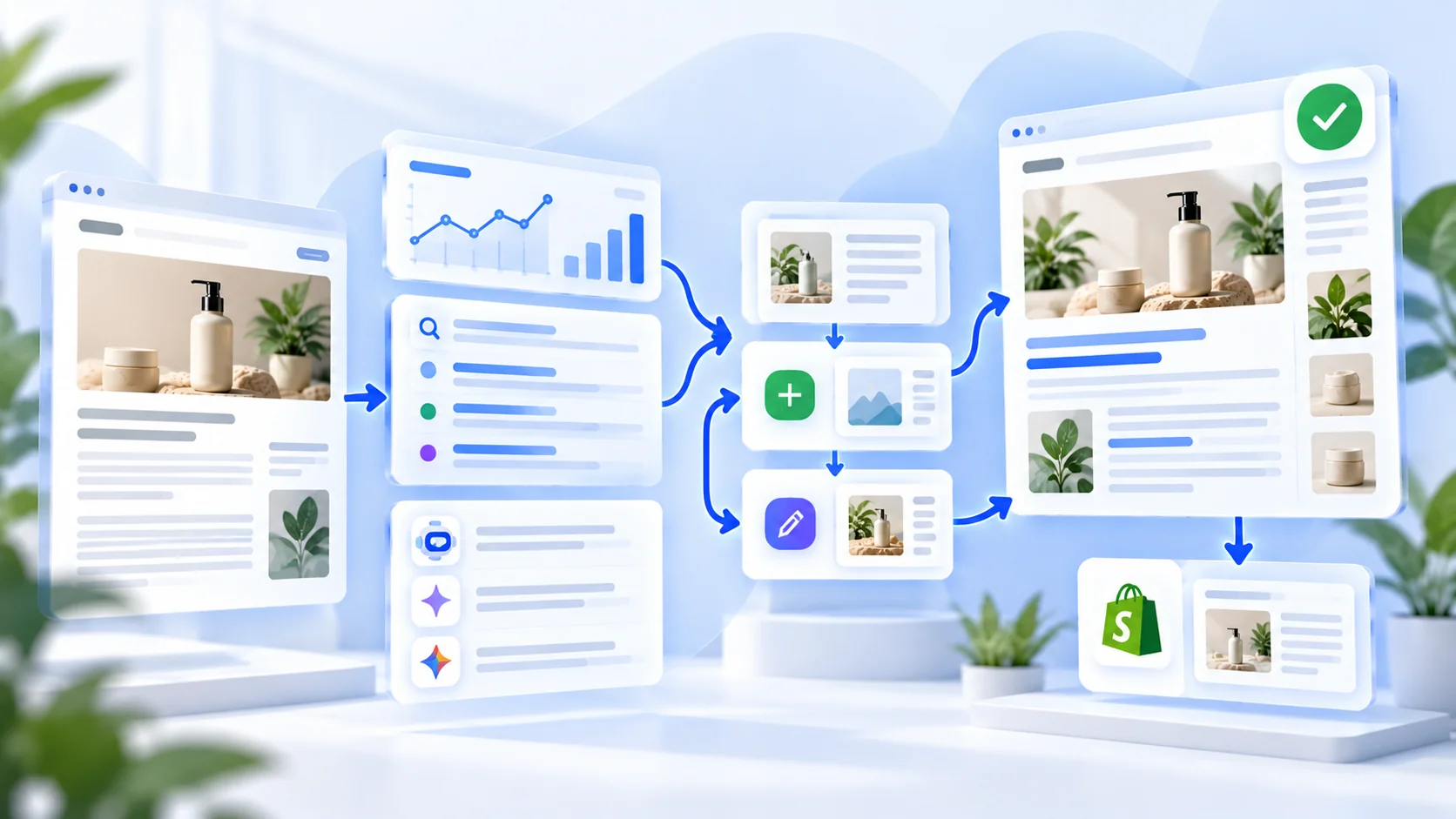
An actionable guide to finding articles worth improving, using Search Console and SERP evidence, and updating the right page - instead of publishing another overlapping post.
Your next SEO opportunity may already be on your store. An older Shopify article can still be the best page to answer a valuable customer question. When it is incomplete, outdated or poorly aligned with current search intent, improving it may be more useful than creating a new URL. The important step is diagnosing why the article needs work before asking AI to rewrite it.
Quick answer: Filter an existing article in Google Search Console, review its queries and performance across comparable periods, inspect current search results, check the page's accuracy and links, and decide whether to Improve, Create, Consolidate, Monitor or Leave unchanged. Make targeted changes, publish to the correct Shopify article and measure the outcome. Rankvia can help turn search and AI Visibility evidence into a planned Create-or-Improve content workflow.
Install Rankvia on Shopify · Explore Content Refresh
1. When is a Shopify blog post actually worth refreshing?
Do not refresh an article merely because it was published last year. Content deserves attention when you can identify a meaningful deficiency:
- Changed facts: products, pricing, availability, specifications, legal considerations or recommendations are no longer accurate.
- Search-intent mismatch: customers now expect a comparison or decision guide, while the article only explains a general concept.
- Useful unanswered questions: relevant queries and buyer questions reveal missing coverage that belongs on the existing page.
- Weak commercial next steps: product links, collections or related guides no longer help readers continue their journey.
- Site overlap: two posts target essentially the same reader task, making ownership confusing.
- Performance evidence: a sustained, meaningful shift merits investigation, not an automatic rewrite.
An older article with correct facts, useful examples and working links may need no changes at all. Google explicitly advises against changing publication dates or adding content solely to make a page seem fresh (Google Search Central ).
Five outcomes, not one
| What you discover | Better next action | Why |
|---|---|---|
| The existing article owns the search need but misses useful coverage | Improve | Keep and strengthen the established page |
| The buyer need is substantially different and no suitable page exists | Create | Give the distinct intent its own page |
| Two articles serve the same intent | Review consolidation | Decide which page should remain; assess links and redirects carefully |
| The page is good and signals are stable | Leave unchanged | Avoid unnecessary edits |
| A short-lived decline or ambiguous AI answer is your only signal | Investigate / Monitor | Evidence is not yet strong enough |
These are editorial judgments. They are not universal Google ranking rules or promises that every scenario results in the same Rankvia action.
2. Find refresh candidates in Google Search Console
Open Google Search Console → Performance → Search results. Use data from the correct verified property, filter to the Web search type where relevant, and compare two meaningful time windows. For seasonal products, compare equivalent seasons or year-over-year periods instead of assuming a winter decline is a problem.
- Open Pages and select the URL of an existing Shopify blog post.
- Switch to Queries to see searches associated with that URL. Record clicks, impressions, CTR and average position where available.
- Compare an appropriate earlier period. Check country, device, date range and major store changes before interpreting the movement.
- Look for queries that match the article's current job but are only partly answered, as well as queries that actually require a different page.
- Note the page's business role: an informational guide, a buying guide or a comparison may deserve different success measures.
Do not treat a single metric as a diagnosis. High impressions with weak CTR may indicate that the title, search-result appearance, relevance or ranking environment needs investigation. Declining clicks with stable impressions can mean something different from falling impressions. Search Console data can be filtered and compared by query and page, but it does not directly establish why a decline occurred (Google's Performance report ).
Practical audit note: Save the URL, baseline dates, leading queries, suspected issue, proposed action and success measure before editing. Otherwise, you may struggle to explain why you changed the page.
3. Look at today's search results before deciding what to write
Search your important target queries in the intended market and language. Read the visible results, not just the keyword-volume estimate. Ask:
- Is Google mainly returning product pages, collections, editorial guides or comparison pages?
- Is the user's decision informational, product-selection oriented or transactional?
- What do strong pages explain clearly that this Shopify post fails to cover?
- Which facts or product comparisons would be valuable and verifiable for your store?
- Does the opportunity belong to a different existing URL or to a new page?
A skincare article titled How to build a simple routine may already be the right owner for a question about layering products. It might not be the right owner for a side-by-side comparison of two specific moisturizers. A SERP review helps you make that distinction before creating an overlapping post.
Search results vary by location, language and time. Record the date and market of a material observation rather than treating a single SERP snapshot as permanent truth.
4. Check whether the buyer question also appears in AI search
Shopify merchants increasingly want to know what ChatGPT, Gemini or Google's AI experiences say when customers ask for recommendations. AI Visibility can be additional evidence, but it should not automatically become a blog-writing instruction.
For relevant buyer questions, examine whether the brand appears, which competitors appear, and what sources the answer references when those are available. Then ask whether the missing answer is best addressed by an existing guide, a product page, clearer source material or something outside your website.
Rankvia can combine sampled AI Visibility findings with business context, search demand, current results and existing-page ownership when prioritizing content. AI answers vary between runs and markets; one omission does not prove an article should be rewritten. See Rankvia's methodology .
5. Build a refresh brief before using AI
A good refresh plan tells the editor what to preserve, what to change and why. Use this checklist for each shortlisted article:
| Brief element | What to record |
|---|---|
| Existing owner | Exact Shopify article URL and its reader job |
| Evidence | Search Console trends, query gaps, SERP observations, relevant AI Visibility findings |
| Keep | Accurate explanations, original examples, useful sections and working links |
| Improve | Missing answers, misleading sections, obsolete information, product context or metadata |
| Links | Relevant related guides, verified product and collection destinations |
| Conversion role | What useful next step the reader should take |
| Validation | Which claims, images, URLs and product details need human checking |
| Outcome | What you will measure, and over which comparable period |
A refresh does not need more words to be better. Sometimes the right change is a corrected product specification, a more direct answer, one comparison table or a clearer link to the right collection.
6. A realistic Create-versus-Improve example
Hypothetical example. The store, signals and decisions below are illustrative, not an actual Rankvia scan or customer result.
Imagine a Shopify store selling refillable skincare products. It has an article called How to choose a moisturizer for dry skin. Its Search Console queries show that it is surfaced for related questions about choosing fragrance-free moisturizers. The page already explains skin types, but it does not help shoppers evaluate fragrance, ingredients, packaging or product fit.
The tempting shortcut: publish a new article titled Best fragrance-free moisturizers for dry skin simply because the query looks promising.
The better investigation: inspect the current SERP and the existing guide. If shoppers are asking a closely related selection question, improve the current article: add a carefully verified selection checklist, clarify what the products do and do not promise, link to the right collection and preserve its useful original advice. If the SERP shows a genuinely distinct side-by-side buying comparison, a new page may be justified.
The value is the ownership decision. Rankvia's Content Calendar can consider the existing URL and recommend Improve rather than defaulting to another Create task. The improvement Page Plan carries the existing article, target search need and business context into generation.
7. How to refresh Shopify blog content with Rankvia
Rankvia is built to connect planning and execution, not simply rewrite an old article because its date looks stale.
- Install Rankvia for the correct Shopify store. Confirm the associated website and store before continuing.
- Complete website analysis and review the Business Profile. Correct the audience, products, approved market and language. This context informs downstream content decisions.
- Connect Google Search Console if you have it. First-party query, page and performance data can strengthen opportunity decisions, but GSC is optional.
- Review AI Visibility and search opportunities. Rankvia can use buyer-question evidence, search demand, SERP results and existing website coverage to prioritize work.
- Open the Content Calendar and inspect the recommendation. An opportunity may call for Create, Improve or no new page. Confirm that the existing URL really owns the intent.
- Review the improvement Page Plan. Check what should change, what should stay, the target query, relevant internal links and the reader's next step.
- Generate the revised draft and review it. Rankvia checks whether a proposed revision adds useful substance and protects important original context. It can reject a non-improving rewrite and retain the original. Merchants should still verify all product claims, links and details.
- Publish through the supported path. Review the destination and state. Where Rankvia already has the correct Shopify publication association, republishing the same content can update that article rather than create a duplicate. For older articles created outside Rankvia, do not assume automatic in-place overwrite; review the current workflow and use Shopify's native editor or another supported route when needed.
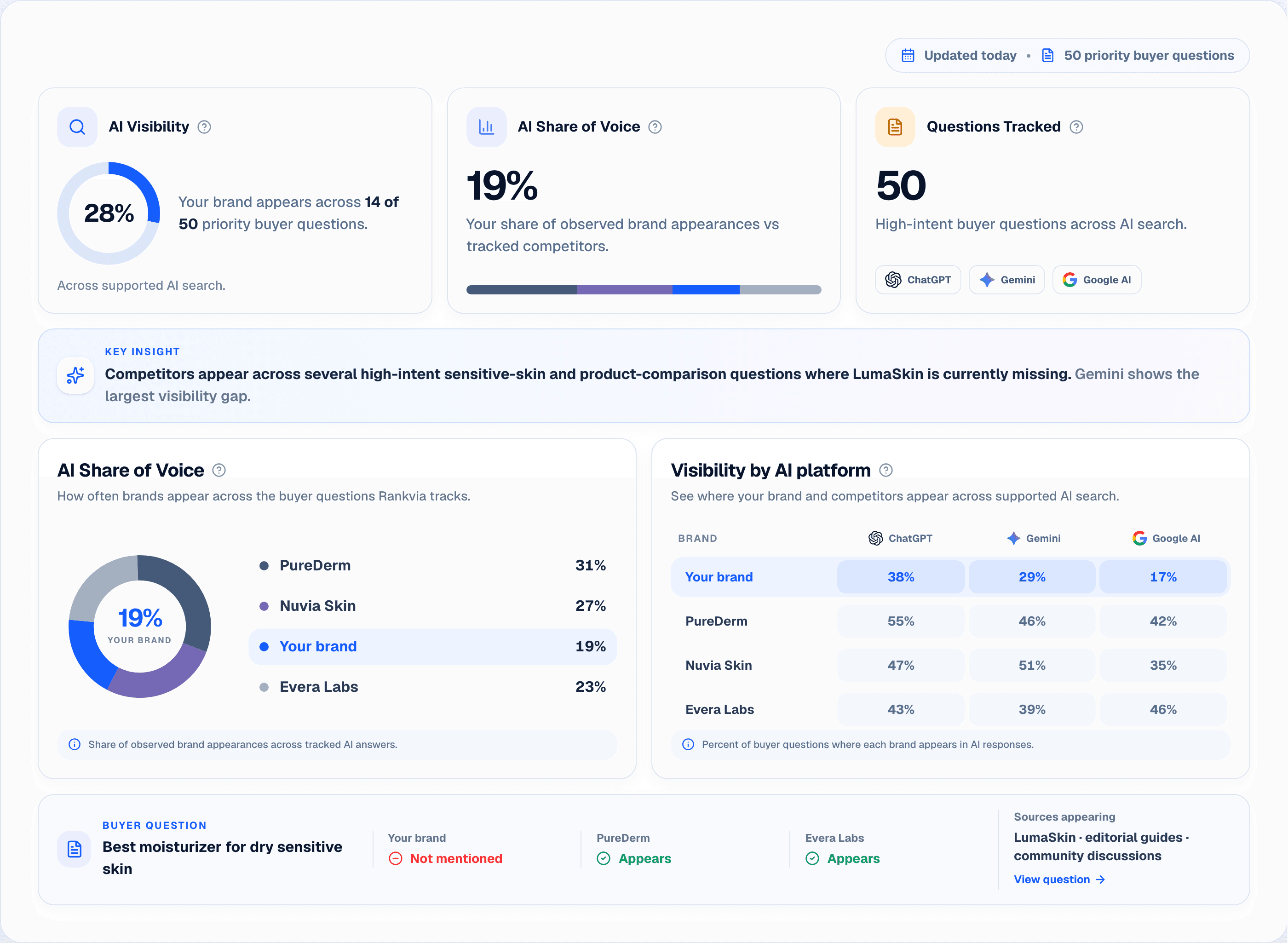
Illustrative interface with sample store data.
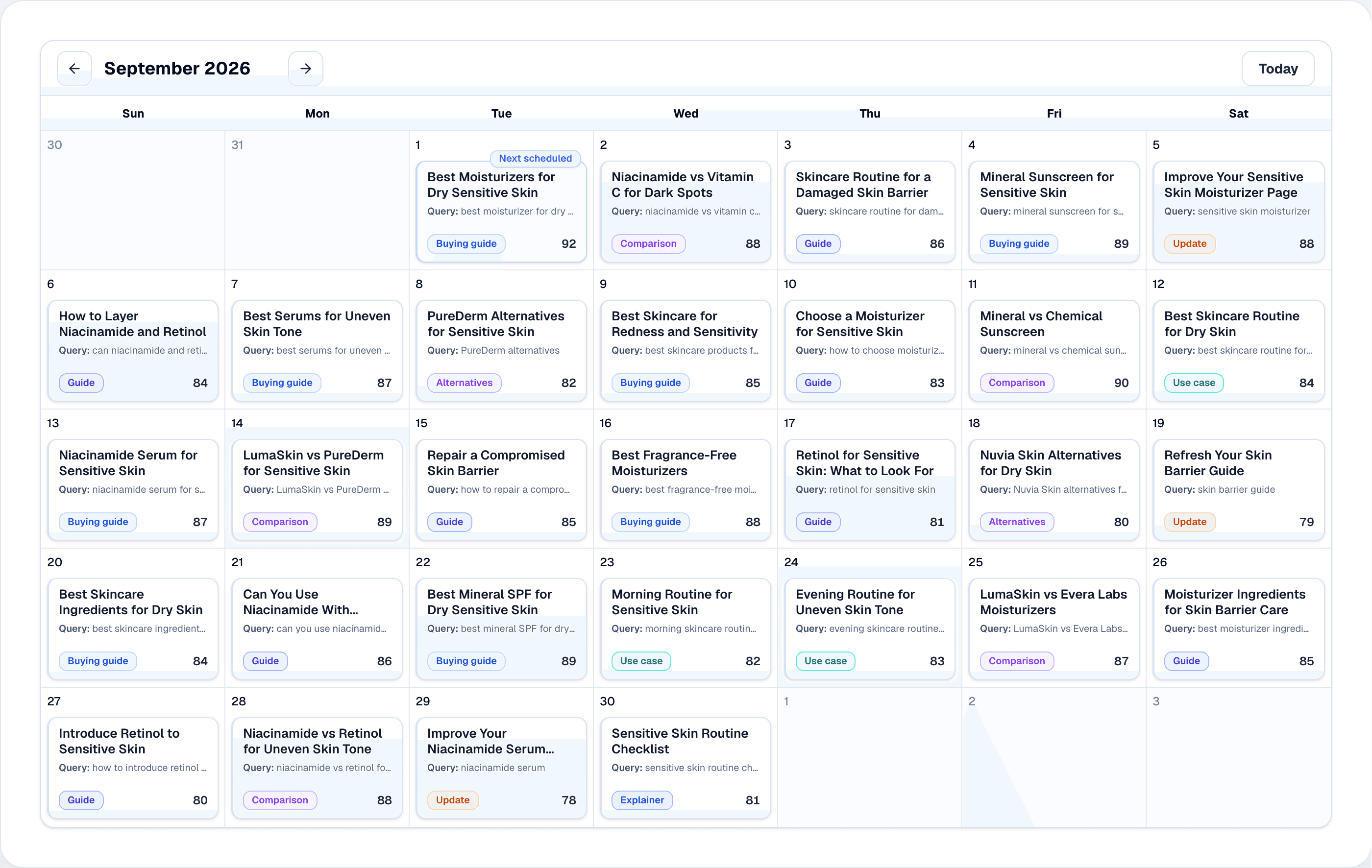
Illustrative interface with sample store data.
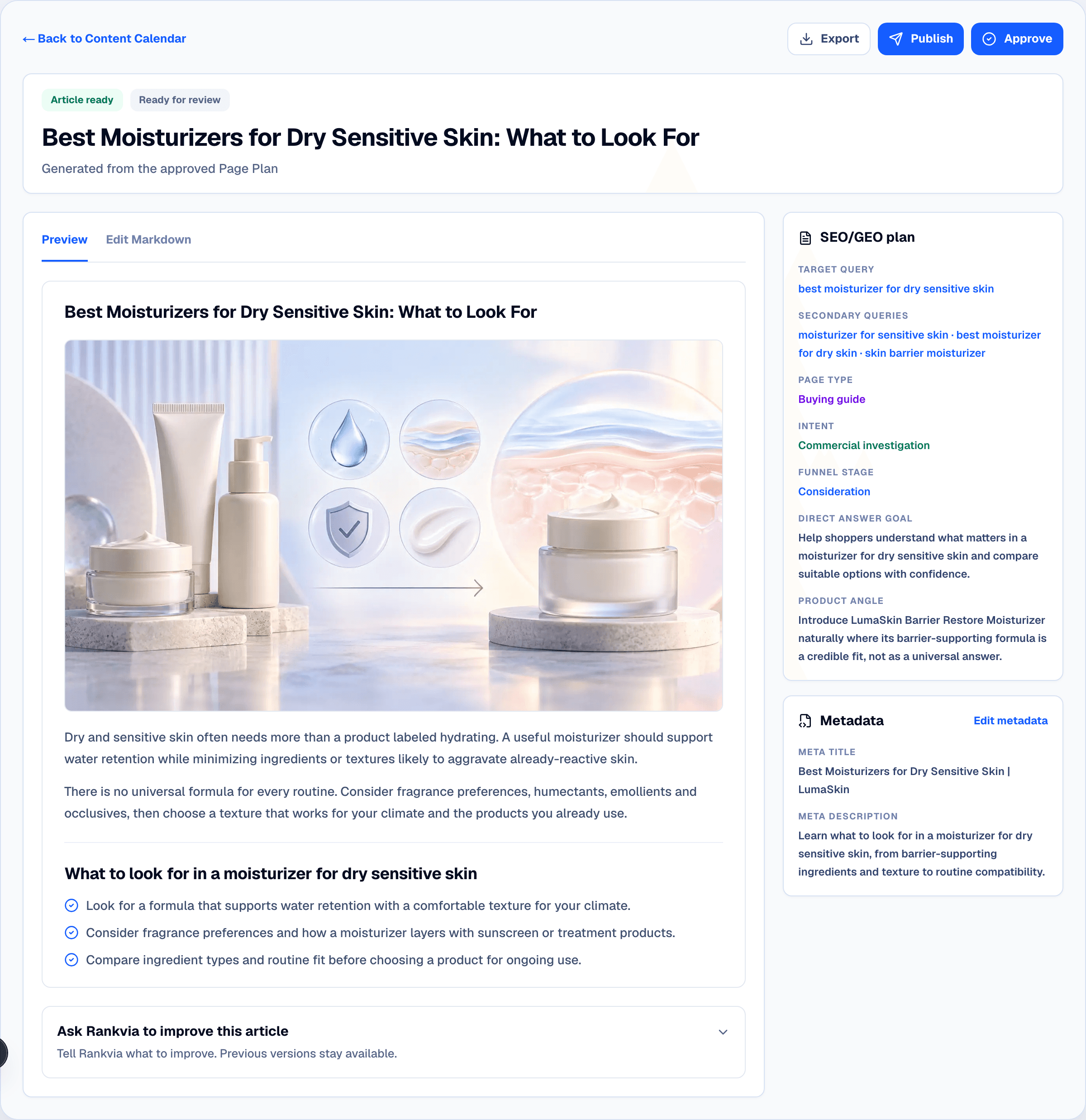
Illustrative interface with sample store data.
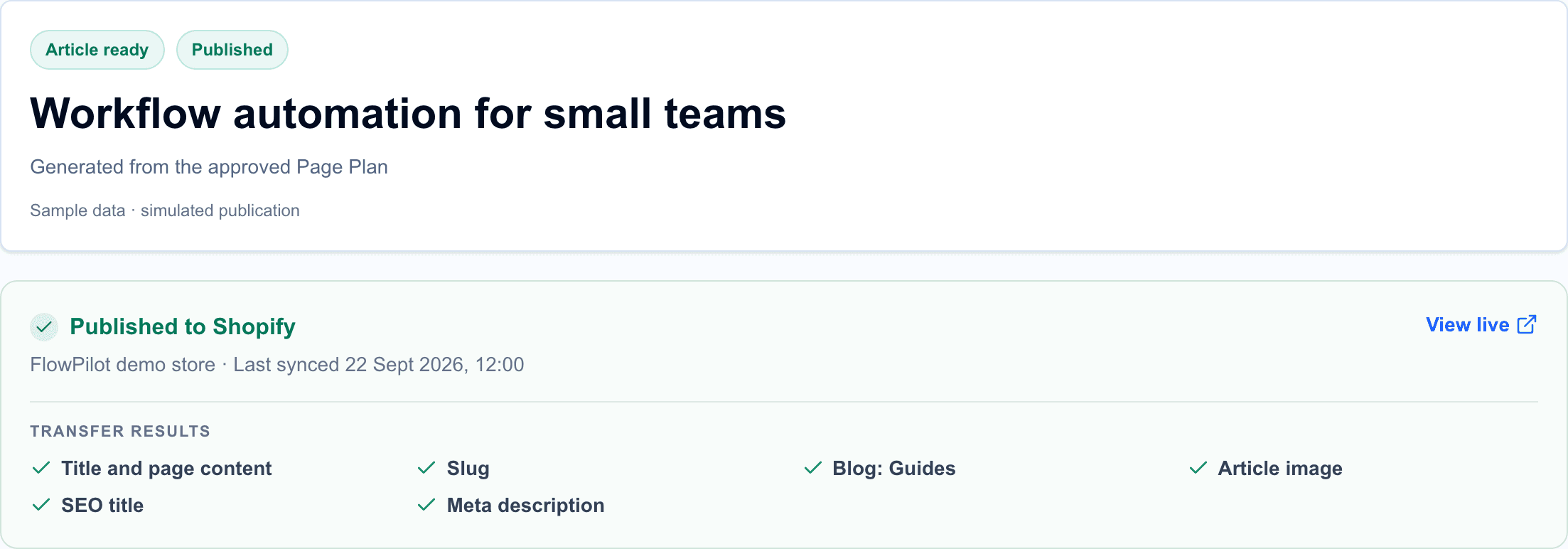
Illustrative interface with sample store data.
Install Rankvia on Shopify · See how Content Refresh works
What the automation does - and does not do
Rankvia can generate planned improvement drafts, prioritize them alongside new content, add relevant contextual internal links to generated content and publish supported content to Shopify. It is not a continuous, sitewide historical-content rewriter, a guarantee of ranking recovery, or a bulk editor for Shopify product/collection descriptions.
The internal-link workflow favors relevant destinations inside generated text. It does not repair every broken link across the store automatically. And the refresh evaluation can reject a weaker version rather than publishing a change simply because it was requested (Rankvia Content Refresh , Internal Linking ).
8. Update the right article in Shopify - without creating a duplicate
For manual updating, open Shopify Admin → Content → Blog posts, select the existing post, make the verified changes and Save. Check title, SEO fields, formatting, working links, images, author and visibility as appropriate. Shopify documents this direct edit workflow in its Help Center .
When publishing through Rankvia, distinguish three states: a draft inside Rankvia; content sent to Shopify as a Shopify draft; and content published live. These are not interchangeable. Scheduling by itself does not enable automatic publishing.
Rankvia's documented in-place update behavior relies on an existing association between its content item and the Shopify article or page. If the Shopify article was edited directly, Rankvia may flag a conflict before republishing, because Shopify-side edits do not automatically flow back into Rankvia. See Shopify publishing documentation .
Before changing a URL: make sure you actually need a new slug. If a page should keep its role, keeping its established URL is usually simpler. If consolidation or URL migration is needed, plan links and redirects carefully rather than deleting a page first.
9. Measure changes without promising instant gains
After the revised article is live, note the publication date, changes made and the original baseline. Use Search Console to compare meaningful periods for the same URL and relevant queries. Consider seasonality and unrelated marketing campaigns. Where available, look at qualified visits, clicks into product or collection pages, and downstream sales or leads in Shopify analytics.
For AI Visibility, compare a consistent set of buyer questions, provider, market and sampling approach. Treat fluctuations as observations rather than fixed rankings. Do not attribute improvement automatically to one article revision when multiple things may have changed.
A successful refresh might improve usefulness and clarify the buyer journey even before a meaningful ranking change appears. Conversely, if your version is weaker, rolling back or keeping the original is a legitimate outcome.
Shopify content-refresh checklist
- I know which exact URL is the owner of the search intent.
- I inspected Search Console queries and comparable periods where available.
- I checked current SERP intent and relevant AI Visibility evidence without overreacting.
- I identified a real content gap, factual error or business need.
- I preserved useful original context and verified product claims.
- I checked metadata, mobile readability, source quality and internal links.
- I know whether I am updating an existing Shopify post or creating a separate item.
- I confirmed draft/live status and publishing permissions.
- I recorded a baseline for future evaluation.
Frequently asked questions
Does changing an old Shopify blog post's date improve SEO?
Not by itself. Update the date when it truthfully reflects meaningful changes, but do not treat the date as a substitute for better information. Google discourages date-only freshness tactics.
Should I rewrite every old Shopify article with AI?
No. First inspect the article's purpose, accuracy, search evidence and ongoing value. A good evergreen post may need no changes; a proposed AI rewrite can introduce errors or remove useful details.
Can Google Search Console tell me exactly what to change?
No. It can show impressions, clicks, queries, pages and other supported metrics. You still have to interpret the user's need, the current SERP and the content itself.
Should I create a second blog post for every new keyword?
No. Related keywords may belong on an existing page when they represent the same intent. Create a distinct URL when the reader's job warrants one.
Can Rankvia improve an article instead of creating another?
Yes, when its opportunity analysis determines that an existing URL is the suitable owner. It can produce an improvement Page Plan and a revised draft for review, subject to quality checks.
Can Rankvia automatically overwrite any Shopify post I previously created?
Do not assume that. Its documented in-place republishing relies on the correct Rankvia-to-Shopify publication association. Other existing posts may need a manual Shopify update or a separately verified route.
Does Rankvia require Google Search Console to work?
No. Search Console is optional; when connected, it adds first-party query, page and performance evidence to planning.
Will refreshing a post make ChatGPT recommend my store?
There is no guarantee. A useful, accurate page may support discoverability, but AI recommendations depend on many changing factors and vary by prompt, platform and context.
Does Rankvia update links throughout my Shopify store?
No. It uses site and Page Plan context to include relevant internal links in generated content. It is not an automatic sitewide link-repair service.
Your next Shopify SEO opportunity may already exist
Before paying to generate another batch of articles, inspect the pages your customers already find. The winning action might be to improve a guide, create a truly distinct comparison, or leave a useful article alone.
Rankvia helps connect that judgment to execution - website and business analysis, search and AI Visibility evidence, optional GSC, Create/Improve planning, content generation, contextual links and supported Shopify publishing.
Install Rankvia on Shopify · Build an eligible free Search Growth Plan
Further reading and primary sources
- Google Search Console Performance report
- Google on helpful, people-first content
- Shopify: Edit an existing blog post
- Rankvia Content Refresh
- Rankvia Search Growth methodology
- Rankvia Shopify publishing documentation
Related guides
Shopify blog SEO
Turn a selected topic into a useful store article and review it after publication.
Shopify Content Strategy: What to Create, Improve & Prioritize
Choose useful work across product pages, collections and store guides.
Shopify SEO: What to Optimize, Create & Improve
Decide which store pages need search improvements and what work to prioritize.
Content refresh for SEO: decide what deserves work
Decide whether to refresh an existing page or leave useful content unchanged.
How to Automate Shopify SEO Content Creation and Publishing
Build a practical workflow from Shopify SEO research and planning through content review and publication.
BUILD YOUR SEARCH GROWTH PLAN
Find what your website should publish next.
Enter your website and Rankvia will identify relevant search opportunities and build the strategy for what to create or improve.
Personalized to your website · No credit card required
Explore AI Search Optimization