
Guides Shopify SEO checklist: Find what actually needs fixing first
SHOPIFY SEO CHECKLIST
Shopify SEO checklist: Find what actually needs fixing first
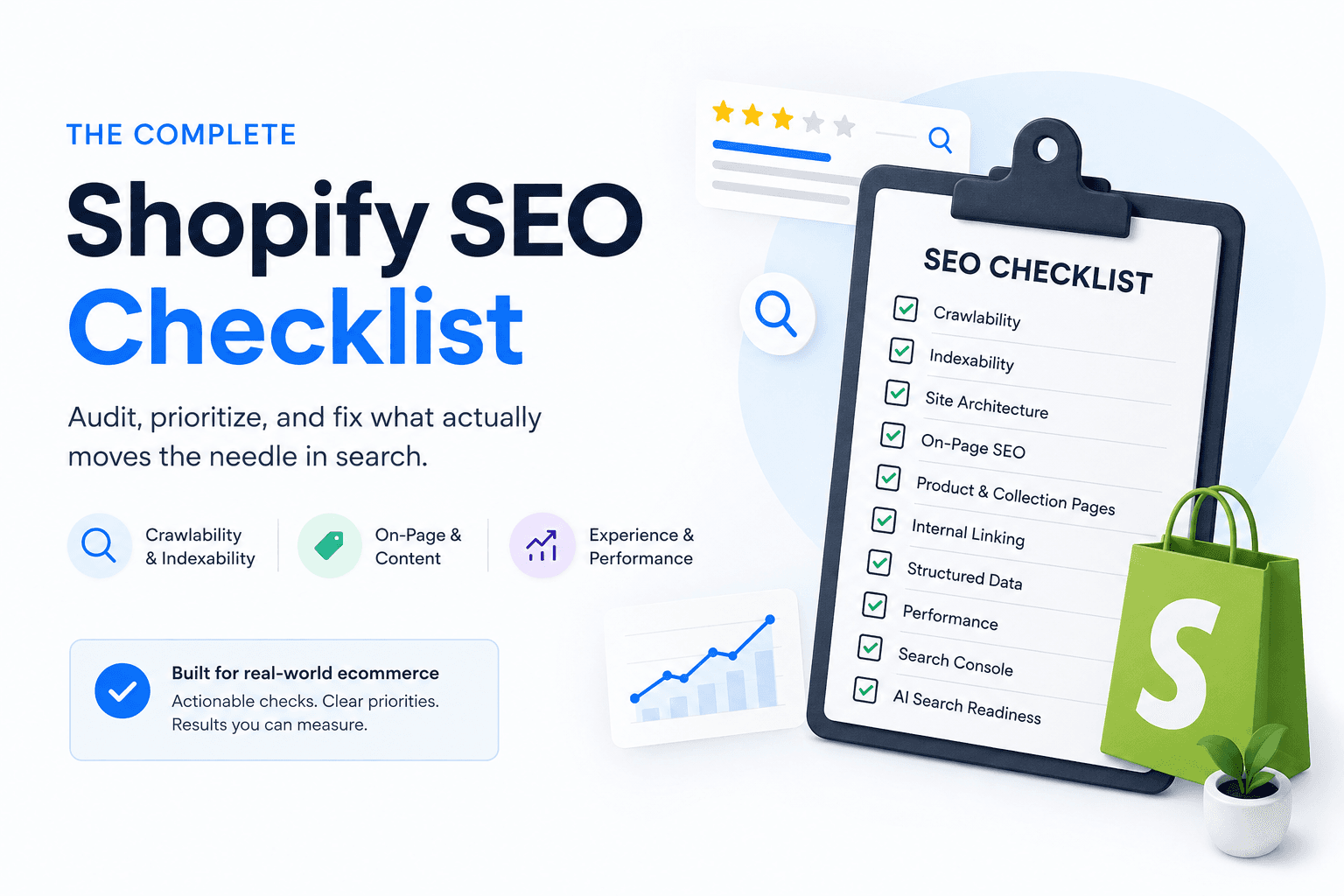
Audit your Shopify SEO in the right order - from indexing and page ownership to collections, products, internal links, product data, Search Console, and AI search.
By Rankvia ·
Meta description: Audit your Shopify SEO in the right order - from indexing and page ownership to collections, products, internal links, product data, Search Console, and AI search.
Slug: /guides/shopify-seo-checklist
Canonical: https://www.rankvia.ai/guides/shopify-seo-checklist
Updated: August 2026
Shopify SEO checklist: Find what actually needs fixing first
SEO audits have a habit of turning everything into a warning.
A collection with the wrong canonical gets an alert. An image with weak alt text gets another. A Core Web Vitals metric slightly outside Google's "Good" range may sit beside both of them in the same report. Once they are presented in one dashboard, it is easy to treat them as comparable problems.
On a real Shopify store, they often are not.
An important collection accidentally set to noindex deserves immediate attention. A duplicate-looking product URL that correctly canonicalizes to the intended PDP may need nothing. A missing comparison page is not a technical failure at all - it is a coverage problem. A structured-data warning may refer to an optional enhancement rather than broken product markup.
A Shopify SEO checklist is useful when it helps you verify what is actually wrong, decide how serious it is, and choose the right action.
This guide therefore does not give every check the same weight. It starts with access and indexation, then moves into page ownership and architecture before reviewing collections, products, content, internal relationships, product data, performance, Search Console, and AI-search foundations.
If you want the broader reasoning behind how these pieces fit together, start with the Shopify SEO guide.
The Shopify SEO audit lifecycle
- ACCESS + INDEX INTENT
- PAGE OWNERSHIP
- SITE ARCHITECTURE
- COLLECTIONS + PRODUCTS
- INTERNAL LINKS + COVERAGE
- PRODUCT DATA + METADATA
- PERFORMANCE
- SEARCH CONSOLE EVIDENCE
- AI / AGENTIC FOUNDATIONS
- PRIORITIZE
- ACT
The order matters because later optimizations depend on earlier decisions being correct.
If Google cannot index a collection you want in Search, rewriting its meta description is not the first job. If two URLs are both trying to own the same category, polishing both titles will not resolve the ownership problem. And once the foundations are working, an optional schema property may be perfectly legitimate to leave alone while a commercially important product remains poorly connected to the rest of the store.
Start with the problems that can invalidate everything else
The first pass should answer a simple question: can the pages that matter actually participate in search?
That means checking whether the live store is publicly accessible, whether strategic pages can be crawled and indexed, whether they return sensible status codes, whether their canonicals point where expected, and whether Google has a normal internal route to reach them.
This is where severity becomes contextual.
An accidental noindex on a high-value collection can invalidate nearly everything else you might optimize on that page. The same noindex on a page deliberately excluded from Search is not a problem.
Likewise, a URL appearing as "Not indexed" in Search Console does not automatically require intervention. Redirects, alternate canonicals, filtered URLs, and deliberate exclusions can all be healthy states.
The useful audit question is not:
How many URLs are excluded?
It is:
Are pages that should matter missing for a reason we did not intend?
Give every finding a severity before you fix it
Audit tools are good at finding differences from a rule set. They are less good at deciding what deserves tomorrow morning.
Not every warning is a problem.
Severity Framework
| Severity | Meaning | Typical example |
|---|---|---|
| Fix First | Can block or seriously distort important search visibility | Important collection accidentally noindex |
| High Impact | Important commercial or search problem worth prioritizing | No clear collection owner for a major category |
| Improve When Relevant | Useful optimization whose value depends on context | Better metadata or an optional schema property |
| Monitor | Needs more evidence before changing anything | Emerging query pattern in Search Console |
| Fix First |
These are findings with consequences large enough that later optimization may not matter until they are resolved.
An inaccessible production store belongs here. So can an unintended noindex, a serious server error on a strategic page, a canonical sending an important URL toward the wrong page, or a manual action.
Page ownership can also become severe enough to belong in this group. If the store has no sensible owner for one of its core commercial categories, improving five peripheral articles is unlikely to be the highest-value response.
High Impact
The page or site is technically functioning, but something important is poorly represented.
A category may have weak assortment. A valuable product may be effectively orphaned. A PDP may omit the specifications customers need to understand the product. A large store may expose a huge facet space that consumes unnecessary crawling.
These are not necessarily emergencies, but they can materially affect how the store is understood and used.
Improve When Relevant
These are legitimate improvements whose urgency depends on context.
A more useful meta description can be worthwhile. So can better alt text on a meaningful image, an optional structured-data property, or a modest Core Web Vitals improvement on an otherwise healthy page.
They should not automatically outrank larger problems because an audit tool found them first.
Monitor
Sometimes the correct response is to learn more.
A new query appears in Search Console. A filter URL begins receiving impressions. Google selects a canonical you did not expect, but the behavior is stable and not clearly harmful.
Changing the store before understanding the pattern can be worse than watching it.
No Action is also valid
No Action is an outcome, not the lowest severity.
If an alternate Shopify product URL canonicalizes correctly to the intended PDP and Google is consolidating it as expected, the audit may have found normal platform behavior.
Removing that warning from a tool is not an SEO objective.
Turn every meaningful finding into an action
The audit becomes useful when a finding changes what the team does.
Finding → Action Framework
- FINDING
- DOES IT BLOCK ACCESS / INDEXATION OR BREAK CORRECT OWNERSHIP? - Yes: technical fix. No: assess the correct page owner.
- IS THE CORRECT PAGE OWNER MISSING? - Yes: create. No: assess if the owner can serve the need better.
- IMPROVE / MONITOR / NO ACTION
This is a way to structure judgment, not a decision algorithm. Some ownership conflicts need consolidation or redirects, and some technical findings need investigation before the correct action is obvious.
Technical Fix
Suppose /collections/carry-on-backpacks is unintentionally noindex.
The category is valid and the page already exists. Creating content will not solve the immediate problem.
Create
The store sells a meaningful category of products, customers clearly browse for that category, and there is no suitable owner.
The missing asset may be a collection, comparison, buying guide, or another page type depending on the need.
Improve
The correct page already exists, but it is not serving the need well enough.
A collection may need a stronger assortment or clearer category information. A PDP may need better product facts. A guide may already own a useful query family but no longer answer it adequately.
Consolidate / Redirect
Two URLs may have become different names for the same customer job.
For example:
/collections/travel-backpacks
and:
/collections/backpacks-for-travel
could be genuinely distinct categories. If they show essentially the same products to the same shopper for the same purpose, the store may need one clearer owner rather than more differentiation copy.
Monitor
A new search pattern appears, but there is not yet enough evidence or inventory to justify a structural change.
Keep it visible without forcing a page decision.
No Action
Search Console reports:
Alternate page with proper canonical tag
and inspection confirms the intended PDP is canonical and indexed.
That may be the end of the audit item.
Run this 30-60 minute Shopify SEO audit first
A full ecommerce crawl can take much longer than an hour, especially on a large or heavily customized store. You can still learn a surprising amount from a focused first pass.
Open the store logged out
Make sure the real production site and its important pages are publicly accessible.
This sounds basic until a staging password, redirect problem, or launch configuration reaches production.
Inspect a small set of strategic URLs
Choose a representative sample:
homepage; several important collections; several important PDPs; one or two high-value guides.
Check response, indexability, canonical, and obvious rendering behavior.
You are looking for patterns, not trying to manually inspect the entire catalog.
Review Search Console Page Indexing
Look for unexpected patterns affecting important pages.
Do not aim to make every URL Google discovered indexable.
Check a few important search needs against page ownership
For a travel store, for example:
carry on backpacks
Venture Pro 28L
28L vs 40L backpack
how to choose a carry on backpack
Those searches may reasonably belong to four different page types.
Review the core collections
Open them as a shopper.
Do the categories make sense? Does the assortment belong there? Are filters useful? Can you reach the products that matter?
Review the core PDPs
Can somebody understand what each product actually is, what makes it different, what options exist, whether it is available, and whether important specifications are present?
Follow the internal paths
Can shoppers and crawlers reach the main commercial pages naturally?
Are there high-value pages that only seem to exist because you know the URL?
Validate representative product structured data
Choose representative products and variant patterns.
The objective is to find systemic problems, not manually validate every SKU during the first pass.
Review Search Console Performance
Look for obvious declines, useful query families, unexpected page/query relationships, and pages already gaining visibility for needs you thought were uncovered.
Finish with a short action list
A useful result might be:
Fix First
Remove unintended noindex from Carry-On Backpacks.
High Impact
Resolve owner for waterproof travel backpacks.
Restore internal paths to two strategic PDPs.
Improve
Add missing compatibility information to Venture 28L.
Monitor
Watch lightweight carry on backpack demand.
That is more useful than exporting 147 findings with no order.
Check that important pages can actually be crawled and indexed
Shopify gives merchants useful technical defaults. Canonical tags, a sitemap, a robots file, and SSL are part of the platform's normal SEO foundation.
Those defaults should be verified rather than rebuilt automatically.
Themes can change. Apps can inject markup. Markets can add localized URL behavior. Developers can customize templates. A store that behaved correctly six months ago may render something different after a theme migration.
Confirm the production store is publicly accessible
This matters especially around:
launches; migrations; development stores; staging-to-production changes.
If the storefront or key pages are unintentionally inaccessible, fix that before auditing copy.
Look for accidental noindex
Sample the pages you expect Search to use:
homepage; strategic collections; important PDPs; high-value guides.
If one is wrong, check whether the issue is isolated or coming from a template.
Google needs crawl access to see noindex, so keep crawling and indexation conceptually separate.
Verify robots before editing it
Shopify's default robots.txt is designed to work for most stores.
A robots warning does not mean the file should be customized. First understand the URL pattern involved and whether you actually want crawlers exploring it.
A careless robots rule can hide useful sections of the store from crawling while still failing to accomplish the indexation outcome the merchant intended.
Check important status codes
Strategic live URLs should normally return successful responses.
Moved pages may correctly redirect. Removed pages may correctly return a not-found response.
A crawler highlighting a 301 or 404 does not make the status wrong by itself.
Confirm the intended canonical
Shopify can expose alternate paths and parameter states. Themes and apps can create more.
Check whether representative strategic pages declare the canonical you actually want.
If Google's behavior looks different, URL Inspection can help compare the declared canonical with Google's selected canonical.
A canonical is a signal, so the important question is whether the store and Google are converging on the correct owner.
Check Shopify's sitemap
Shopify automatically generates sitemap.xml.
Verify that important canonical pages you expect to expose are represented.
A sitemap can help discovery. It does not guarantee indexing, and it does not replace links within the store.
Make sure important URLs have crawlable paths
A product being present in the sitemap does not give it a meaningful place in the site.
If no collection, guide, navigation element, or other relevant page links to it, the architectural problem remains.
Do not panic about every excluded URL
Redirects, filter states, alternate URLs, duplicates, and deliberately excluded pages may all be expected.
The useful question remains:
Is an important intended owner missing unexpectedly?
Audit page ownership before polishing metadata
A page can be perfectly indexable and still be the wrong owner.
This is one of the easiest ways to waste SEO work because the team starts optimizing the page that happens to rank rather than the page that should serve the need.
Suppose the query is:
trail running shoes
The store has several relevant products but no Trail Running Shoes collection. One individual PDP happens to receive impressions, so the team starts making that PDP more category-oriented.
The better diagnosis may be that the store is missing a browse page.
The opposite happens as well. Merchants create new articles for search needs already served by a good collection or PDP.
Take a handful of high-value searches and identify the intended owner:
collection; PDP; comparison; buying guide; support page; educational guide.
If two pages appear to serve essentially the same decision, inspect ownership before optimizing them independently.
The full page-ownership model is covered in Shopify SEO.
Check whether the store architecture supports the important pages
Once the right owners are clear, the site should make those pages reasonably easy to reach.
A useful collection should have a natural place in the store. Products should be discoverable through crawlable collection paths. Editorial pages that matter should not exist as isolated URLs known only to the team that published them.
A simplified structure might look like:
- HOME / NAVIGATION
- COLLECTION
- SUBCOLLECTION
- PRODUCT
Real stores are messier. Comparisons, guides, support pages, cross-category products, and seasonal pages create useful relationships outside the tree.
Check navigation
Global navigation should reflect durable store structure.
It should not become a list of every page somebody wants Google to value.
Check valuable orphan pages
A commercially important page with no meaningful inbound internal path deserves investigation.
An old campaign page intentionally left out of navigation may not.
Check breadcrumbs where the hierarchy warrants them
Breadcrumbs can make category relationships clearer and give people an obvious way to move upward.
They are one useful relationship, not the entire internal-link system.
Check depth without turning it into a rule
Google does not require every page to be exactly three clicks from the homepage.
A product deep inside a large specialist catalog may be completely reasonable. A major category that can only be reached through an old blog post is more suspicious.
Ask whether the depth reflects the site's structure or simple neglect.
Audit your most important collection pages
Do not begin by auditing every collection with equal intensity.
Start with the categories that matter most to customer browsing and the business.
Does the collection represent a real browse need?
Carry-On Backpacks may represent a durable category.
Blue Carry-On Backpacks Under €137 may simply be one shopper's temporary filter combination.
The exact answer depends on assortment, navigation, search demand, and how the business actually merchandises the category.
Does the assortment match?
A Waterproof Hiking Jackets collection dominated by city windbreakers has a bigger problem than thin category copy.
The product grid itself is part of the answer.
Is the page identity clear?
Check the H1, SEO title, category name, URL, and visible context.
They should consistently describe roughly the same category without becoming keyword variants of one another.
Is there enough category context?
Some collections need one or two sentences.
Others need guidance around compatibility, fit, materials, or important distinctions before the products make sense.
Do not use a word-count threshold as a pass/fail condition.
Are filters useful?
Filters should help somebody narrow the assortment.
That does not mean every filter state deserves an indexable page.
Do facets create a technical problem?
On a large catalog, combined filter parameters can generate a huge crawl space.
On a small store with a handful of filters, the same issue may be negligible.
Inspect actual behavior rather than treating faceted navigation as automatically harmful.
Can deeper products be discovered?
If the collection uses pagination, infinite scroll, or Load More, make sure important products beyond the initial view still have crawlable paths.
Are unavailable products handled deliberately?
Three temporarily unavailable products in a collection of fifty may be fine.
A first page dominated by unavailable inventory is a different merchandising and search-quality problem.
For deeper implementation, see Shopify Collection Page SEO.
Audit your most important product pages
A PDP should first make the product understandable.
The audit is less about whether the description contains enough words and more about whether somebody can identify and evaluate what is being sold.
Is the product identity unmistakable?
The page should make clear what the item is, its model or variant where relevant, and how it differs from adjacent products.
Are the important product facts present?
The answer changes by category.
A travel backpack may need dimensions, weight, capacity, materials, and laptop compatibility. A skincare serum may need ingredients, formulation, intended use, and compatibility. A replacement part may depend heavily on model numbers and technical fit.
A generic paragraph about quality cannot substitute for the facts the buyer actually needs.
Are variants clear?
Size, color, capacity, pack count, or configuration should be understandable.
Do not infer from an audit tool that every variant deserves a dedicated search URL.
Are price and availability accurate?
The visible PDP, structured data, and external product feeds should not tell conflicting stories.
Are the images useful?
Look for enough visual information to understand the product, sensible performance, and meaningful alt text where the images convey information.
Alt text should describe the image, not become another keyword field.
Are support relationships available?
Sizing, setup, compatibility, or care guidance can be valuable when the product actually requires it.
Is product data coherent?
Test representative products and variant patterns.
The storefront, structured data, Merchant Center feed, and Shopify Catalog should not disagree on basic identity, price, or availability.
For deeper implementation, see Shopify Product Page SEO.
Check whether the store has the pages customers actually need
Technical SEO makes existing pages available to search systems.
It does not solve missing coverage.
Review actual customer decisions and ask whether the store has a sensible owner for important comparisons, category needs, use cases, support questions, and buying decisions.
Then look for the opposite problem: too many pages doing the same job.
A store might contain:
how to choose a carry-on backpack; carry-on backpack buying tips; guide to choosing a carry-on backpack; what to look for in a carry-on backpack.
They might represent distinct useful pages.
They might also be four ways of publishing the same article.
The right action depends on the existing site:
Create
A distinct need has no appropriate owner.
Improve
The right owner already exists but does not do enough.
Consolidate
Multiple pages substantially overlap in purpose.
No Action
The existing page already serves the need well.
AI makes this decision more valuable because it reduces the cost of creating superficially different pages. Cheap drafting does not make each semantic variation worthy of a URL.
The portfolio-level decision is covered in Shopify Content Strategy. Once a valid Create or Improve opportunity exists, Shopify SEO Content Calendar covers prioritization and timing.
Check the internal paths between important pages
Follow the store the way a shopper might.
Can somebody move naturally from a collection to a product? Can a useful buying guide lead into the relevant category? Can a complex PDP point toward support information when that would help?
Then look at the same structure from a crawler's perspective.
Audit for valuable orphan pages, broken internal links, redirecting links that could point directly to the current URL, unclear anchors, missing product-discovery paths, pagination problems, and large facet spaces.
Do not use link quantity as the success metric.
A collection with 48 products naturally contains many links. A focused support guide may need very few.
For deeper implementation, see Shopify Internal Linking.
Review titles, headings, descriptions, and image alt text
Metadata still matters after the larger structural questions are sound.
Title
Important pages should have a descriptive title that matches what the page actually does.
Look for vague wording, stuffing, duplicated titles across genuinely different pages, or titles that suggest a different intent from the page itself.
Do not turn a display-length guideline into a ranking rule.
Google can construct title links from several signals, including the <title> element, prominent headings, page content, and link text.
H1
The main visible heading should make the page's purpose understandable.
It does not have to match the SEO title word for word.
Meta description
Important pages should have a useful summary where practical.
Google may use it, generate another snippet from the page, or vary the snippet by query.
An exact character limit is not an SEO pass/fail condition.
Image alt text
Describe meaningful visual content.
A useful product image may deserve descriptive alt text. A decorative image does not need a pile of product keywords.
Alt text is an accessibility and image-understanding field, not a hidden keyword slot.
Validate product structured data and product feeds
For ecommerce, machine-readable product information deserves a real place in the audit.
The important distinction is between incorrect core data and missing optional enhancement data.
Product and Offer
On representative PDPs, check that the rendered markup describes the product actually being sold.
Core information such as product identity, price, currency, and availability should be correct.
Variants and ProductGroup
Where variant grouping matters, inspect how the product family is represented.
ProductGroup can support variant representation where appropriate, but it does not mean every option should become an independently indexed page.
Price and availability
These should agree with the visible storefront.
A page showing "Out of stock" while its markup says "InStock" is more meaningful than a missing optional property.
Reviews
Use authentic review information and valid markup.
An audit warning is not a reason to manufacture rating data.
Shipping and returns
These can improve supported product representations when accurate.
Their absence should not automatically receive the same severity as broken core Product or Offer information.
Breadcrumbs
Breadcrumb markup should describe a hierarchy the site genuinely has.
Merchant Center and other product feeds
Where used, compare key product facts across the storefront, structured data, and feed.
Inconsistencies deserve investigation.
Shopify Catalog
The same principle applies to newer agentic product surfaces.
Product identity, availability, variants, and price should remain coherent whichever system consumes the data.
Check performance without letting speed take over the audit
Performance matters because a slow or unstable store can be frustrating, and Google uses Core Web Vitals as part of its broader page-experience signals.
That does not mean every audit should begin with PageSpeed.
A more serious performance problem is one where the page becomes difficult to use: product information fails to render, options stop responding, images dominate the loading experience, or layout movement makes the interface unreliable.
Google's current "Good" thresholds include:
LCP at or below 2.5 seconds; INP below 200 milliseconds; CLS at or below 0.1.
Those are useful diagnostic targets.
They are not a guarantee of rankings.
Consider two findings:
A: the store's primary Carry-On Backpacks collection is accidentally noindex.
B: a healthy PDP has an LCP of 2.7 seconds.
Both can deserve work. They do not automatically deserve the same order.
Likewise, chasing a perfect synthetic score on a page that is already fast and usable can become low-value work while larger ownership or indexing problems remain unresolved.
Use Search Console to separate real problems from noise
Search Console is one of the best places to check what Google is actually seeing.
It is also one of the easiest places to generate unnecessary work if every report line becomes an instruction.
Page Indexing
Start with the pages that matter.
Ask whether important intended search pages are missing unexpectedly.
Do not try to force every URL Shopify produces into the index.
Redirects, canonical alternates, filter URLs, and deliberately excluded pages can all appear here without representing defects.
URL Inspection
Use it when a strategic URL deserves a closer look.
It can help inspect indexation, crawl information, Google's selected canonical, and rendered information.
This is especially useful when Google's behavior differs from what the page declares.
Sitemap
Check that the sitemap is processed and that the URLs you expect to expose are represented.
Sitemap inclusion is not proof of indexing.
Performance
Review query and page patterns rather than isolated numbers.
Useful questions include:
Is the correct page appearing for this search? Is an existing page already serving an opportunity we thought was missing? Did an important page lose visibility? Is a collection beginning to surface for a useful modifier? Is CTR weak because the result presentation is poor, or because the page is showing for a less relevant query? Product and structured-data reports
Where available, inspect affected examples.
A required data error and a missing recommended property should not be given the same priority simply because they appear in the same report family.
Core Web Vitals
Use field data to understand real-user performance.
Then combine the result with the page's importance and the other findings in the audit.
Manual Actions
A genuine manual action belongs near the top of the queue.
Security Issues
Likewise, a genuine security issue can override much of the normal SEO priority order.
When Search Console is finished, the useful output is not a cleaner dashboard. It is a clearer action list.
The next planning step for search-growth work is covered in Shopify SEO Content Calendar.
See how Rankvia uses Search Console evidence
Keep AI-search checks grounded in normal search foundations
A Shopify AI-search audit does not need its own hundred-point checklist.
Start with the same things that make the store understandable elsewhere: public pages that can be crawled, clear page ownership, specific useful information, accurate product facts, sound structured product data, and sensible internal relationships.
For Shopify stores using newer agentic commerce surfaces, product information in Shopify Catalog also matters.
Shopify currently exposes agent-discovery resources including /agents.md, /llms.txt, and /llms-full.txt, so installing an app merely to produce another llms.txt file is not a useful default recommendation.
Google also explicitly says llms.txt does not affect Google Search visibility. Its current generative Search guidance does not require special AI schema, artificial content chunk sizes, or a page for every query variation.
The practical audit remains much less exotic:
Can systems access the page? Is it the correct owner? Is the information useful and specific? Are product facts accurate? Are the relevant entities and relationships understandable?
For the deeper Shopify Catalog and AI-discovery model, see Shopify AI Search Optimization.
Do not run the entire audit every month
Different checks belong at different moments.
Repeating every foundational item every month can create a lot of activity without producing much information.
Initial vs Recurring Audit Matrix Timing Focus Initial / launch Public access, indexability, ownership, navigation, sitemap, core structured data After major changes URLs, redirects, canonicals, theme output, navigation, facets, structured data Periodic Search performance, orphan/broken links, CWV trends, product-data consistency, content coverage Evidence-triggered Index drop, traffic change, new queries, product changes, migration, seasonal return Initial or launch
This is when foundational checks matter most.
Once a stable production store is running normally, proving every month that Shopify still has SSL or a sitemap is not a useful ritual.
After major changes
Targeted auditing makes sense after a theme replacement, app installation that affects markup, URL migration, collection restructure, filtering change, Markets change, or publishing-system change.
Periodic
Some areas drift naturally.
Internal links break. Product data changes. Content becomes stale. Search behavior moves. Real-user performance changes as themes and apps accumulate.
Evidence-triggered
Sometimes the audit starts because something happened.
Indexing drops. A product line changes. A migration launches. Search Console exposes a new query family. A major seasonal window approaches.
Run the checks that relate to the event rather than rerunning the entire article from top to bottom.
Turn the audit into a prioritized action list
An audit that ends with 143 issues detected is not finished.
A more useful output might be:
Fix First Remove accidental noindex from Carry-On Backpacks. Investigate the security issue reported in Search Console. High Impact Decide the correct owner for waterproof travel backpacks. Restore meaningful internal paths to two strategic PDPs. Improve When Relevant Add missing laptop-compatibility information to Venture 28L. Improve the Carry-On Backpacks search-result description. Monitor Watch the growing lightweight carry on backpack query pattern. No Action Leave the correctly canonicalized alternate product URL alone. Defer an optional schema recommendation while higher-value work remains.
That result can now enter a real workflow.
Technical problems go to whoever owns Shopify configuration, development, Search Console, theme code, or infrastructure.
Search-growth findings can become Create, Improve, consolidation, internal-link, or prioritization work.
How Rankvia fits
A Shopify SEO audit usually produces two different categories of work.
Some findings are technical: an accidental noindex, a canonical problem, broken rendering, robots configuration, Core Web Vitals, or invalid structured data.
Rankvia is not meant to replace the tools and expertise used to diagnose and fix those problems. Search Console, Shopify's own settings, theme inspection, Rich Results Test, performance tools, crawlers, and developer work may still be necessary.
Rankvia fits more directly once the audit exposes a search-growth decision.
The store may be missing a comparison page. A collection may already own an opportunity but need to Improve. Two existing pages may overlap. Search Console may show that an existing owner is already gaining relevant visibility.
Rankvia analyzes the business and existing website so those decisions can be made against the site that already exists. Its Content Calendar can distinguish Create from Improve and avoid planning an unnecessary additional page when the need is already sufficiently covered. Connected Search Console can add first-party query and page evidence, while Page Plans define the page objective, buyer decision, answer strategy, website context, and internal relationships before supported content is created.
The distinction is important.
If the audit says:
Carry-On Backpacks is accidentally noindex.
fix the technical issue.
If it says:
The store has no page for an important comparison.
or:
The correct collection exists, but it does not serve the opportunity well enough.
those are the kinds of findings that can move into Rankvia's search-growth workflow.
Shopify SEO quick checklist
Use this after you understand the reasoning above. The objective is not to make every item green. It is to find the work that actually matters.
Fix First - access and indexation
- The production store is publicly accessible.
- HTTPS is working normally.
- Important pages are not accidentally noindex.
- Important paths are not unintentionally blocked from crawling.
- Strategic URLs return appropriate status codes.
- Core pages point to sensible canonical URLs.
- Google-selected canonicals have been inspected where something looks wrong.
- Important live pages appear in Shopify's sitemap.
- Manual Actions has been checked.
- Security Issues has been checked.
Page ownership
- Major commercial searches have intended page owners.
- Category and browse searches map to suitable collections where appropriate.
- Exact product searches map to PDPs.
- Comparison intent is not forced into generic collection or product pages.
- Educational questions have distinct editorial owners where needed.
- Multiple URLs are not doing the same customer job without a reason.
- New pages are not created simply because another keyword exists.
Site architecture
- Core collections can be reached through meaningful navigation.
- Products have crawlable paths from relevant collections.
- Important supporting pages are integrated into the site.
- Valuable pages are not unintentionally orphaned.
- Breadcrumbs represent useful hierarchy where implemented.
- Important page depth is reasonable for the store's structure.
- Internal site search is not the only route to valuable pages.
Collections
- Important collections represent real browse needs.
- Product assortment matches category intent.
- H1 and collection identity are clear.
- SEO title accurately describes the category.
- Category context is useful without arbitrary word-count padding.
- Filters help shoppers narrow choices.
- Faceted URLs have been reviewed on larger catalogs.
- Deeper products remain crawlable through pagination or equivalent paths.
- Unavailable products are handled deliberately.
- Collections connect to relevant products and supporting content.
Product pages
- Product identity is clear.
- Product name and H1 describe the actual product.
- Descriptions contain useful product-specific information.
- Important specifications are present.
- Compatibility is clear where relevant.
- Variants are understandable.
- Price is accurate.
- Availability is accurate.
- Images help customers evaluate the product.
- Alt text is useful where images convey information.
- Authentic trust and review information is handled correctly.
- Support pages are linked where useful.
- Discontinued and unavailable products are handled deliberately.
Content coverage
- Important buyer decisions have page owners.
- Relevant comparisons exist where needed.
- Useful buying guides exist where needed.
- Important use cases are covered where appropriate.
- Product-support questions are answered.
- Existing owners are improved before overlapping pages are created.
- Near-duplicate editorial pages have been reviewed.
- Low-value AI-generated page multiplication is avoided.
- No New Page remains an acceptable outcome.
Internal linking
- Valuable pages have meaningful inbound internal links.
- Collections expose product links.
- Guides point to useful next pages where relevant.
- Internal anchors describe destinations naturally.
- Important orphan pages have been reviewed.
- Broken links are fixed.
- Important links pointing through redirects are updated where practical.
- Pagination remains crawlable.
- Faceted navigation is not producing uncontrolled crawl paths.
Titles and metadata
- Important pages have useful titles.
- Titles match the actual page role.
- Titles are not keyword-stuffed.
- Main headings clearly identify pages.
- Meta descriptions are useful on important pages.
- Meta descriptions are not treated as guaranteed snippets.
- No rigid character-count rule is being used as a ranking formula.
- Image alt text describes meaningful images rather than stuffing keywords.
Product data and structured data
- Representative PDPs contain valid Product markup.
- Offer data reflects actual commerce information.
- Price agrees with the storefront.
- Availability agrees with the storefront.
- Currency is correct.
- Variants are represented accurately.
- ProductGroup is used appropriately where relevant.
- Review markup represents genuine eligible reviews.
- Shipping data is accurate where implemented.
- Return information is accurate where implemented.
- Breadcrumb markup reflects real hierarchy.
- Required structured-data errors are distinguished from optional recommendations.
- Merchant Center data matches core storefront facts where used.
- Shopify Catalog/product data is accurate where relevant.
Performance and UX
- Important pages render correctly on mobile.
- Essential product information loads reliably.
- Product interactions work.
- Major image-performance problems are addressed.
- Severe layout shift is investigated.
- Real-world LCP, INP, and CLS trends are reviewed.
- Intrusive experiences do not obstruct important content.
- Perfect synthetic scores are not prioritized over larger SEO problems.
Search Console
- Correct property is configured.
- Page Indexing has been reviewed for pattern-level issues.
- Important missing URLs have been investigated.
- URL Inspection is used on strategic examples where necessary.
- Sitemap processing has been checked.
- Search queries and pages are reviewed.
- Significant visibility changes are investigated.
- Wrong page/query relationships are reviewed.
- High-impression low-CTR pages are diagnosed rather than automatically rewritten.
- Product and structured-data reports are reviewed where available.
- Core Web Vitals field data is reviewed.
- Manual Actions is clear.
- Security Issues is clear.
- Excluded URLs are not automatically treated as errors.
AI and agentic search
- Public search pages are crawlable.
- Important needs have clear page owners.
- Product facts are specific and accurate.
- Structured product data is sound.
- Useful comparisons and guides exist where customer needs justify them.
- Important page relationships are crawlable.
- Shopify Catalog data is accurate where relevant.
- Shopify's existing agent-discovery files are understood before adding unnecessary tools.
- llms.txt is not treated as a Google ranking tactic.
- No AI-specific schema mythology is being followed.
- No separate page is created for every AI prompt variation.
Prioritization
- Every meaningful finding has a severity.
- Fix First problems are separated from refinements.
- High-impact search-growth issues are identified.
- Optional warnings are not treated as blockers.
- Technical findings have technical owners.
- Missing page owners become Create candidates where appropriate.
- Weak existing owners become Improve candidates where appropriate.
- Duplicate ownership can trigger consolidation.
- Uncertain opportunities remain Monitor.
- Correct behavior can result in No Action.
Shopify SEO checklist FAQ
What is a Shopify SEO checklist?
A Shopify SEO checklist is an ordered audit of the store's search foundations, page ownership, architecture, important collections and products, content coverage, internal links, product data, performance, Search Console evidence, and search-discovery foundations.
A useful checklist does more than identify issues. It helps determine how serious each finding is and what should happen next.
How do I audit SEO on a Shopify store?
Start with the areas that can invalidate everything else: public access, crawlability, indexability, important status codes, and canonical behavior.
Then audit page ownership and site architecture, followed by representative collections and products, internal links, content coverage, product data, metadata, performance, and Search Console.
Finish by prioritizing the findings rather than treating them as one flat task list.
What Shopify SEO issues should I fix first?
Start with issues that prevent or seriously distort important search pages.
Examples include an important page accidentally set to noindex, a major crawl or access problem, a critical server error, a wrong canonical on a strategic page, a manual action, a security problem, or a major page-ownership failure around an important commercial search.
Minor metadata improvements and optional schema enhancements can usually wait behind those.
How often should I run a Shopify SEO audit?
You do not need to repeat the complete audit every month.
Run foundational checks at launch and after major technical changes. Review search performance, internal-link health, page ownership, content coverage, product-data consistency, and real-user performance periodically.
Use targeted audits when something changes, such as an indexing drop, migration, product-line change, new search pattern, or major seasonal return.
Does Shopify handle SEO automatically?
Shopify provides useful technical defaults, including canonical tags, a sitemap, a robots file, SSL, and SEO fields merchants can edit.
It does not automatically decide page ownership, category architecture, content strategy, product-information quality, internal relationships, or which pages should be created and improved.
Themes, apps, Markets configuration, and custom code can also affect live output, so representative pages should still be verified.
Do I need to edit Shopify's robots.txt file?
Usually not.
Shopify's default robots.txt is designed to work for most stores. Customize it only when you have a specific crawl-management problem and understand what the change will expose or block.
Remember that robots rules control crawling and should not be treated as a general substitute for noindex.
How do I know whether my Shopify pages are indexed?
Use Google Search Console's Page Indexing report for site-level patterns and URL Inspection for important individual URLs.
Do not judge success by trying to index every URL Shopify creates.
Redirected, canonicalized, filtered, duplicate, and intentionally excluded URLs may correctly remain outside Google's index.
Are duplicate Shopify URLs bad for SEO?
Not automatically.
Shopify can expose alternate URL patterns that canonicalize to a preferred page, and Google routinely consolidates duplicate or near-duplicate URLs.
The useful check is whether the intended page is canonical, discoverable, and being treated as the correct owner.
If several distinct pages genuinely serve the same customer need, that is a separate ownership issue.
Does every Shopify SEO warning need fixing?
No.
A Search Console exclusion may reflect correct canonical consolidation. A structured-data warning may refer to an optional recommended property. A page may intentionally be excluded from indexing.
Verify the consequence before changing the site.
No Action is a legitimate audit result.
What should I check on Shopify collection pages?
Check whether the collection represents a real browse need, whether its assortment matches that category, whether page identity is clear, whether category context is useful, and whether filters, faceted URLs, pagination, availability, and internal relationships behave sensibly.
For deeper implementation, see Shopify Collection Page SEO.
What should I check on Shopify product pages?
Check product identity, useful product facts, specifications, variants, price, availability, images, meaningful alt text, support information, internal relationships, and structured product data.
The exact information depends heavily on the product category.
For deeper implementation, see Shopify Product Page SEO.
Do Core Web Vitals matter for Shopify SEO?
Yes. Core Web Vitals are part of Google's broader page-experience systems and are useful measures of real-user performance.
They do not guarantee rankings.
A severe rendering or performance problem may deserve high priority. A marginal CWV improvement on an otherwise healthy page may be less urgent than a serious crawl, indexation, ownership, or product-information problem.
What structured data should Shopify product pages use?
The appropriate implementation normally centers on accurate Product and Offer information, with ProductGroup where variant grouping is relevant.
Price, currency, availability, product identity, and variant information should agree with the visible product page.
Eligible reviews, shipping, returns, and other supported properties can provide additional value where accurately implemented.
Required errors should be prioritized differently from optional recommendations.
What should I check in Google Search Console?
Review Page Indexing, representative strategic URLs with URL Inspection, sitemap processing, query and page Performance, relevant product or structured-data reports, Core Web Vitals, Manual Actions, and Security Issues.
Interpret each report through the intended role of the affected URL rather than trying to eliminate every exclusion or warning.
What should I check for Shopify AI-search visibility?
Start with the same foundations that make the store useful and discoverable elsewhere: crawlability, clear page ownership, useful content, accurate product information, sound structured data, sensible page relationships, and accurate Shopify Catalog data where relevant.
Shopify already exposes agent-discovery resources such as llms.txt. Google says llms.txt does not affect Google Search visibility, and there is no documented requirement for AI-specific schema or a page-per-prompt strategy.
For deeper implementation, see Shopify AI Search Optimization.
APPLY THIS TO YOUR WEBSITE
Turn the audit into a search-growth plan
A Shopify SEO audit can uncover technical blockers and search-growth opportunities at the same time. Rankvia is not intended to replace technical tools for robots, canonicals, Core Web Vitals, theme bugs, security issues, crawl diagnostics, or structured-data validation. Once those foundations are understood, Rankvia analyzes the business, existing pages, search opportunities, and available search evidence to help determine what should be created, what existing pages should improve, and what should be prioritized next.
Personalized to your website. No credit card required.
Sources
- Control what you share with Google - noindex guidance and crawl access.
- Introduction to robots.txt - Crawling controls and indexation.
- Page Indexing report - Indexed and non-indexed URLs.
- Canonicalization guidance - Duplicate clustering and canonical signals.
- Product structured data - Product, Offer, variants, reviews, shipping, and returns.
- Core Web Vitals and page experience - Performance signals and score interpretation.
- Optimizing for generative AI features in Google Search - Foundational SEO, AI-search guidance, llms.txt, and page variations.
Shopify
- Shopify SEO overview - Canonicals, sitemap, robots, SSL, and editable SEO fields.
- Editing robots.txt - Default robots behavior and custom modifications.
- Finding and submitting your sitemap - Shopify's automatically generated sitemap.
Rankvia
- Content Calendar - Create/Improve/no-new-page decisions and prioritization.
- Google Search Console integration - First-party query and page evidence.
- Rankvia for Shopify - Current Shopify publishing scope and permission boundaries.