Guides Shopify SEO content calendar: Decide what deserves the next slot

SHOPIFY SEO CONTENT CALENDAR

Shopify SEO content calendar: Decide what deserves the next slot

Build a Shopify SEO content calendar that prioritizes what to create, what to improve, when to publish, and how Search Console should change the plan.

By Rankvia ·

Illustration showing Shopify search opportunities being prioritized into Create and Improve decisions on an SEO content calendar, then updated from search performance evidence.

A content calendar can look impressively organized while still being strategically useless.

Twenty titles, twenty dates, every Tuesday and Thursday filled for the next three months. The problem is that a Shopify store does not only need new blog posts. One search opportunity may deserve a comparison page, another may already belong to a collection that needs improvement, and a product page may already answer a third. Some ideas should wait, and some should never become another URL.

A Shopify SEO content calendar is a prioritized operating plan for search growth - what should be created, what should be improved, what should happen first, and when new evidence should change the plan.

It begins after the broader Shopify Content Strategy has established which areas are worth investing in. From there, the calendar has to deal with the messier operational questions: what page should own the need, what the site already covers, whether the next action is new or existing work, how urgent it is, what has to happen first, and whether later evidence changes the decision.

Publishing frequency comes out of that process. It should not drive it. Google's people-first guidance explicitly warns against adding lots of content primarily because you believe doing so will make a site seem fresh, and its spam policies prohibit scaled page production whose primary purpose is manipulating rankings rather than helping users.

The Shopify SEO content-calendar lifecycle

  1. SEARCH OPPORTUNITIES
  2. EXISTING COVERAGE
  3. PAGE OWNER
  4. CREATE / IMPROVE / NO NEW PAGE
  5. PRIORITY
  6. TIMING + DEPENDENCIES
  7. SCHEDULE
  8. PAGE PLAN / CREATE / REVIEW / PUBLISH
  9. SEARCH EVIDENCE
  10. REPRIORITIZE

The loop at the bottom matters as much as the planning at the top. A calendar built in January should not still be treated as settled in June simply because the spreadsheet contains dates.

Products change. Search behavior changes. Existing pages begin appearing for queries nobody expected. Seasonal priorities move. Some planned pages become unnecessary.

A useful calendar absorbs that information rather than defending the original plan from reality.

An SEO content calendar is not a blog schedule

A normal editorial calendar answers useful operational questions: what are we publishing, when, through which channel, and who owns it?

Shopify's own planning guidance distinguishes the higher-level strategy from the tactical plan and calendar used to execute it. Shopify also treats calendars as broader content-operations tools covering formats, dates, channels, and workflow.

For search, the first question is not:

What article should go live on Thursday?

It is:

What search opportunity deserves work, and what kind of work does it actually require?

Imagine a travel store reviewing these opportunities:

carry on backpack for Ryanair 28L vs 40L backpack how to measure backpack torso length lightweight carry on backpacks

A blog-only calendar could turn all four into articles.

A search calendar might instead improve the existing Carry-On Backpacks collection, create a 28L vs 40L comparison, update an existing sizing guide, and leave lightweight backpacks as a filter or Watch item until there is enough evidence for a separate page.

The calendar is not a machine for turning keywords into URLs. It is where worthwhile opportunities become specific actions.

Decide the page action before you assign the date

One of the easiest ways to waste an SEO calendar is to assign a publication date before checking what the website already has.

A store may already have the right page for the need. That page might be underdeveloped, or it might already do the job well. Another URL may mention the topic but be the wrong page type entirely.

Opportunity → Calendar Decision Framework

  1. SEARCH OPPORTUNITY
  2. DOES A RELEVANT PAGE ALREADY OWN THE NEED? - No: create. Yes: assess whether the page can serve it better.
  3. CAN THAT PAGE SERVE IT BETTER? - Yes: improve. No / already sufficient: no new page.

The framework is deliberately simple. The judgment underneath it often is not.

Check existing coverage first

Suppose the opportunity is:

carry on backpacks for Ryanair

The store already has:

/collections/carry-on-backpacks

If the query is mainly category browsing and the collection already contains products that fit the airline's constraints, improving the collection may make more sense than commissioning a separate article.

That improvement might involve clearer dimensions, better filter choices, or a small amount of category guidance. The implementation itself belongs in Shopify Collection Page SEO.

Create when a genuinely distinct page is missing

Now consider:

28L vs 40L backpack

A collection may contain both sizes, but the reader is asking for a tradeoff. They want to understand what changes between the two options.

A comparison page has a different job from the collection, which makes Create much easier to justify.

Improve when the existing owner is already close

Suppose the store has a guide called How to Choose a Carry-On Backpack, and Search Console shows it receiving impressions for carry on backpack dimensions, carry on backpack size, and 28L backpack dimensions.

A planned Carry-On Backpack Size Guide now deserves scrutiny.

The answer is not automatically Improve just because the existing guide appears for those queries. The team still needs to check whether it is genuinely the right owner. But if it is, strengthening that page may be better than introducing another overlapping URL.

Sometimes the correct outcome is no page at all

If someone searches for Venture Pro capacity and the PDP already says 28L capacity clearly, accurately, and prominently, another page is hard to justify.

The search exists.

The calendar item does not need to.

Rankvia's current Content Calendar follows this same broad decision structure. It checks opportunities against the existing website and can recommend a new page, an improvement to an existing page, or no additional page when another URL already covers the need sufficiently.

Put more than new blog posts on the calendar

A Shopify search calendar should reflect the website rather than the publishing team's favorite format.

One month might contain:

Improve - Carry-On Backpacks collection Create - 28L vs 40L comparison Improve - backpack sizing guide Create - carry-on backpack guide for business travelers Improve - product-support page for laptop compatibility Create - packing-cube use-case guide

That is not inherently better than six new articles. It is better only if those are the actual gaps.

A younger store may still be missing foundational pages. A mature store may already have plenty of URLs and discover that its highest-value work is mostly improving what exists.

This is why fixed content-mix percentages are not particularly useful. There is no convincing reason every Shopify store should force the same ratio of educational pages, commercial pages, comparisons, and refreshes onto its calendar.

The mix should describe the site's current needs.

Shopify itself can future-publish products, collections, blog posts, and pages. That is useful context because even Shopify's own operational scheduling is broader than a blog calendar. Rankvia's Shopify publishing integration has a different scope and currently publishes supported articles and pages, so the two capabilities should not be conflated.

Prioritize the opportunities that matter to the business

Once several opportunities genuinely deserve work, the harder question is which one gets the next slot.

Keyword data helps, but it rarely settles the decision. Buyer intent matters. So do business fit, the products the store actually sells, current visibility, existing coverage, timing, dependencies, effort, and whether the store can produce something meaningfully useful.

Trying to compress all of that into an exact score often creates more precision than the inputs deserve.

Priority Framework

PriorityMeaning
Work nowStrong business/search fit, clear page action, useful timing
Work soonValuable, but less urgent or blocked by a manageable dependency
WatchInteresting evidence, but ownership or value is not clear enough yet
Do not scheduleAlready covered, weak fit, wrong page type, or not worth the work
Work now

A comparison around two core products may deserve immediate attention when the intent is commercially useful, no strong owner exists, and both PDPs are ready.

A recurring seasonal page can also move into Work now even when another evergreen topic looks larger in a keyword tool. Timing changes priority.

Work soon

Sometimes the opportunity is good but the store is not ready.

A comparison may depend on updated product specifications. A buying guide may make more sense after a new collection goes live. A launch-related page may be premature while the product is still changing.

The opportunity remains valid. Its slot moves.

Watch

Watch is useful because not every interesting signal needs an immediate verdict.

Suppose a collection starts appearing for lightweight carry on backpacks, but the store only carries three genuinely lightweight products. That could eventually justify a filter, an Improve, a subcollection, or a guide.

There may simply not be enough evidence yet.

Do not schedule

Some opportunities are already covered. Others map poorly to the business, duplicate another page's job, or would exist mainly to capture another wording variation.

A calendar that can reject work is more useful than one judged by how full it looks.

Search volume is evidence - not the priority list

Search volume tells you something about demand.

It does not tell you what that demand is worth to this business.

Compare:

what is a backpack

with:

carry on backpack for Ryanair

The first may have broader demand. The second may map much more closely to the decision a travel-backpack store is equipped to help with.

That does not mean low-volume queries should always outrank broad ones. A large educational topic can still be useful if the business has a credible reason to own it and the page fits the wider search system.

The mistake is expecting the volume number to contain all of those judgments already.

Search demand has to be interpreted through the customer decision, the business, the existing site, and what the merchant can actually contribute.

Schedule page ownership, not keywords

The calendar does not need to repeat the complete page-ownership framework from Shopify SEO.

It does need to preserve the outcome.

A calendar item should know whether the intended owner is a collection, PDP, comparison, buying guide, educational guide, support page, or existing URL that needs improvement.

That decision changes the work substantially.

For women's trail running shoes, a retailer with a meaningful assortment may need a collection.

For best trail running shoes for wet conditions, a buying guide or comparison may be more appropriate depending on the actual search results, products, and what the store can credibly add.

The calendar should schedule the page the opportunity needs, not the format that happens to be cheapest to produce.

Use topic clusters to organize coverage - not multiply URLs

Topic clusters are useful when they help a team understand a set of genuinely different page roles.

For example:

  1. Carry-On Backpacks collection
  2. How to choose backpack size
  3. 28L vs 40L comparison
  4. Airline carry-on requirements guide

Those pages are related, but each has a distinct job.

Now compare that with:

how to choose a carry-on backpack choosing the right carry-on backpack carry-on backpack buying tips guide to choosing a carry-on backpack what to look for in carry-on backpacks

A keyword tool may surface all five phrases. That does not give the store five independent page assignments.

Google's current guidance for generative Search explicitly warns against creating separate pages for every possible search variation. It also says high page quantity does not make a site more relevant or higher quality, while Google's scaled-content policy applies regardless of whether pages are created through humans, automation, or generative AI.

Use clusters to understand coverage and relationships.

Do not use them to set a page quota.

Plan seasonal SEO before the demand peak

Seasonal SEO is easier to plan when the calendar starts from the period of demand and works backwards.

Suppose a travel store expects a major rise in carry-on searches ahead of summer holidays. Waiting until the peak to research, produce, review, publish, and connect the page gives the team almost no room for delays or correction.

A more useful sequence looks like this:

  1. PREPARE
  2. PUBLISH / UPDATE
  3. DEMAND BUILDS
  4. PEAK
  5. MEASURE
  6. KEEP / IMPROVE NEXT CYCLE

Work backwards from the demand window

The page may need research, product verification, review, publishing, crawling, and another pass after launch.

There is no evidence-backed universal rule that all seasonal SEO content should publish exactly 30, 60, or 90 days before demand.

Google's Black Friday guidance uses the more practical standard: create the page far enough in advance for Google to discover and index it.

Reuse durable seasonal URLs where appropriate

Recurring demand does not necessarily require a fresh URL every year.

Google recommends reusing the same URL for recurring events such as Black Friday rather than creating a new year-specific version every cycle.

So the next calendar item might be:

Improve /sale/black-friday

rather than:

Create /sale/black-friday-2027

Let product readiness change the calendar

A launch-related guide can be strategically sound and still be scheduled too early.

If specifications are changing, photography is unfinished, or the collection it should support is not ready, publishing now may create more revision work than advantage.

Sometimes the useful SEO action is to wait.

Publishing frequency should follow opportunity quality and capacity

There is no universal useful number of SEO pages a Shopify store should publish each week.

Google's people-first guidance goes further than simply omitting a recommended frequency: it explicitly says adding large amounts of new content because you believe this will make the site appear fresh will not improve rankings overall.

A store with three strong opportunities this month does not become strategically better by inventing five more so it can maintain a twice-weekly schedule. A store with twenty legitimate gaps and enough review capacity does not need to slow itself down to satisfy somebody else's one-post-per-week rule.

Cadence depends on what deserves work and what the team can execute properly.

That includes page complexity, research requirements, fact checking, review capacity, dependencies, and publishing capacity.

The calendar should reflect the opportunity set.

It should not manufacture an opportunity set to fill the calendar.

Let the page-type mix reflect the site's actual gaps

Different Shopify stores can need very different calendars.

A newer store may still need missing buying content, support pages, collection context, or comparisons around its main products.

A mature store may find that a large share of its strongest opportunities are Improvements: existing collection pages already receiving useful impressions, aging comparison pages, PDPs with incomplete search coverage, or guides that are still the correct owners but no longer as strong as they could be.

A seasonal retailer may have recurring Improve work alongside genuinely new opportunities.

A calendar becoming less creation-heavy over time is not necessarily a sign that the SEO program has run out of ideas.

It may mean the website finally has assets worth improving.

Schedule dependencies before they become publishing problems

A good opportunity can still be scheduled in the wrong order.

A comparison between two products depends on those PDPs containing accurate information. A buying guide may need a live collection as its natural browsing destination. An article supporting a collection can be strategically sound but premature if the collection itself is being rebuilt.

Internal links introduce another dependency. A new page can link toward existing destinations when it is published, but strengthening the relationship from an older page may require a separate update depending on the CMS and workflow.

The deeper relationship design belongs in Shopify Internal Linking.

For the calendar, it is enough to make the dependency visible before the date arrives.

A practical item might contain:

Opportunity: 28L vs 40L comparison Action: Create Dependency: Updated 28L and 40L product specifications Internal relationship: Link to both PDPs Timing: After product updates

That is useful planning without turning the calendar into project-management software.

Use Search Console to change the calendar

A search calendar becomes much more valuable once publication stops being the end of the process.

Search Console exposes queries, pages, clicks, impressions, CTR, average position, and performance changes over time. That makes it useful for understanding how existing URLs are already interacting with demand.

Search Console Feedback Loop

  1. PUBLISHED / EXISTING PAGE
  2. SEARCH CONSOLE
  3. QUERIES + PAGES + PERFORMANCE
  4. WHAT CHANGED?
  5. OUTCOMES - Create; improve; move earlier; postpone; cancel; watch; no action.
  6. UPDATED CALENDAR

A planned Create becomes Improve

Suppose the calendar contains:

Create: Carry-On Backpack Size Guide

Before production begins, Search Console shows an existing buying guide already receiving impressions for carry on backpack dimensions, carry on backpack size, and 28L backpack dimensions.

That does not automatically settle page ownership. It does make the planned new URL worth challenging.

After reviewing the current page and intent, the team may replace Create with Improve.

One unnecessary page disappears before anyone writes it.

An existing page moves forward

Suppose a commercially important collection has substantial impressions but weak CTR.

Google recommends investigating whether titles, snippets, or the page itself align with the queries showing it rather than treating CTR alone as a rewrite instruction.

If there is a real problem, that Improve may deserve an earlier slot.

Low CTR itself is not the instruction.

New modifiers can change the plan

A Carry-On Backpacks collection begins appearing for:

lightweight carry on backpacks

That could eventually lead to an Improve, filter, subcollection, buying guide, or no change.

Search Console reveals that the relationship exists.

The site and business determine what to do with it.

Planned work can disappear

A product gets discontinued. An existing page begins covering the need well. A launch moves. The opportunity loses business relevance.

Deleting a future item is not evidence that planning failed.

It is evidence that the calendar is alive.

Rankvia's dedicated Search Console integration uses existing queries, pages, impressions, and performance as additional first-party evidence for Create vs Improve and prioritization. Rankvia explicitly states that Search Console strengthens its planning rather than replacing the Business Profile, site analysis, search research, and other inputs.

Explore Rankvia's Google Search Console integration

Measure each page against the job it was supposed to do

A calendar becomes less useful when every published page is judged by the same metric.

Traffic matters, but page roles differ.

A comparison may be evaluated through its visibility for relevant comparison searches and whether qualified readers continue toward the products being evaluated.

An educational guide can succeed through useful discovery and onward navigation, even when it is not supposed to convert directly.

A collection Improve might be evaluated through category-query visibility, clicks, product discovery, and the commercial behavior that matters to that collection.

An existing-page refresh should be judged against the reason it was refreshed in the first place. If the objective was to recover declining relevant visibility, the useful evidence is different from a refresh whose purpose was fixing outdated product information.

The calendar should therefore preserve the page's objective.

Without that, post-publication reporting quickly becomes a contest over which page generated the most sessions.

Refresh when there is a reason - not because the page is old

Age can be a reason to inspect a page.

It is not automatically a reason to rewrite one.

A page may deserve an Improve because a product changed, factual information became outdated, useful visibility declined, new queries appeared, intent shifted, another URL began overlapping with it, a seasonal window is returning, or important internal relationships changed.

A four-year-old evergreen guide can still be doing its job.

A page published three weeks ago can already need correction because the product changed.

The calendar should respond to the reason for the work, not the age of the URL.

Google explicitly warns against changing page dates merely to make content appear fresh when it has not substantially changed. It also says adding or removing lots of content simply to make the site seem fresh will not improve rankings overall.

Leave room for the calendar to change

A calendar filled to 100% theoretical capacity assumes nothing unexpected will become more important.

That is rarely how ecommerce works.

A launch moves. An editorial review takes longer than expected. Search Console surfaces a stronger opportunity. A collection suddenly needs work. A seasonal pattern develops differently from the forecast.

Shopify's own content-planning guidance recommends choosing a planning window appropriate to the pace of the business and deliberately leaving room for flexibility. Fast-moving businesses may plan closer to a month ahead, while more stable operations can work with longer quarterly horizons.

A practical SEO calendar should commit its highest-confidence near-term work while keeping some room to react.

That is not an argument for deliberately underusing capacity.

It is an argument against treating blank dates as a strategic problem.

AI makes page selection more important, not less

AI can reduce the cost of research, outlining, drafting, and revision considerably.

That changes production economics.

It does not automatically increase the number of useful search opportunities.

If a store has ten legitimate opportunities, faster drafting can help execute those ten more efficiently. It does not transform them into one hundred useful URLs.

Google says generative AI can be useful for research and structuring original content, while generating many pages without adding user value can violate its scaled-content policy. The policy applies to low-value scaled production regardless of whether it is created by generative AI, other automation, humans, or a combination.

The useful response is not to avoid AI.

It is to keep the planning decision in front of the generation system.

Cheap production makes weak prioritization more expensive because the business can now execute bad decisions much faster.

Google and AI-search opportunities can live on the same calendar

A Shopify store usually does not need one complete calendar for Google and another for AI search.

Many useful opportunities are the same customer needs appearing through different discovery surfaces: comparison questions, specific buying decisions, use cases, category questions, factual product questions, and support needs.

A strong comparison page can potentially help someone arriving through a conventional search result and provide useful public-web information for generative systems.

That does not mean every page that performs in Google will automatically appear in generative results. It means page ownership should still be organized around a legitimate user need rather than duplicated by discovery channel.

Google's current generative Search guidance says its core SEO and quality practices remain relevant, rejects the need for special AI page formats, and warns against creating separate content for every possible fan-out or query variation.

Google also now provides a Generative AI performance report in Search Console for some properties. It can show impressions and page-level performance from AI Overviews and AI Mode, but the feature is still rolling out. Where available, that can become another evidence input into the same planning loop rather than a reason to create a second calendar.

The wider Shopify AI-search and product-discovery infrastructure belongs in Shopify AI Search Optimization.

Use a rolling calendar instead of locking a year of URLs

Long-term visibility is useful.

Long-term certainty is usually fictional.

Shopify's current planning guidance suggests shorter planning windows for fast-moving industries and longer quarterly horizons for more stable businesses, while emphasizing flexibility.

For SEO, a practical model is:

  1. NEAR TERM - committed: Highest-confidence items with clear owners and understood dependencies.
  2. MEDIUM TERM - prioritized but movable: Worthwhile opportunities whose order can change.
  3. LONGER TERM - seasonal and dependency view: Known launches, recurring demand windows, and themes.

This is usually more useful than filling twelve months with URLs and treating every future change as a planning failure.

What a useful Shopify SEO content calendar should contain

A generic editorial calendar needs a date and a topic.

A useful SEO calendar needs enough information to explain why that item deserves the date.

SEO Calendar Data Model

FieldWhat it records
Target dateWhen the work should be ready or published
OpportunityThe customer/search need
Buyer intentWhat the visitor is trying to understand or decide
Page owner/typeCollection, PDP, guide, comparison, support
ActionCreate or Improve
Target URLExisting or planned owner
PriorityWork now, Work soon, or Watch
Seasonality/deadlineWhen timing affects value
DependenciesProduct, page, research, or internal-link prerequisites
StatusPlanned, preparing, review, published
EvidencePost-publication query/page evidence

The important difference from a generic content calendar is that these fields preserve the reasoning.

Target date should come after priority and timing, not before them.

Opportunity should describe the customer need rather than just the draft title. Travelers deciding whether they need a 28L or 40L backpack is more useful planning context than 28L vs 40L Backpack - Blog.

Page owner/type keeps the page role visible. A collection Improve and a comparison Create may address related demand while requiring completely different work.

Target URL makes existing-page ownership explicit. For Improve it should already be known; for Create it can contain the planned destination.

Dependencies should remain concise. Wait for product launch is useful. A twenty-task implementation checklist belongs elsewhere.

Finally, Evidence gives the calendar a memory. When the next planning cycle arrives, the team can see not only what it published, but what happened afterward.

Operational fields such as assignee, reviewer, Page Plan, CMS destination, or internal-link targets can be added when they help execution. They do not need to dominate the search-planning model.

How Rankvia fits

A spreadsheet can store the fields above.

The harder part is producing the underlying decisions from the actual website every time the calendar changes.

Rankvia's Content Calendar is built around that decision layer. It uses the Business Profile, existing website, buyer intent, current search opportunities, and available search evidence to prioritize query-page opportunities. Each usable calendar item can include the buyer search, intent, recommended page type, website relationship, priority, and publishing date.

Rankvia also checks existing-page coverage before an opportunity enters the publishing plan. A search can become a new page, an Improve recommendation for the existing owner, or no additional page when the intent is already sufficiently covered.

Search Console is optional. When connected, Rankvia uses first-party query, page, impression, and performance evidence alongside its other planning inputs to strengthen Create vs Improve and prioritization decisions. It does not use the connection to publish content or alter Search Console settings.

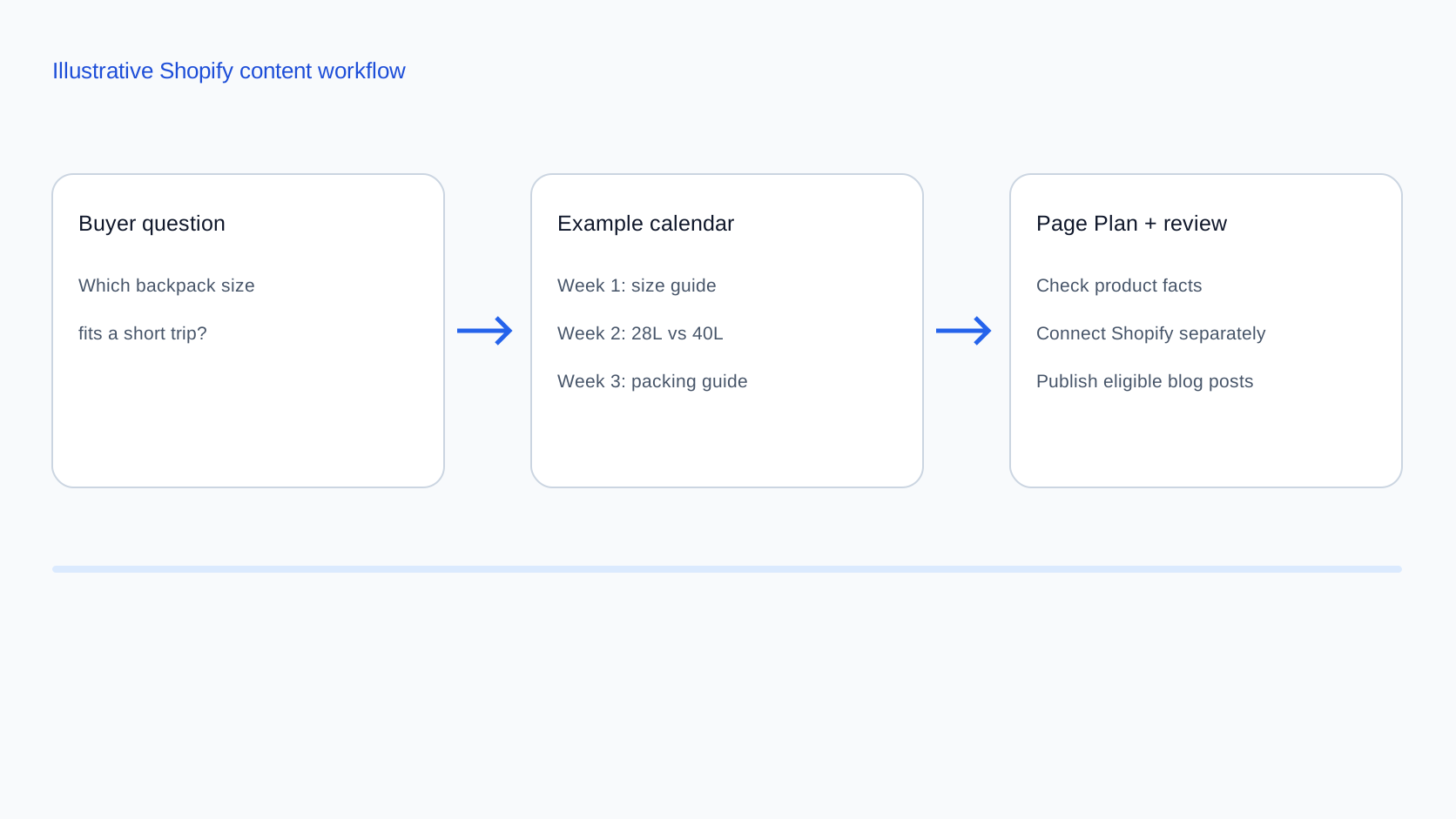
Once an opportunity moves forward, Rankvia creates a Page Plan before generation. The Page Plan defines the page objective, buyer decision, answer strategy, business context, website context, and relevant internal connections before the draft is created.

For Shopify, supported generated articles and pages can then move through the publishing workflow. Merchants can keep review-first or enable automatic publishing for eligible scheduled content. Automatic publishing runs only after it is enabled and Shopify has been configured as the destination. Rankvia's current permissions cover articles and pages, not direct product-record, collection-record, menu, theme, or storefront-setting edits.

The useful difference from a generic topic spreadsheet is not simply that Rankvia can put dates on opportunities.

It is that the calendar begins with the website that already exists.

See Rankvia Content Calendar

Shopify SEO content-calendar checklist

Use this to audit the planning logic, not how full the calendar looks.

Strategy handoff

  • The calendar starts from opportunities that already fit the broader business strategy.
  • The calendar is not being used to invent strategic priorities from scratch.
  • Search opportunities connect naturally to products, offers, customers, or expertise the business actually has.

Existing coverage

  • Each opportunity has been checked against the existing site.
  • Similar keywords are not automatically treated as separate pages.
  • Existing pages are reviewed for ownership before new URLs are planned.
  • Relevant existing visibility is considered where available.

Page ownership

  • The intended page type is clear.
  • Collection-level demand is not automatically turned into an article.
  • Product-specific demand is checked against PDPs.
  • Comparison intent can receive a real comparison page.
  • Educational questions receive editorial pages where appropriate.

Create / Improve

  • New pages are created only where a distinct owner is missing.
  • Existing owners can become Improve items.
  • No New Page remains an acceptable planning outcome.
  • Improve is not treated as a fallback just because a keyword appears somewhere on an existing page.

Priority

  • Buyer intent is considered.
  • Business and product fit are considered.
  • Current visibility is considered where useful.
  • Existing coverage is considered.
  • Seasonality is considered.
  • Dependencies are considered.
  • Search volume is not the only prioritization signal.
  • Priority is not hidden behind fake numerical precision.

Timing

  • Seasonal work is planned before the demand peak.
  • Recurring seasonal URLs are reused where appropriate.
  • Product and inventory readiness affect timing.
  • The schedule allows time for research, review, and publication.
  • Arbitrary 30/60/90-day SEO rules are not treated as requirements.

Cadence

  • The store does not publish to satisfy a universal posts-per-week target.
  • Publishing pace reflects worthwhile opportunities.
  • Review capacity is considered.
  • AI generation speed is not used as a reason to manufacture more pages.

Page-type mix

  • The calendar can contain both Create and Improve work.
  • Collections and PDPs can appear as Improve items where relevant.
  • Buying guides, comparisons, use cases, educational pages, and support content are used when they fit the need.
  • No universal content-type percentage is being forced onto the store.

Dependencies

  • Required products or collections exist before dependent content is scheduled.
  • Comparisons use accurate underlying product information.
  • Internal-link dependencies are identified.
  • Manual reciprocal-link work is noted where needed.
  • Important research or review dependencies are visible.

Search Console

  • Existing pages and queries are reviewed where GSC is connected.
  • Search Console can change Create into Improve.
  • Query patterns can change priority.
  • Low CTR is diagnosed rather than treated as an automatic rewrite command.
  • Planned pages can be canceled when evidence changes.
  • GSC is used as evidence, not as the strategy itself.

Measurement

  • The intended job of the page is known before publication.
  • Comparisons are not measured exactly like educational guides.
  • Collection Improves are evaluated against category/search and product-discovery goals.
  • Refreshes are evaluated against the reason they were improved.
  • Traffic is not the only measure used by default.

Refresh / Improve

  • Pages are refreshed because something changed.
  • Publication dates are not changed simply to appear fresh.
  • Product and factual changes can trigger Improve.
  • New query evidence can trigger Improve.
  • Seasonal return can trigger Improve.
  • Overlap with another page can trigger review.

Capacity

  • The calendar is not filled merely to eliminate blank dates.
  • High-confidence near-term work is protected.
  • Room remains for new evidence.
  • Product delays and approval delays can change the schedule.
  • No action and postponement are valid outcomes.

AI-generated content

  • AI reduces production effort rather than deciding page ownership.
  • Generated drafts still require factual and editorial judgment.
  • Lower drafting cost is not translated automatically into more URLs.
  • Scaled low-value output is avoided.
  • Google and AI-search opportunities are not automatically split into duplicate pages.
  • The underlying customer need still determines page ownership.
  • The calendar does not use page-per-prompt logic.
  • AI opportunities remain connected to the same website architecture.

Shopify SEO content-calendar FAQ

What is a Shopify SEO content calendar?

A Shopify SEO content calendar is a prioritized operating plan for search growth.

It records which customer and search opportunities the store should work on, whether the action is Create or Improve, which page should own the need, when the work should happen, and how later evidence can change the plan.

It is broader than a blog schedule.

How do I create an SEO content calendar for Shopify?

Start with strategically relevant search opportunities. Check what the existing site already covers, determine the correct page owner, choose Create or Improve, prioritize the opportunity, account for timing and dependencies, and only then assign it a place in the calendar.

After publication, use search and business evidence to reprioritize future work.

How often should a Shopify store publish SEO content?

There is no universal SEO publishing frequency.

Google explicitly says adding lots of content because you believe doing so will make the site seem fresh will not improve rankings overall.

The useful pace depends on worthwhile opportunities, page complexity, research and review requirements, publishing capacity, and dependencies.

Publishing twice per week is not inherently better than publishing twice per month if the additional pages do not deserve to exist.

Should every keyword become a Shopify blog post?

No.

A keyword may map to an existing collection, PDP, comparison, buying guide, another existing page that needs improvement, or no new page at all.

The need and page ownership should be resolved before assigning the keyword to an article.

Google's current generative Search guidance also warns against creating separate pages for every possible search variation.

Should product and collection improvements go on the SEO content calendar?

Yes, when they represent planned SEO work tied to a real customer or search opportunity.

For example, a collection that already owns an important category query but has meaningful room to improve can appear on the same planning calendar as new editorial pages.

The implementation work may still happen directly in Shopify rather than through the same publishing workflow used for Rankvia-generated articles and pages.

Should I create new SEO content or improve an existing page?

Create a new page when a genuinely distinct need has no suitable owner.

Improve when the correct existing page already serves the intent but has meaningful room to do the job better.

If that page already covers the need sufficiently, the right outcome may be no new page.

How far ahead should I plan a Shopify SEO content calendar?

There is no universal planning horizon.

A useful model is to keep near-term work committed, medium-term priorities ordered but movable, and a longer view of known seasonal or product dependencies.

Shopify's own planning guidance similarly recommends choosing a planning window appropriate to the pace of the business and leaving room for flexibility.

When should seasonal Shopify SEO content be published?

Plan it before the demand peak.

Work backwards from the search window and leave enough time for research, production, review, publication, crawling, and possible improvement.

There is no universal 30, 60, or 90-day SEO rule.

What should a Shopify SEO content calendar include?

At minimum, include:

target date; opportunity; buyer intent; page owner/type; Create or Improve; target URL; priority; seasonality or deadline; important dependencies; status; post-publication evidence.

Operational fields such as assignee, reviewer, Page Plan, CMS destination, or internal-link targets can be added where useful.

How should Search Console change the content calendar?

Search Console can reveal existing query/page relationships, trends, impressions, clicks, CTR, average position, and page performance.

That evidence may cause the team to change Create into Improve, move an existing-page opportunity earlier, identify a possible new opportunity, keep something in Watch, cancel a planned page, or leave the calendar unchanged.

Search Console informs the decision. It does not make the decision automatically.

How should I prioritize Shopify SEO content?

Combine search demand with customer intent, business/product fit, current website coverage, existing visibility, timing, dependencies, opportunity quality, and expected usefulness to the business.

Avoid prioritizing solely by search volume or an arbitrary mathematical score.

A lower-volume query can deserve earlier attention when it maps closely to a valuable customer decision the store is well positioned to satisfy.

Should AI make a Shopify store publish more SEO content?

Not by itself.

AI can reduce the time and cost of research, outlining, drafting, and revision. It does not create more legitimate search opportunities.

Google says generative AI can be useful in content creation while warning that generating large numbers of pages without meaningful user value can violate its scaled-content policy.

Use AI to make good page decisions cheaper to execute, not to manufacture more page decisions.

APPLY THIS TO YOUR WEBSITE

See what your Shopify store should create, improve, and work on next

A useful search calendar should already understand the website before it starts filling dates. Rankvia analyzes business context, existing pages, search opportunities, buyer intent, and available search evidence to build a prioritized Content Calendar. It can distinguish new-page opportunities from existing-page Improvements and leave sufficiently covered opportunities out of the usable publishing plan. Selected opportunities can then move into Page Plans and supported content generation, where the page objective, answer strategy, business context, and internal relationships are defined before the draft is created.

Personalized to your website. No credit card required.

Sources

Google

Shopify

Rankvia

  • Rankvia Content Calendar - Business fit, existing-site context, buyer intent, page roles, priority, publishing order, and Create/Improve/no-new-page logic.
  • Rankvia Page Plans - Page objective, buyer decision, answer strategy, business context, website context, and internal connections.
  • Rankvia Google Search Console integration - Optional first-party query/page/performance evidence for Create vs Improve and prioritization.
  • Rankvia Automated Publishing - Review-first and opt-in automatic publishing for eligible scheduled content.
  • Rankvia for Shopify - Current Shopify publishing scope, draft/live states, automatic publishing, and article/page permission boundaries.